LAUNCH X-431 PRO MINI User Manual
29
ok
at + reboot = 1
rebooting...
3. Tap “Reset” to configure Wi-Fi printer.
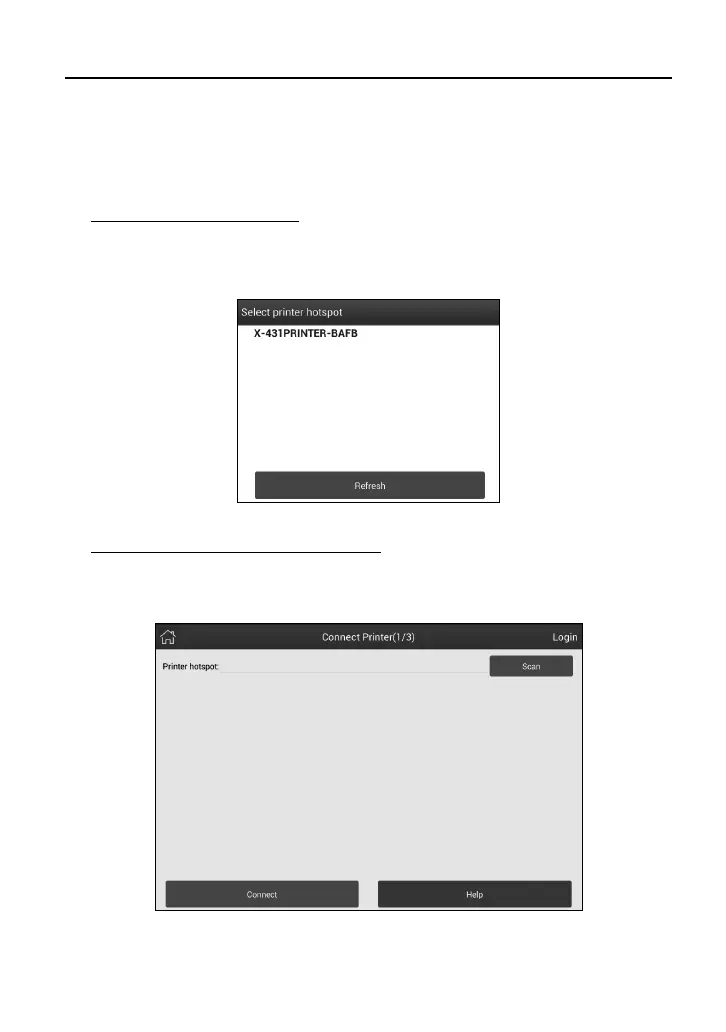
Step 1: Connect the printer:
Tap “Scan” to select the desired printer hotspot named with
X-431PRINTER-XXXX (XXXX stands for 4 characters), and then tap
“Connect” to enter Step 2.
Fig. 4-22
Step 2: Join the Wi-Fi printer into LAN:
Tap “Scan” to select the desired local Wi-Fi network from the list, and type in
the security password (If it is an open network, password is not required), and
then tap “Confirm”.
Fig. 4-23
1. Once the Wi-Fi network of the printer is connected and the printer is found,















 To Next Page