LAUNCH X-431 V User Manual — Vehicle Diagnosis
17
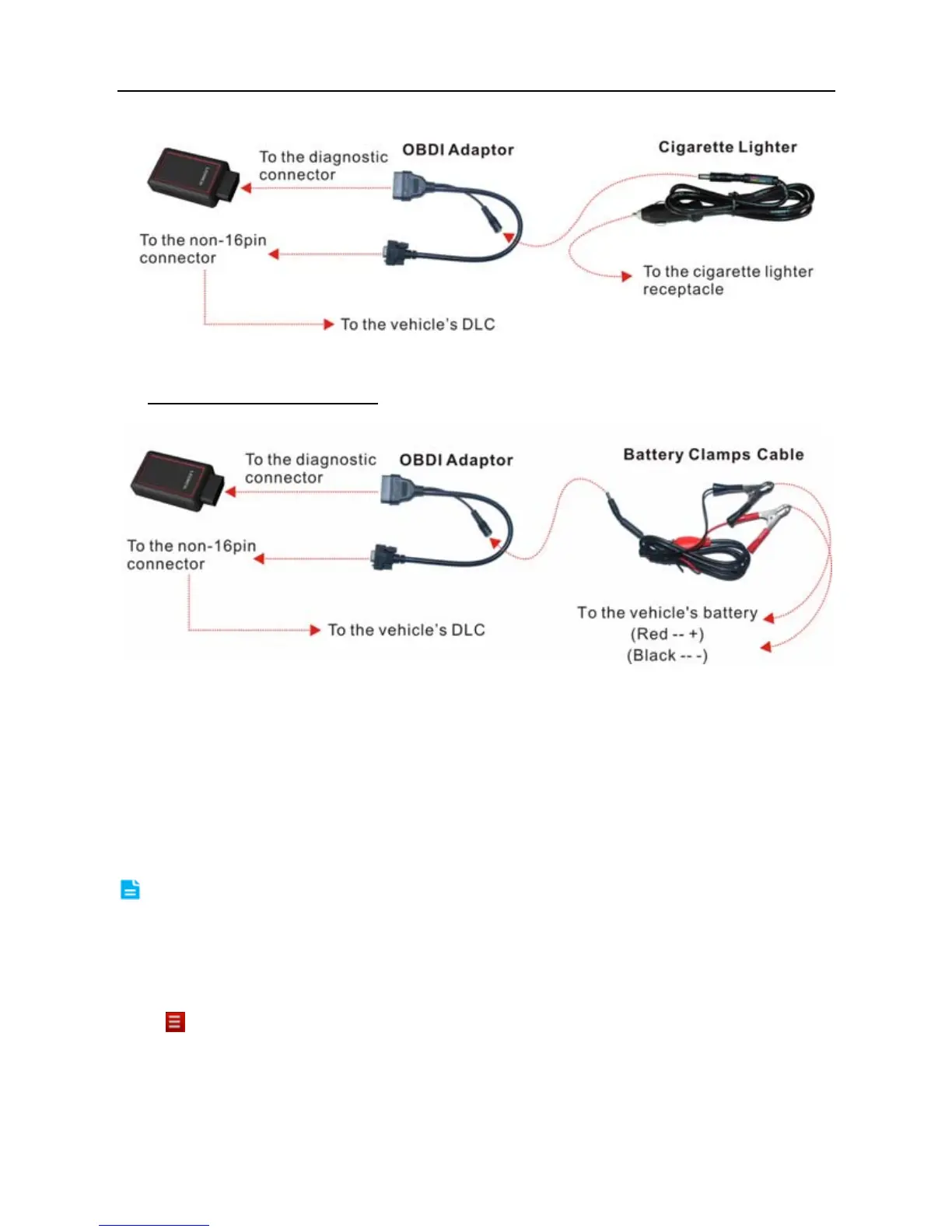
Fig. 4-11
B. Battery Clamps Cable:
Connect one end of the battery clamps cable to
vehicle’s battery, and the other end to the power jack of OBD I adaptor.
Fig. 4-12
4.4 Bluetooth Setting
Enter X-431 V Bluetooth setting screen (“Settings” --> “Bluetooth”), slide the
Bluetooth switch to ON and X-431 V will start searching available Bluetooth
device, tap the desired connector to pair.
By default, the Bluetooth name is 98549*****00 (where ***** stands for 5 digits.).
Note: In case no Bluetooth setting is done before diagnostic software is launched,
you can also configure it while using the software. For details on Bluetooth connection,
please refer to Chapter 4.5 “Start diagnosing”.
4.5 Start Diagnosing
Tap --> “Diagnostic” to enter the vehicle selection page.
Take Demo as an example to demonstrate how to diagnose a vehicle.
1). Tap the “DEMO”, the following dialog box appears:



 To Next Page