EasyManua.ls Logo

Launch X-431 PAD IV - User Manual

Launch X-431 PAD IV
2 pages
Print Icon
To Next Page IconTo Next Page
Loading...
Knowledge of X-431 PAD IV
X-431 PAD IV
Quick Start Guide
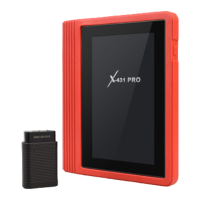
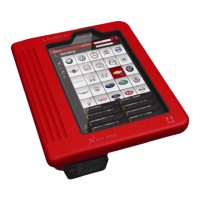
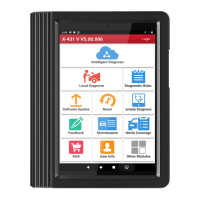
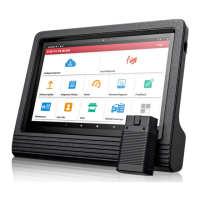
X-431 PAD IV is a new sophisticated Android-based diagnostic tool developed by LAUNCH. Utilizing higher hardware
configuration and user-friendly interface, it inherits LAUNCHs advanced diagnosing technology by covering a wide range of
vehicles, featuring powerful functions, and providing precise test result.
In addition to traditional diagnosis, X-431 PAD IV also supports the quick vehicle VIN(Vehicle Identification Number) scanning
technology, remote diagnosis(making remote request established easier and getting repair job fixed faster), diagnostics forum(a
platform for technicians to share repair skills and technical exchange), repair data(abundant repair information for quick retrieval
and reference), one-click update and add-on modules, such as oscilloscope, ignition, sensor and battery test etc.
Power/Screen lock key
Headphone jack
TF card slot
(To insert a TF card for memory extension.)
HDMI port
(To connect an external projector or monitor with HDMI interface)
Ethernet port
(To connect Ethernet cable for wired network)
Volume +/- keys
(To adjust the volume)
Reserved jack
Reset hole
(To reset the X-431 PAD IV)
DC-IN jack
(To connect the included power adaptor)
USB2 port
(To connect USB devices or add-on modules)
USB1 port
(For connecting it to VCI module to perform diagnosis)
Front camera
Touch Screen
Rear camera
Adjustable kickstand
Audio speaker
Camera Flash
Accessory Checklist
X-431 PAD IV tablet HD IV module Diagnostic cable
Power adaptor USB cable Power adaptor for VCI module
Password envelope Diagnostic connector kit
(A tablet for showing test results.)
(A device for accessing vehicle data.)
(To connect the VCI module to the vehicle’s
DLC.)
(To supply power to the X-431 PAD IV tablet.)
(To connect the
HD IV
m
odu
l
e a
n
d
X-431 PAD IV to perform vehicle diagnosis.)
(To supply power to the VCI module
through AC outlet.)
(For connecting the diagnostic cable and
non-16pin vehicle DLC.)
Common accessories for each X-431 PAD IV are same, but for different destinations, the accessories of X-431 PAD IV may vary.
Please consult from the local agency or check the packing list supplied with X-431 PAD IV together.
work comfortable at your desk,
or hang it on automotive parts)
(Flip out it to any angle and
HD IV Module
DC-IN power jack
Status of vehicle connection
Status of Bluetooth communication
Diagnostic socket
(For connecting the diagnostic cable.)
Status of USB connection
USB port
(For connecting the power
adaptor or cigarette lighter/battery
clamps cable to obtain power.
For details on connection, please
refer to Section “Preparation &
Connection” in this Quick Start
Guide.)
(When the module is connected
to the tablet via USB cable,
“ ” appears.)
(If the module is disconnected from
the vehicle’s DLC, it will display “ ”.)
(Once the module is in USB mode,
it will display “ ”.)
(For connecting it to the
tablet to perform diagnosis.)
P
r
of
il
e
Note: Remember to remove the diagnostic cable or adaptor cable from the
DLC if it keeps idle or unused.
Th
e
HD IV
m
odule works as a vehicle communication
interface device, which is designed to read the vehicle data
and then send it to X-431 PAD IV tablet via Bluetooth
communication and USB connection. The module comes
loaded with a 4" display screen, enabling you to easily identify
the working status of the module and X-431 PAD IV tablet.
Microphone
(To supply power to the VCI module through
connection to cigarette lighter receptacle/
vehicle’s battery.)
(A piece of paper bearing S/N and Activation
Code, which is needed for your registration.)
Cigarette lighter&Battery clamps cable
LAUNCH
Technical parameters:
Working voltage:9-36V
Working temp.:- 10℃-55
Communication via:
1) Bluetooth or 2) USB cable
How to supply power to the VCI module?
1). Via power adaptor: Plug one end of the included power adaptor to
the DC-IN jack of the module, and the other end to the AC outlet.
2). Via cigarette lighter cable/battery clamps cable: Plug one end of
the cigarette lighter/battery clamps cable to the DC-IN jack of the
module, and the other end to the cigarette receptacle / vehicle's
battery.
Optional
½öÓÃÓÚÆÀ¹À¡£
°æÈ¨ËùÓÐ (c) by Foxit Software Company, 2004
ÓÉ Foxit PDF Editor ±à¼-
Optional
½öÓÃÓÚÆÀ¹À¡£
°æÈ¨ËùÓÐ (c) by Foxit Software Company, 2004
ÓÉ Foxit PDF Editor ±à¼-
(spare)
Optional
½öÓÃÓÚÆÀ¹À¡£
°æÈ¨ËùÓÐ (c) by Foxit Software Company, 2004
ÓÉ Foxit PDF Editor ±à¼-
(spare)
½öÓÃÓÚÆÀ¹À¡£
°æÈ¨ËùÓÐ (c) by Foxit Software Company, 2004
ÓÉ Foxit PDF Editor ±à¼-
(Optional)
(Optional)
(Optional)
Question and Answer IconNeed help?

Do you have a question about the Launch X-431 PAD IV and is the answer not in the manual?

Summary

Knowledge of X-431 PAD IV

X-431 PAD IV Tablet Ports and Controls

Details physical ports like USB, DC-IN, HDMI, and controls like reset, volume, and power keys.

X-431 PAD IV Diagnostic and Connectivity Features

Highlights VIN scanning, remote diagnosis, repair data, forum, updates, and add-on modules.

HD IV Module Overview

HD IV Module Functionality and Connection

Explains the HD IV module's role as a vehicle communication interface and its connection methods.

HD IV Module Status Indicators

Describes indicators for USB, vehicle, and Bluetooth communication status on the HD IV module.

Accessory Checklist

Included Accessories

Lists essential accessories for the X-431 PAD IV, including tablet, HD IV module, cables, and adapters.

Optional Accessories

Details optional accessories like power adapters and cigarette lighter cables for extended functionality.

Essential Documentation and Codes

Includes the password envelope containing S/N and Activation Code required for registration.

Summary

Knowledge of X-431 PAD IV

X-431 PAD IV Tablet Ports and Controls

Details physical ports like USB, DC-IN, HDMI, and controls like reset, volume, and power keys.

X-431 PAD IV Diagnostic and Connectivity Features

Highlights VIN scanning, remote diagnosis, repair data, forum, updates, and add-on modules.

HD IV Module Overview

HD IV Module Functionality and Connection

Explains the HD IV module's role as a vehicle communication interface and its connection methods.

HD IV Module Status Indicators

Describes indicators for USB, vehicle, and Bluetooth communication status on the HD IV module.

Accessory Checklist

Included Accessories

Lists essential accessories for the X-431 PAD IV, including tablet, HD IV module, cables, and adapters.

Optional Accessories

Details optional accessories like power adapters and cigarette lighter cables for extended functionality.

Essential Documentation and Codes

Includes the password envelope containing S/N and Activation Code required for registration.

Overview

The X-431 PAD IV is a sophisticated Android-based diagnostic tool developed by LAUNCH, designed to provide comprehensive vehicle diagnostics and related functionalities. It leverages a high hardware configuration and a user-friendly interface, inheriting LAUNCH's advanced diagnosing technology to cover a wide range of vehicles, offer powerful functions, and deliver precise test results.

Function Description:

The primary function of the X-431 PAD IV is vehicle diagnosis. It connects to a vehicle's On-Board Diagnostics (OBD) system to read and interpret vehicle data, identify issues, and facilitate repairs. Beyond traditional diagnosis, the device supports several advanced features:

  • Quick Vehicle VIN Scanning: This technology allows for rapid identification of a vehicle by scanning its Vehicle Identification Number (VIN), streamlining the diagnostic process.
  • Remote Diagnosis: The X-431 PAD IV enables remote diagnostic requests, making it easier to establish connections and expedite repair jobs. This feature is particularly useful for technicians needing to assist customers or colleagues from a distance.
  • Diagnostics Forum: The device integrates a platform where technicians can share repair skills, exchange technical information, and collaborate on complex diagnostic challenges. This fosters a community of professionals and facilitates knowledge sharing.
  • Repair Data Access: Users can access abundant repair information for quick retrieval and reference, aiding in efficient troubleshooting and repair procedures. This includes databases of common issues, repair steps, and technical bulletins.
  • One-Click Update: The device supports convenient one-click updates for its software and diagnostic databases, ensuring that users always have access to the latest vehicle models and diagnostic functionalities.
  • Add-on Modules: The X-431 PAD IV can be expanded with various add-on modules to enhance its capabilities. These include an oscilloscope for waveform analysis, an ignition module for ignition system diagnostics, a sensor module for sensor testing, and a battery test module for evaluating battery health.

The HD IV module, which works as a vehicle communication interface device, is integral to the X-431 PAD IV system. It is designed to read vehicle data and transmit it to the X-431 PAD IV tablet via Bluetooth communication and USB connection. The module features a 4-inch display screen, allowing users to easily identify its working status, including USB connection status, vehicle connection status, and Bluetooth communication status.

Usage Features:

The X-431 PAD IV tablet is designed for intuitive operation with several user-friendly features:

  • Touch Screen: The primary interface for interaction, allowing users to navigate menus, input data, and view diagnostic results with ease.
  • Volume +/- Keys: Physical buttons for adjusting the audio volume, useful for alerts or multimedia playback.
  • Power/Screen Lock Key: A single key to power the device on/off or lock/unlock the screen, conserving battery and preventing accidental inputs.
  • Adjustable Kickstand: A built-in kickstand that can be flipped out to any angle, allowing users to work comfortably at a desk or hang the device on automotive parts for hands-free operation.
  • Front and Rear Cameras: Integrated cameras for capturing images or videos, which can be useful for documenting vehicle conditions or repair processes.
  • Microphone and Audio Speaker: For audio input and output, supporting voice commands, recording notes, or playing back diagnostic sounds.
  • Connectivity Ports:
    • USB1 Port: Specifically for connecting to the VCI module to perform diagnosis.
    • USB2 Port: For connecting other USB devices or add-on modules.
    • DC-IN Jack: For connecting the included power adaptor to charge the device.
    • Ethernet Port: For connecting an Ethernet cable for wired network access.
    • TF Card Slot: For inserting a TF card to extend memory for storing diagnostic data, software, or multimedia files.
    • HDMI Port: For connecting to an external projector or monitor with an HDMI interface, allowing for larger display of diagnostic results or presentations.
    • Headphone Jack: For private audio listening.

The HD IV module also features:

  • Diagnostic Socket: For connecting the diagnostic cable to the vehicle.
  • DC-IN Power Jack: For connecting the power adaptor or cigarette lighter/battery clamps cable to obtain power for the module.
  • USB Port: For connecting the module to the tablet to perform diagnosis.

Maintenance Features:

The X-431 PAD IV is designed with features that facilitate its maintenance and longevity:

  • One-Click Update: As mentioned, this feature ensures the device's software and diagnostic databases are always up-to-date, which is crucial for accurate diagnosis of new vehicle models and systems. Regular updates also often include bug fixes and performance enhancements.
  • TF Card Slot for Memory Extension: The ability to add external memory via a TF card allows users to manage storage effectively. This means diagnostic logs, repair data, and software updates can be stored without impacting the device's internal memory, preventing slowdowns and ensuring continuous operation.
  • Reset Hole: A small reset hole is provided on the X-431 PAD IV tablet. This allows users to perform a hard reset if the device becomes unresponsive or encounters software issues, helping to restore its functionality without data loss in most cases.
  • Modular Design: The system's reliance on add-on modules and external VCI (HD IV module) means that if a specific component fails or needs an upgrade, it can often be replaced independently, rather than requiring the replacement of the entire diagnostic tool.
  • Accessory Checklist: The manual emphasizes consulting the local agency or checking the packing list for accessories, which is important for ensuring all necessary components are present and for ordering replacements if needed. This structured approach to accessories supports proper setup and ongoing use.
  • Power Adaptors: The inclusion of dedicated power adaptors for both the X-431 PAD IV tablet and the HD IV module (including cigarette lighter/battery clamps cable) ensures reliable power supply, which is critical for stable operation during diagnostic procedures and for proper battery charging, extending the life of the internal batteries.
  • Password Envelope: The provision of a password envelope containing the S/N and Activation Code is crucial for registration and future support, ensuring that the device can be properly identified and serviced.

The design of the X-431 PAD IV, with its robust connectivity options, modular expandability, and user-centric features, aims to provide a comprehensive and reliable diagnostic solution for automotive technicians.

Launch X-431 PAD IV Specifications

General IconGeneral
RAM4GB
Storage64GB
Resolution1920 x 1200 pixels
Display10.1-inch
Operating SystemAndroid
ConnectivityWi-Fi, Bluetooth
PortsHDMI

Related product manuals