- 8 -
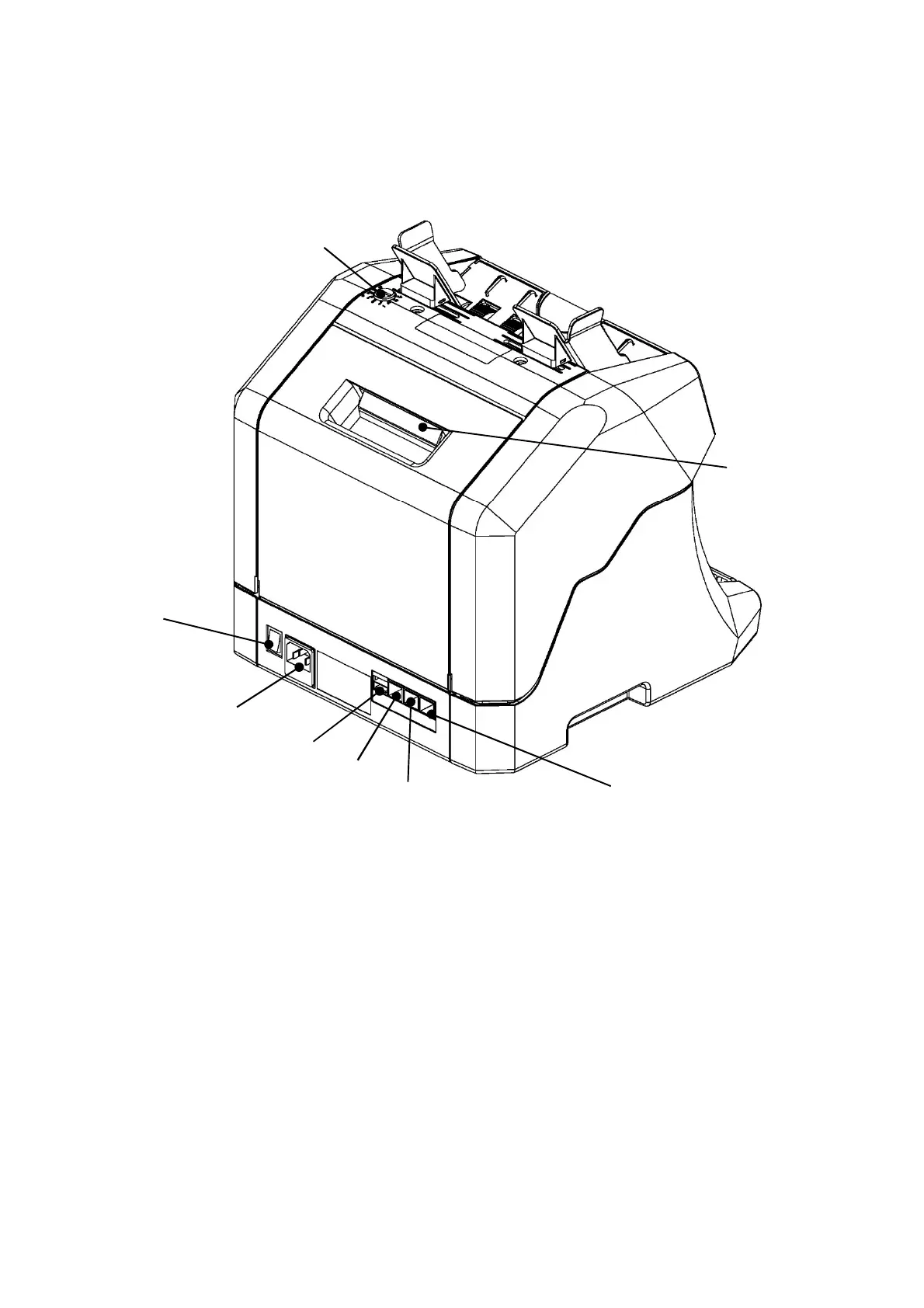
Rear View
8. Thickness Adjustment Dial
The Dial is to adjust feeding condition. Use a coin to turn the Dial.
9. Open Lever
It is used for opening the Rear Cover.
10. Interface Connector 1: For Service maintenance
11. Interface Connector 2: For Printer or PC Connection
12. Interface Connector 3: For Customer Display
13. USB Connection
14. Power Inlet
It is used for connecting the Power Cable.
15. Power Switch
It is used for turning on and off the Power.
9. Open Lever
8. Thickness Adjustment Dial
15. Power Switch
14. Power Inlet
10. Interface Connector 1
13. USB
11. Interface Connector 2
12. Interface Connector 3


 To Next Page