- 12 -
Step
5.
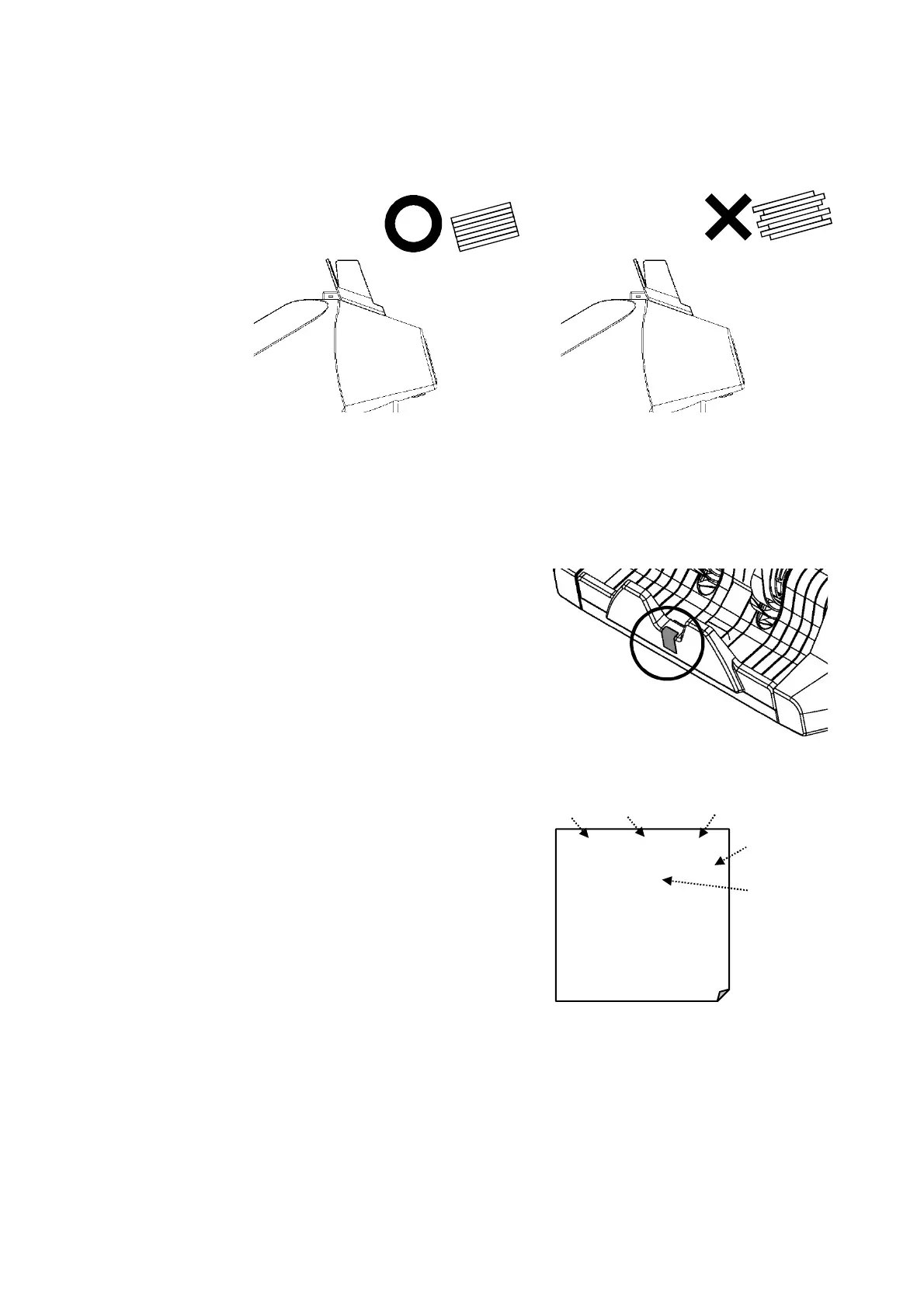
Put the notes onto the Hopper, counting starts automatically after
placing notes onto the Hopper.
In setting notes onto the Hopper, arrange notes to the longer side of a note and
set them properly in the above good example. Otherwise, it will cause a feeding
Error
Step
6.
When Suspicious notes are
found, LED in the Lower Stacker
turns into red.
Step 7.
Press ENT to complete
transaction.
Print last counted data when
connected with a printer.
In ADD Mode with connect
Printer:
ADD Total can print when press
ENT around 2 second and clear
data. Next count starts from 0.
Mode Operator No. Transaction No.
Machine No
Date
<VALUE> OP1 No.001
04/03/2010 17:30 (001)
EURO PCS Amount
1 5
-------------------------------
Total 1 5


 To Next Page