16
To access the Operator menu,
please use the default password
3333. Brewer settings can be
changed here.
ENERGY SAVING MODE
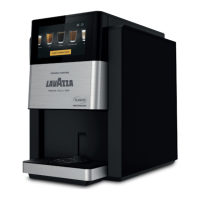
The FLAVIA C600 is designed to be highly energy-ecient. In order
to conserve even more energy, the brewer is congured to switch into
standby mode after 4 hours (or 240 min) of inactivity. To congure the
energy saving mode:
Enter the Operator menu (see above).
Navigate to the “Energy saving” screen.
Set time period for brewer to enter standby in minutes by using the
dropdown menu.
Exit the menu to save the settings.
If the brewer is in standby mode the heaters will be switched o and the
display will have low contrast. Pressing any area on the screen will
re-activate the brewer. It will take approximately 2 minutes for the brewer
to be able to brew the rst hot drink.
OPERATING LANGUAGES
As part of the installation, the default language is set on the brewer. In
addition, users can temporarily change the language for each vend using
the top right corner of the brewer home screen.
1
2
3
4


 To Next Page
 Loading...