Page 15
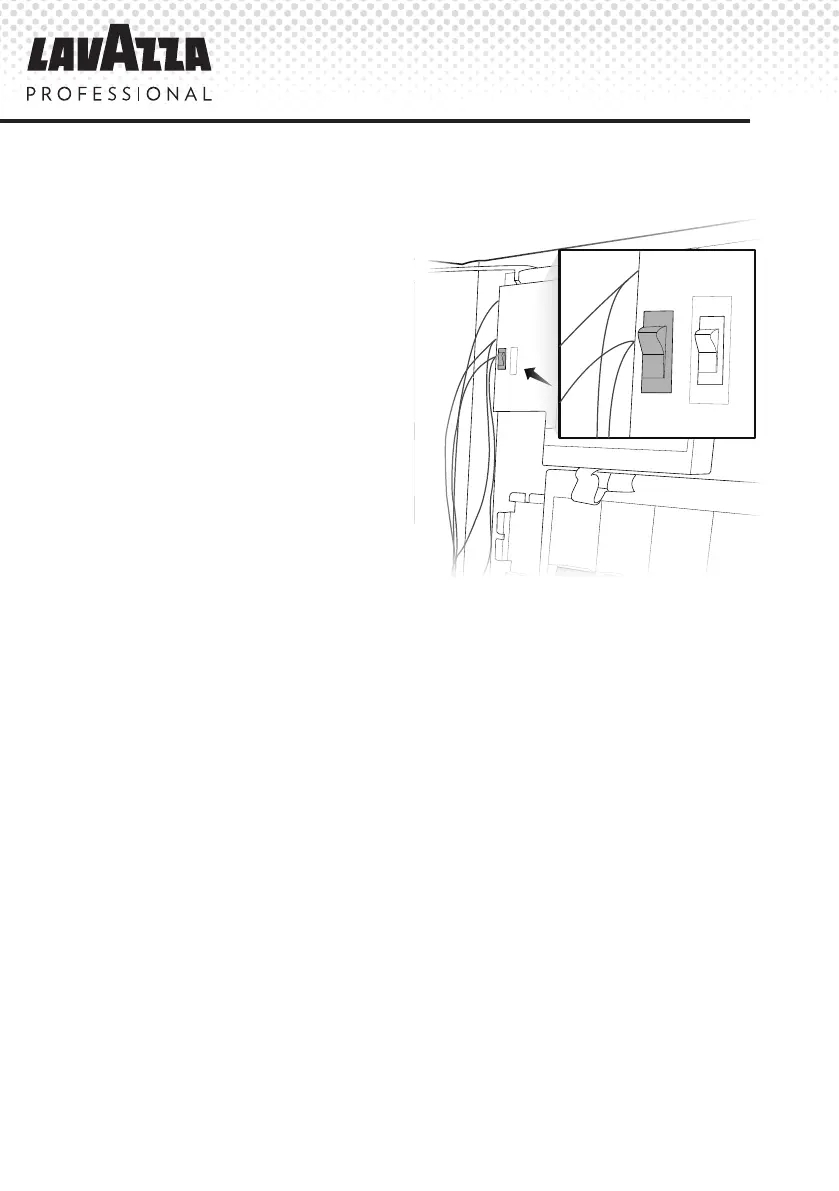
5. Setting the ‘Free Vend’ or ‘Pay Vend’
A KLIX
®
machine is set to
‘Free Vend’ or ‘Pay Vend’ using
the switch located to the left of the
cleaning instruction poster inside
the door; see illustration to the
right. To set the machine to ‘Free
Vend’ or ‘Pay Vend’ simply put the
switch in the orientation shown.
Note: The Free/Pay vend switch
can be disabled by altering
the conguration settings. Call
Lavazza Professional Customer
Service or visit
www.lavazzapro.co.uk
for further advice and assistance.
FREE
PAY


 To Next Page
 Loading...