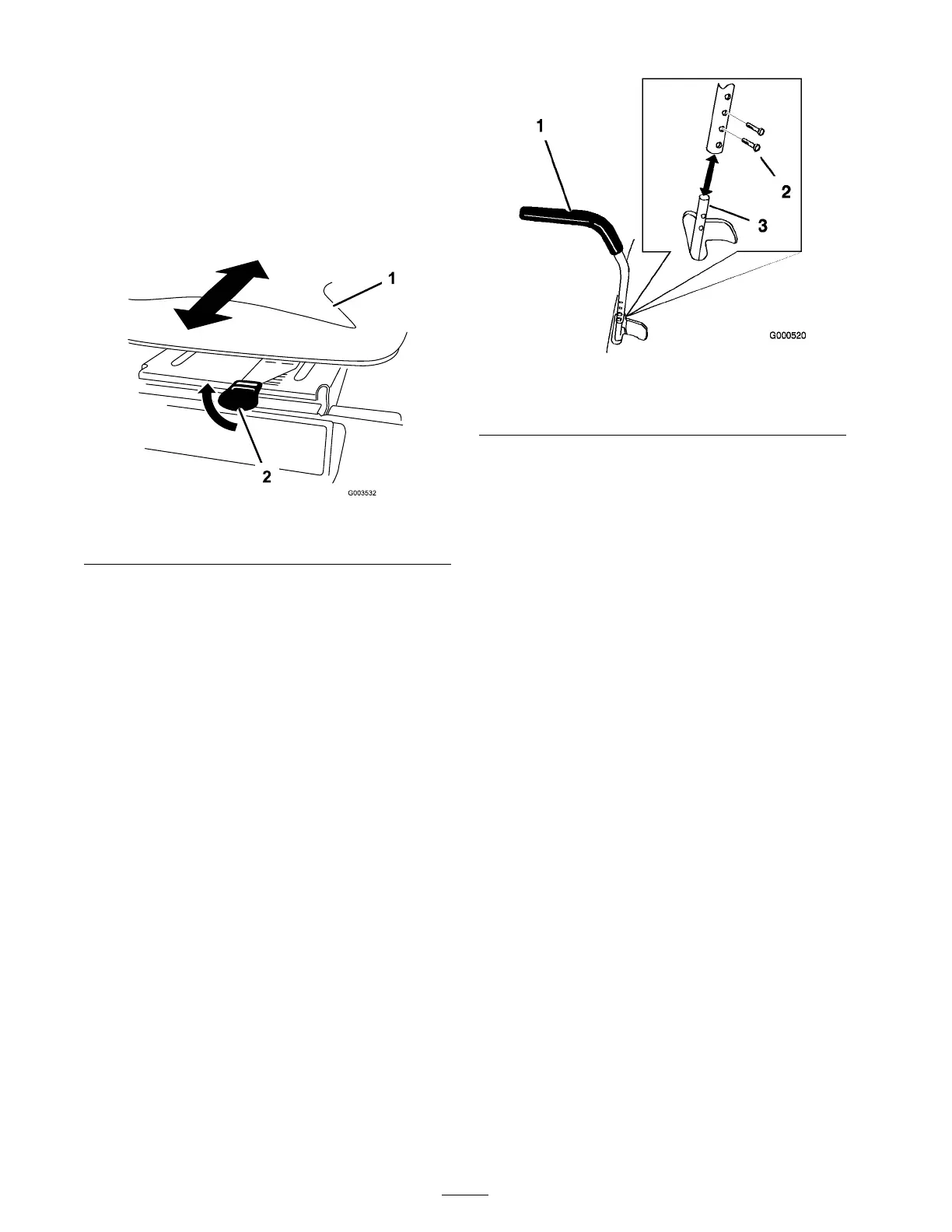
Positioning the Seat
T he seat can mo v e forw ard and bac kw ard.
P osition the seat where y ou ha v e the best control
of the mac hine and are most comfor table .
Raise the seat adjustment lev er and mo v e the
seat forw ard or bac kw ard to the desired position
( Figure 13 ).
Figure 13
1. Seat
2. Adjustment lever
Adjusting the Motion
Control Levers
T he motion control lev ers can be adjusted higher
or lo w er for maxim um operator comfor t.
1. R emo v e the 2 bolts holding the control lev er
to the control ar m shaft ( Figure 14 ).
2. Mo v e the control lev er to the next set of holes .
Secure the lev er with the 2 bolts ( Figure 14 ).
Figure 14
1. Control lever 3. Control arm shaft
2. Bolt
3. R e peat the adjustment for the opposite control
lev er .
Pushing the Machine by
Hand
Important: Al w ays push the machine
by hand. Nev er to w the machine because
dama ge may occur .
To Push the Machine
1. P ark the mac hine on a lev el surface and
diseng ag e the blade control switc h.
2. Mo v e the motion control lev ers outw ard to
eng ag e the parking brak e , stop the engine ,
remo v e the k ey , and w ait for all mo ving par ts
to stop before lea ving the operating position.
3. Raise the seat to access the b ypass lev ers
( Figure 15 ).
4. Mo v e the tw o b ypass lev ers forw ard and then
outw ard to loc k them in place as sho wn in
Figure 15 .
5. Mo v e the motion control lev ers inw ard to
diseng ag e the parking brak e .
T he mac hine is no w able to be pushed b y hand.
16



 To Next Page