13
ASSEMBLY
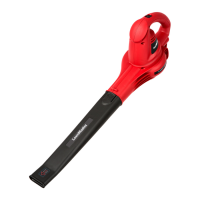
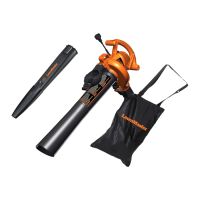
ATTACHING THE BLOWER TUBE (See Figure 1)
Fig. 1
INSTALLING / REMOVING THE BATTERY PACK
To install the battery pack:
1. Make sure the battery is fully charged.
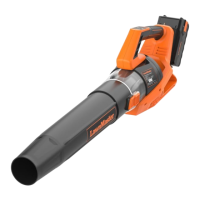
2. Align the slot of the battery pack with the battery rail on the rear of the main handle (Fig. 2).
3. While holding the blower rmly, push the battery pack into the slot until it locks into place.
4. Do not use force when inserting the battery pack. It should slide into position and “click”.
To remove the battery pack:
1. Ensure the blower is switched off.
2. Press both the release buttons on the battery pack. Grasp the blower rmly, and pull the battery
pack out of the handle (Fig. 3).
NOTE: The battery pack ts into the bottom of handle snugly in order to prevent accidental dislodging.
It may require a strong pull to remove it.
1. Align the widest end of the blower tube with the front opening on the blower as shown in Fig. 1.
2. Slide the blower tube over the opening until it snaps onto the latch and the blower tube is secure in
place.
3. To remove the blower tube, press the back end of the latch to lift and pull the blower tube away.


 To Next Page