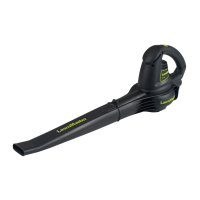
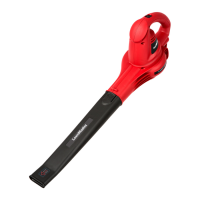
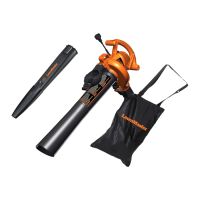
This document is an operator's manual for the LawnMaster 40V MAX* Lithium-ion Cordless Axial Blower, model CLBL4016A. It provides detailed information on the blower's function, technical specifications, usage, and maintenance.
Function Description:
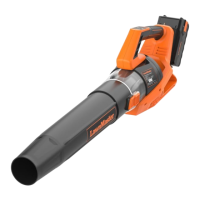
The LawnMaster CLBL4016A is a cordless, battery-powered axial blower designed for outdoor cleaning tasks. Its primary function is to blow debris, grass clippings, straw, or leaves off hard surfaces such as driveways, sidewalks, patios, parks, parking lots, decks, garages, and between bricks. The blower features a lightweight design to reduce user fatigue during extended use. It operates with a blower tube that can be easily installed without tools. The blower offers five speed settings, including four air speed levels and one turbo speed, to accommodate varying job requirements. The turbo speed button provides increased airflow for tough debris removal. The device is powered by a lithium-ion battery pack and comes with a compatible battery charger.
Important Technical Specifications:
40V MAX Cordless Blower:*
- Type: Cordless, Battery-powered
- Max Air Volume: 393 CFM (Cubic Feet per Minute)
- Max Air Speed: 108 MPH (Miles Per Hour)
- Speed Setting: 5 levels (4 levels + Turbo)
- Weight with Battery: 6.37 lbs (2.89 kg)
- Maximum initial battery workload voltage (measured without a workload): 40 volts
- Nominal voltage: 36 volts
Battery Pack (Model Number: 40LB2032-C):
- Rated Voltage of Battery: 40 V Max* D.C
- Capacity of Battery: 2.0 Ah (Ampere-hour)
- Battery Type: Lithium-ion
Battery Charger (Model Number: 40LFC17-ETL):
- Charger Input: 120 V~60 Hz 120 W
- Charger Output: 40 V D.C. 2.6 A
- Charging Time (For 40LB2032-C): 45 minutes
Usage Features:
The blower is designed for ease of use with several user-friendly features:
- On/Off Button: A simple button to start and stop the blower. The blower always starts at speed Level 1.
- Speed Adjustment: Dedicated high speed and low speed buttons allow users to increase or decrease the air speed. An air speed indicator displays the current speed level, with four green lights indicating the highest speed (Level 4).
- Turbo Speed Button: A temporary boost feature for increased airflow to tackle stubborn debris. After 15 seconds, the airflow automatically returns to the previous speed.
- Battery Indicator: A control panel on the blower illuminates to show the battery status, providing real-time feedback on remaining charge.
- Battery LED Panel: The battery pack itself has 4 LEDs. Pressing and holding a button on the battery displays the charge levels:
- 4 LEDs (including 2 green): Fully charged (> 75%)
- 3 LEDs (including 1 green): ≥ 50%
- 2 LEDs (orange & red): ≥ 25%
- 1 LED (red only): < 25%, recharge required.
- Easy Battery Installation/Removal: The battery pack slides into a rail on the main handle and locks into place. Removal involves pressing release buttons and pulling the pack out.
- Tool-free Blower Tube Attachment: The blower tube aligns with the front opening and snaps onto a latch for secure attachment, and can be removed by pressing the latch.
- Shoulder Strap Hook: For comfortable carrying during operation.
Maintenance Features:
The manual outlines essential maintenance procedures to ensure the blower's longevity and safe operation:
- General Maintenance:
- Remove the battery pack before any maintenance.
- Brush or blow dust and debris out of air vents using compressed air or a vacuum. Do not spray, wash, or immerse vents in water.
- Wipe the housing and plastic components with a clean, dry cloth. Avoid strong solvents or detergents.
- Store the blower indoors in a dry, well-ventilated area, inaccessible to children.
- Battery Pack Maintenance:
- Fully charge the battery before storage.
- Recharge when performance noticeably reduces; do not allow complete discharge.
- Avoid overcharging; remove from charger once fully charged.
- Do not store the battery pack on the tool or charger.
- Allow a hot battery pack to cool down before recharging.
- Charger Maintenance:
- Keep the charger clean and free of debris. Do not allow foreign material into the recessed cavity or contacts.
- Wipe with a dry cloth; do not use solvents, water, or place in wet conditions.
- Unplug the charger when the battery pack is not installed.
- Do not store the charger in excessive heat or direct sunlight.
- Disconnect the charger from the AC power outlet when not in use and once the battery is fully charged.
The manual emphasizes critical safety instructions, including wearing eye and hearing protection, keeping bystanders away (at least 50ft), avoiding loose clothing and long hair near air inlets, and never operating without blower tubes in place. It also details battery and charger safety, such as avoiding fire, extreme temperatures, and physical damage to the battery pack.
Environmental Considerations:
The product uses lithium-ion batteries, which are toxic materials. The manual provides instructions for environmentally safe battery disposal, advising users to contact local waste disposal agencies or the Environment Protection Agency for information regarding available recycling and/or disposal options. It explicitly states not to dispose of batteries in ordinary trash, incinerate them, or place them in waste landfills. Damaged or leaking batteries should be handled with care, covering terminals with heavy-duty adhesive tape, and not attempting to repair them.


 To Next Page
 General