24
The intelligent charger measures the charge level of the battery pack and charges the battery
accordingly with the required current and voltage, based on battery temperature and voltage, this
ensures maximum battery life. Charge the battery fully before storage.
A ashing red LED light on the charger indicates that the battery temperature is not within the
■ Align the slot of the battery pack with the rail on the charger. Slide the battery onto the rail until
the battery pack secures into place (Fig. 18).
■ Connect the charger to the power supply.
■ Allow sufcient charging time (see Technical Data), and then disconnect the charger from the
power supply.
■ Press the release button on the battery pack and remove it from the charger.
NOTE: It is normal for the battery pack and the charger to become warm (but not hot) during
charging process. If the battery does not charge properly, check to make sure the electrical outlet
is operational. Always charge the battery before storage!
Use only with the following battery approved by the manufacturer: 24LB4005, 24LB4005-C,
24LB2004, 24LB2004-C.
If any part of the charger is missing or damaged, do not operate it! Replace the charger with a new
one. Failure to pay attention to this warning could result in possible serious injury.
Check the voltage! The voltage must comply with the information on the rating label.
WARNING
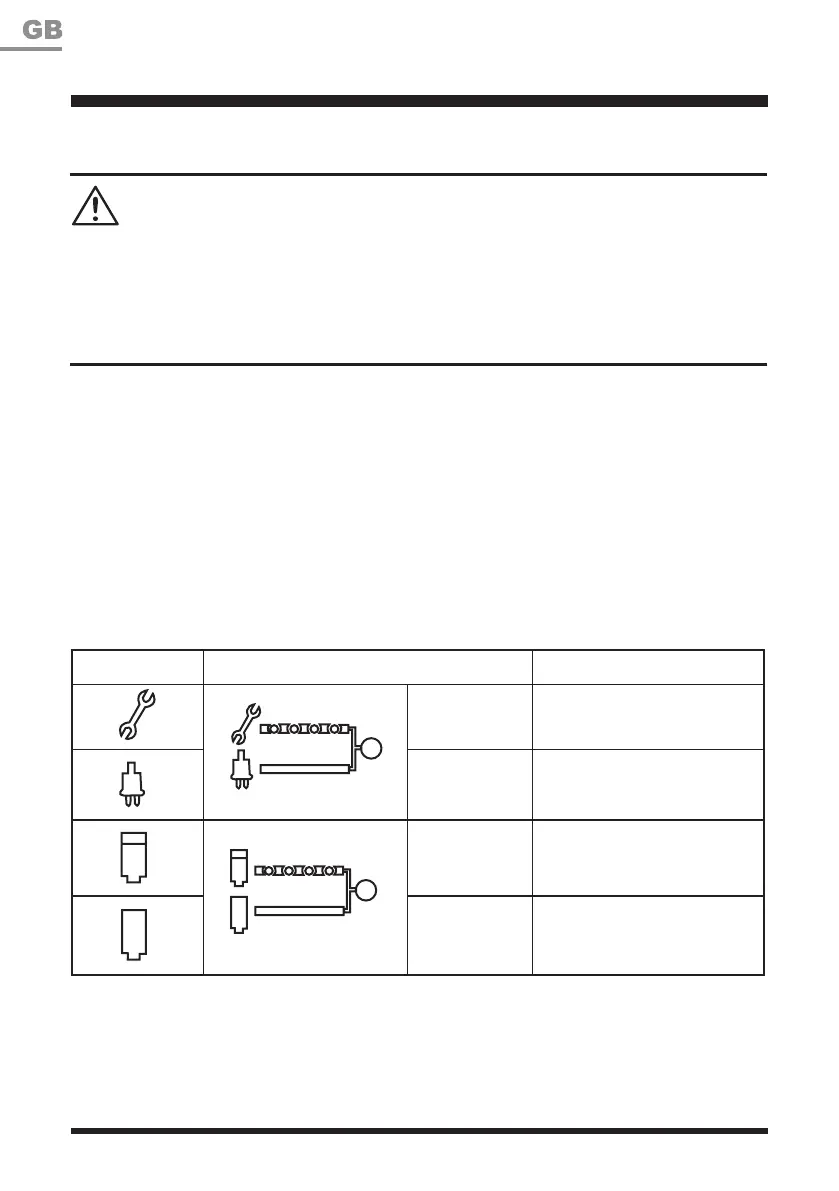
Charger Operation (See Fig. 18)
Symbol Indicator Lights Status
Red, ashing
Charging paused, see
instructions below.
Red, continuous
Connected to power supply
(Standby)
Green, ashing Charging
Green,
continuous
Fully charged
The indicator lights on the charger show the charging status:
OPERATION










 To Next Page