3
URBANIZE
3. How to use the panoramic lens
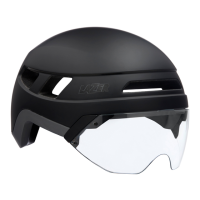
The Urbanize helmet comes with a
magnetic panoramic lens to protect
your face from the wind as you ride
fast, and from the rain when it pours.
Holding the lens in place are 4 sets of
super strong neodymium magnets.
This allows you to easily snap the lens
into place in the installed position, or in
the docking position.
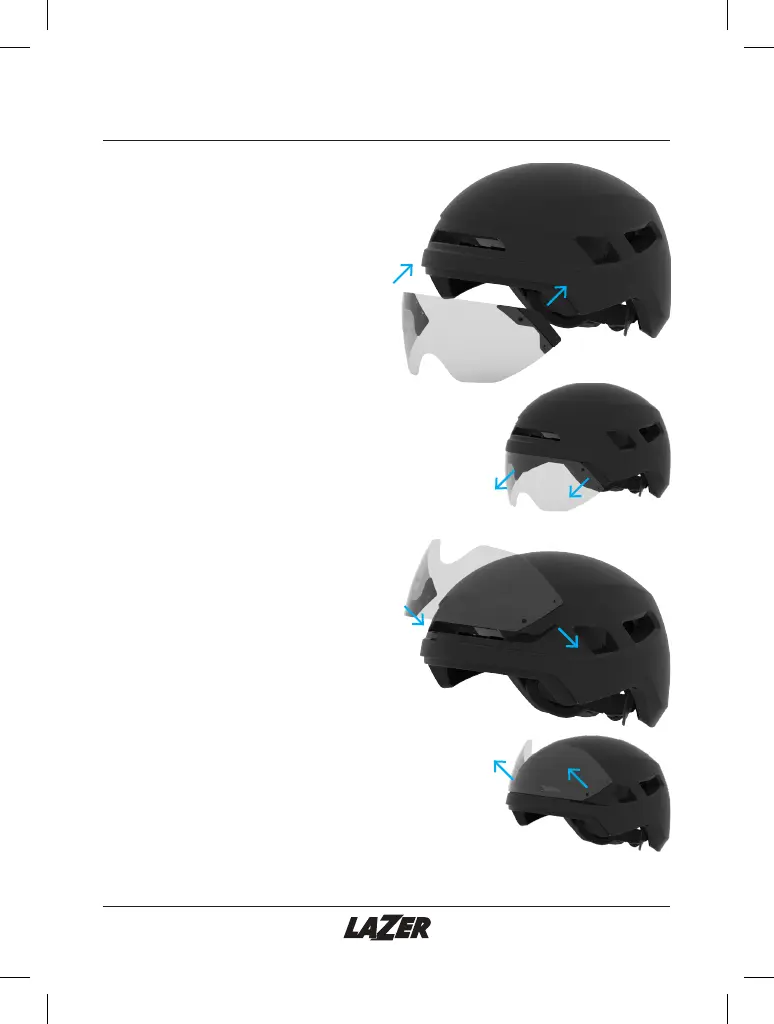
1) To install the magnetic panoramic
lens, align the lens with the lower brim
on the front of the helmet as shown in
diagram 3A. The magnets will snap the
lens securely into the correct position.
2) To remove, simply pull the lens away
from the helmet as shown in
diagram 3B.
For convenience, you can dock the
lens. This is suitable for when you want
to ride without the lens installed, but
still want to take it with you in case you
change your mind. You can also use
the helmet without the lens at all.
1) To dock the magnetic panoramic
lens, align the lens wit the upper brim
on the front of the helmet as shown in
diagram 3C. The magnets will snap the
lens securely into the correct position.
2) To remove, simply pull the lens away
from the helmet as shown in
diagram 3D.
3A)
3C)
3B)
3D)


 To Next Page