Need help?
Do you have a question about the LAZER Urbanize and is the answer not in the manual?
Align the LED light with the rear hole and push the top in, then the bottom.
Short press the logo to turn on/off and cycle through light modes.
Details constant, flashing, and pulsing modes with their respective run times.
Push the head basket away and push the light out of the back of the helmet.
Connect the provided cable to a standard 5V USB power source for approximately 2 hours.
Helmets reduce injury severity. Use properly. Replace after severe impact or visible wear.
Ensure correct fit, secure strap, and no forward/rearward movement for effectiveness.
Not for climbing or activities with strangulation risk. Use only for cycling, roller skating, or skateboarding.
Align lower brim to install; pull away to remove. Magnets secure the lens.
Align upper brim to dock for convenience. Pull away to remove from docking position.
Remove light, pull fit system away, and thread lock through the hole (max 25mm diameter).
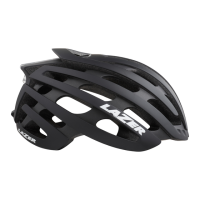
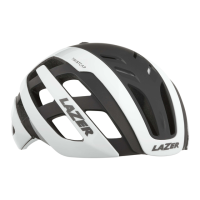
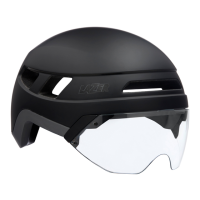
The Lazer Urbanize is a cycling helmet designed to enhance safety and convenience for urban riders. It features an integrated rechargeable rear LED light, a magnetic panoramic lens, and a lock hole for security.
The helmet comes with a rechargeable rear LED light that fits perfectly into the rear of the helmet. To install the light, align it with the rear hole, pushing the top in first, then the bottom. To turn the light on, short press the logo on the front of the light. Subsequent short presses will cycle through the different light modes. To turn the light off, continue cycling through all modes until the light is off.
The LED light offers four modes:
This LED light complies with Part 15 of the FCC Rules, meaning its operation is subject to two conditions: it may not cause harmful interference, and it must accept any interference received, including interference that may cause undesired operation.
The LED light needs to be charged before its first use. After approximately 8 hours of use in constant mode, the battery will require recharging. To do this, you must first remove the light from the helmet. Reach into the helmet, push the head basket away slightly, and then push the light out from the back of the helmet.
Once removed, use the provided cable to plug the battery into a standard 5V USB power source, such as a smartphone charger or a computer USB port, from a renowned manufacturer. The light takes approximately 2 hours to fully charge. During charging, the battery signal LED will turn solid red. Once 100% charged, the charging LED will turn off. This allows for convenient charging at work while the helmet is securely locked to your bike using the integrated lock hole.
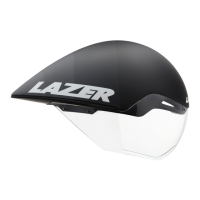
The Urbanize helmet includes a magnetic panoramic lens designed to protect your face from wind and rain while riding. The lens is held in place by four sets of strong neodymium magnets, allowing for easy attachment and removal.
To install the magnetic panoramic lens, align it with the lower brim on the front of the helmet. The magnets will snap the lens securely into the correct position. To remove the lens, simply pull it away from the helmet.
For added convenience, the lens can be docked on the helmet when not in use. This is useful if you prefer to ride without the lens installed but want to carry it with you in case weather conditions change. To dock the lens, align it with the upper brim on the front of the helmet. The magnets will snap the lens securely into the docking position. To remove the docked lens, simply pull it away from the helmet. The helmet can also be used without the lens entirely.
The Urbanize helmet features a lock hole in the rear, allowing you to securely lock your helmet with your bike using a standard bike lock. To use the lock hole, first ensure the LED light is removed. Pull the fit system out of the way, and while holding it, thread your bike lock through the lock hole. The maximum diameter of a lock that can be used with this feature is 25mm.
The Lazer Urbanize helmet is designed to reinforce safety while cycling and conforms to strict international standards. Wearing a helmet can reduce the severity of head injuries during a sports accident, making proper use essential.
For additional helmet instructions, refer to the owner's manual included with the helmet.
 General
| Gender | Unisex |
|---|---|
| Coloration | Image |
| Finish type | Matt |
| Helmet type | Half helmet |
| Ventilation | Yes |
| Closure type | Fidlock magnetic buckle |
| Construction type | In-mold construction |
| Head circumference | 52 - 56 cm |
| Product main color | Titanium |
| Consumer life stage | Adult |
| Number of ventilation holes | 6 |
| Protection brand specific features | MIPS |
| Quantity per pack | 1 pc(s) |
 Weight and Dimensions
| Weight | 360 g |
|---|

 To Next Page