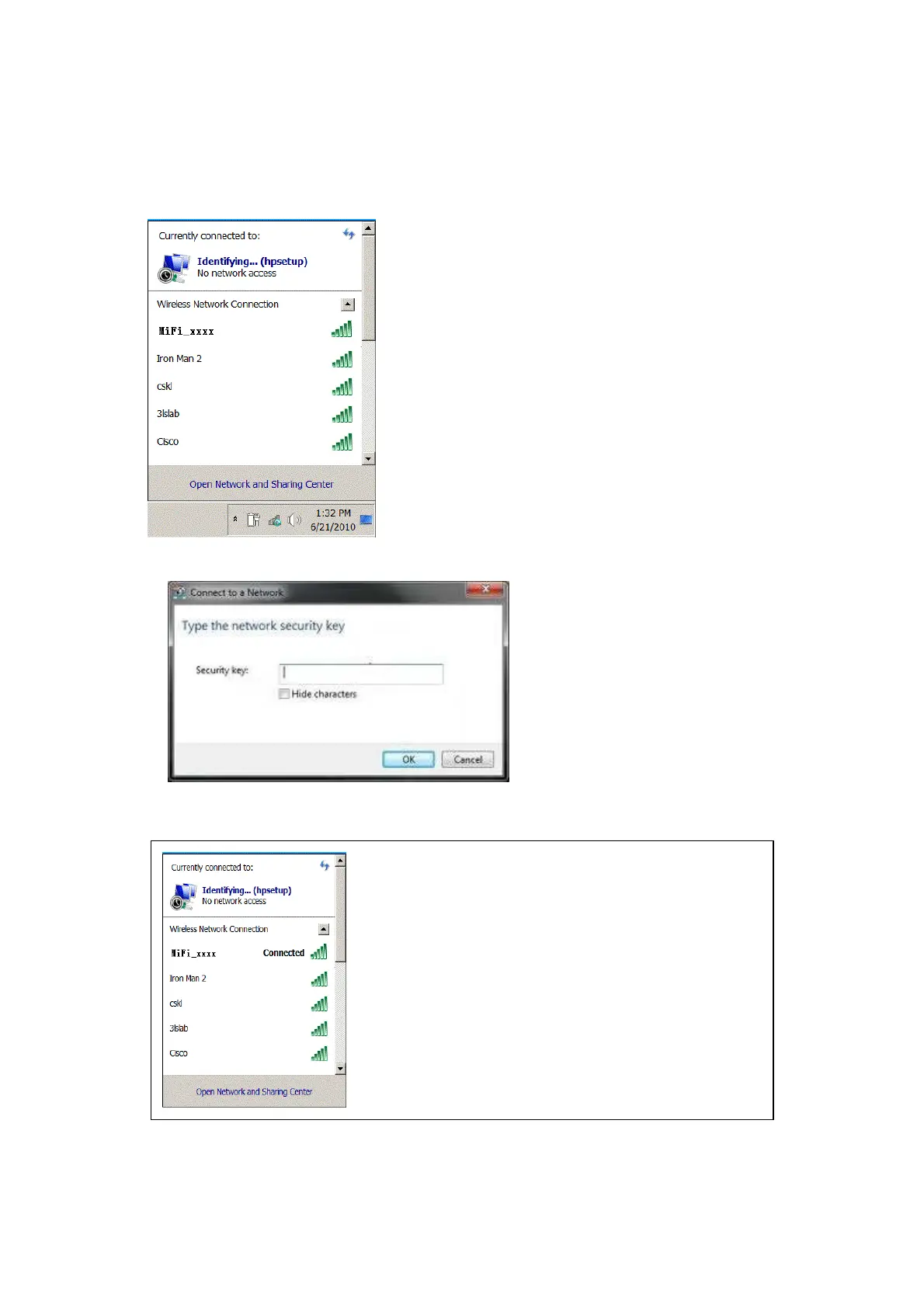
1. Click Start-> Control Panel->Network and Internet->Network and sharing Center->
Connect Network
2. Select the SSID from the WIFI list and click connect
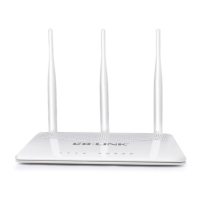
3. Enter the correct WIFI password and click “OK”
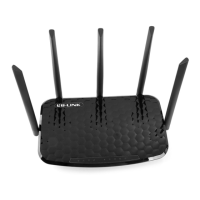
4. After a while, when “connected” shows next to the WIFI account, then wireless network
connection been established.



 To Next Page