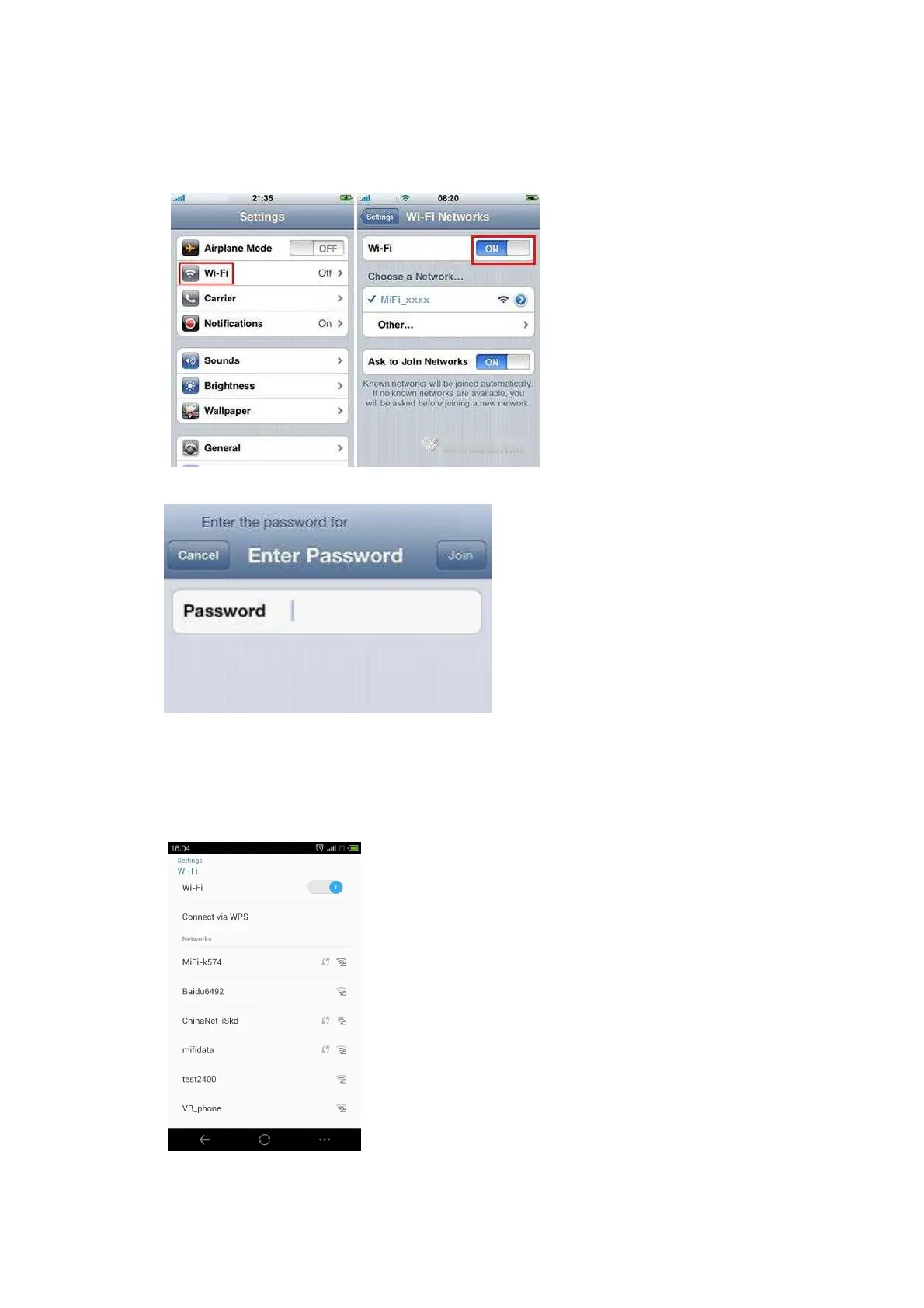
IOS(For the sample of iPhone)
1. Click setting->WIFI , Click WIFI switch to turn on the WiFi
2. Find the right SSID name from the List, click the connect
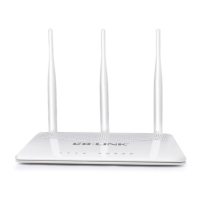
3. Enter the correct wifi passport and click “add”
4. After a while, WiFi connect successfully
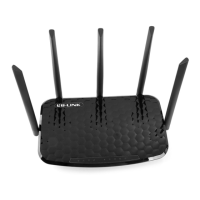
Android Mobile
1. Click “setting” ,click “WLAN”switch to turn on WLAN
2. Select the SSID name from the List



 To Next Page