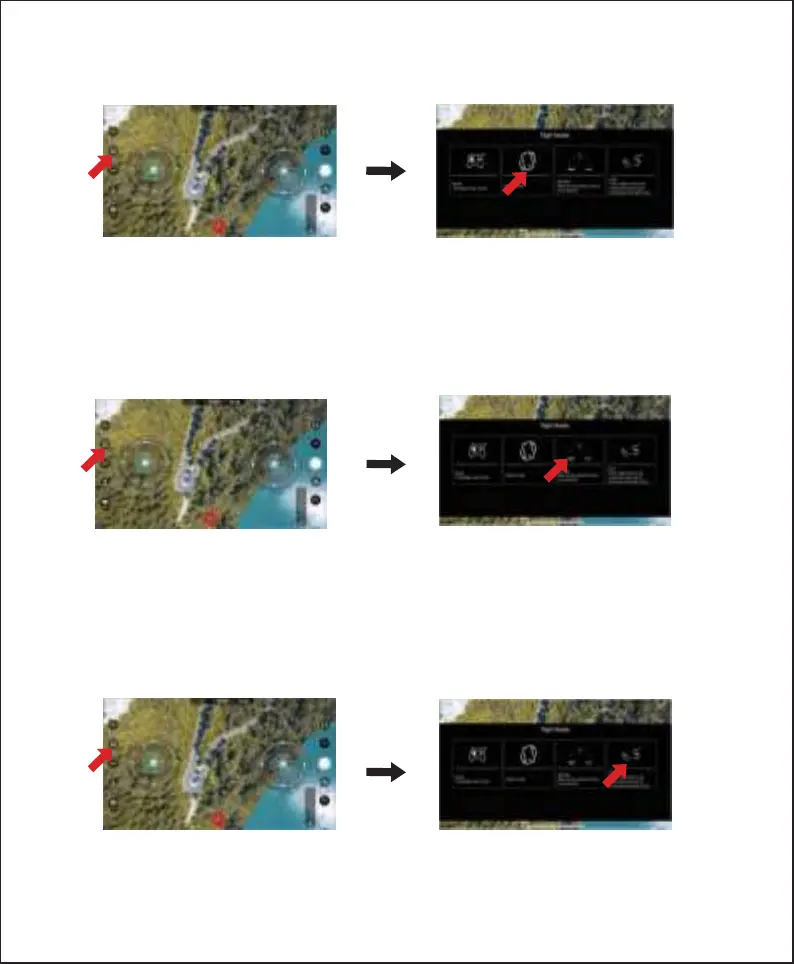
● Flight modes
2. 360° Flip
360° Flip: After clicking the 360° flip mode, slide the right joystick to the maximum in any direction,
and the flight will roll in the corresponding direction.
3. Track Mode
Trajectory Mode: Draw a line on the screen, and the aircraft will fly according to the drawn trajectory.
Notice:
● This feature can only be done if you have enough airspace.
● This function cannot be used when the drone is in a low battery state.
1.Gravity Sensing
Notice:
● This feature can only be done if you have enough airspace.
● This function cannot be used when the drone is in a low battery state.
-6-
Notice:
● Only execute rolls when you have plenty of airspaces. The drone can only perform flips when it is at
least 7 feet in the air.
● This function can not be used when the drone is in a low power state.
Gravity Sensing Mode: When the aircraft is successfully connected to the mobile APP, turn on the
gravity sensing mode and tilt the phone to control the aircraft to fly forward, backward, left, and right.


 To Next Page