Need help?
Do you have a question about the Lec PE 507 and is the answer not in the manual?
Check for transport damage and clean interior with mild detergent before first use.
Highlights innovative technological solutions and benefits of the new refrigerator line.
Guidelines on moving, tilting, and positioning the refrigerator to prevent damage and ensure safety.
Precautions regarding power cords, extension cords, repairs, and children's use.
List of accessories provided with the refrigerator, such as wire shelves and storage containers.
Detailed technical parameters including height, width, depth, capacity, weight, and power supply.
Information on the temperature classes (SN, N, ST) and their corresponding ambient operating ranges.
Instructions for fitting and removing shelves, including cleaning procedures.
Guidance on unpacking, cleaning, positioning, leveling, and ensuring clearance for operation.
Details on connecting the appliance to AC power, ensuring proper earthing and plug specifications.
Information on the appliance's response to the first connection, including temperature alarms.
Explanation of the control panel buttons, LEDs, and display functions for operation.
Describes the initial auto-test procedure and how the display shows temperature or alarms.
Procedure for deleting recorded exceedances (min/max temperatures) and saving current settings.
Details on automatic defrosting, its duration, and conditions affecting completion.
Information on connecting to a remote station and how the AUX relay signals alarms.
Explanation of alarm codes (E1, E2) and procedures for cancellation and erasure.
Best practices for placing items inside the refrigerator to prevent frosting or wetting.
How frost is removed, potential blockages, and general cleaning instructions for the appliance.
Recommendations for efficient operation, including placement and door usage.
Steps to follow when the refrigerator will not be used for an extended period.
Explanation of typical sounds heard during operation and their causes.
Troubleshooting common noise issues by adjusting placement or contents.
Diagnosing issues when the appliance does not start or the compressor is inactive.
Resolving problems with insufficient cooling due to ambient temperature or product placement.
Addressing water accumulation at the bottom and excess noise from the appliance.
Step-by-step guide for safely replacing the internal light bulb.
Contact information for obtaining spare parts and customer support.
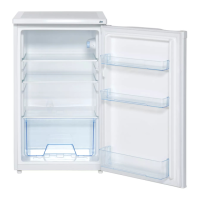
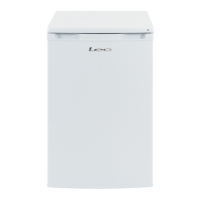
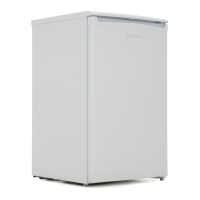
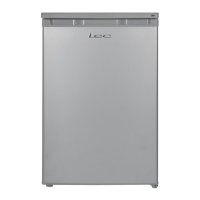
This document provides operating instructions for the Lec PE 507 and PG 507 refrigerators, which are specifically designed for pharmacy use. The refrigerators are characterized by modern functional solutions, soft lines, and subtle design, incorporating innovative technological solutions for high quality.
The Lec PE 507 and PG 507 refrigerators are designed to store pharmacy products, accommodating different temperature requirements. Some products require cold storage, while others need a slightly higher temperature, and some must be stored separately. The cooling system elements are located behind the back wall of the chamber to maximize capacity, facilitate cleaning, and increase product durability by protecting against potential damage.
The refrigerators feature automatic defrosting, which limits the need for manual cleaning to a periodical wash of the compartment. They are equipped with ergonomic, modern-shaped door handles without sharp edges for easy opening. Optimally situated lighting ensures perfect illumination of the entire compartment without dazzling the user.
The user interface includes buttons for ON/OFF, lighting control, and keypad lock. LED diodes indicate lighting status, active blockade function, and temperatures below zero. An LED display shows temperatures, service parameters, and alarm symbols. Buttons are also available for previewing minimum/maximum temperatures and for parameter value adjustments. A functional AUX button and a green LED diode indicate the temperature programming mode or manual switch of the AUX output.
The device includes an alarm system for various conditions:
These alarms are signaled by a sound and a "Hi" caption on the display. Pressing any push button cancels the alarm display, mutes the buzzer, and, for certain alarms, opens the AUX relay contact. Alarms are saved even if the cause no longer exists (except for the open door alarm) but are not saved after a power switch-off.
 General
| Brand | Lec |
|---|---|
| Model | PE 507 |
| Category | Refrigerator |
| Language | English |

 To Next Page