6
Using the refrigerator
1. User interface
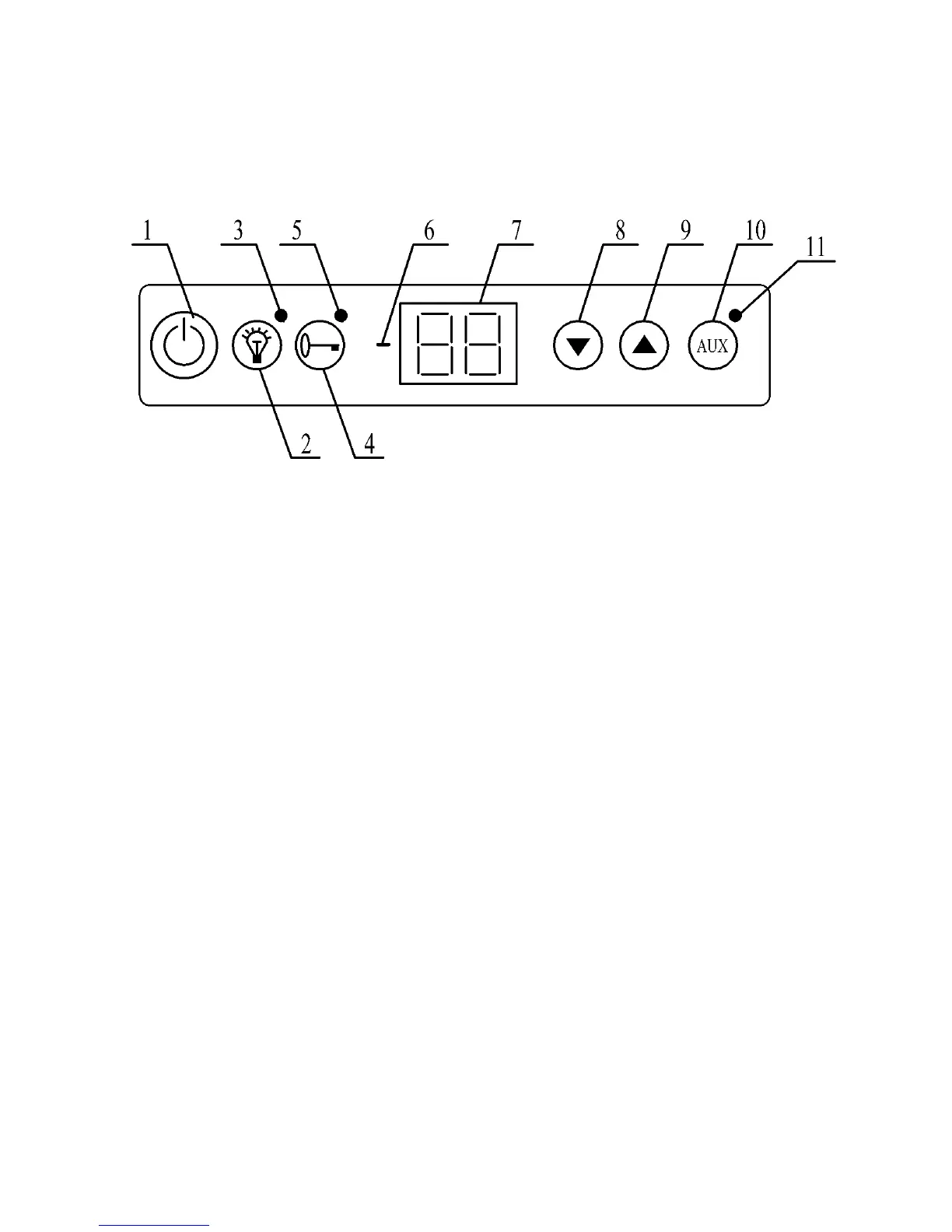
Button (1) ‘ I ’ (ON /OFF) – pressed for about 2-3sec – switches on and switches off
whole product's controlling,
Button (2) ‘light’ – turns on and off the lighting, if it is not turned off, it turns off auto-
matically after 3 minutes.
Green LED diode (3) – indicates lighting turned on,
Button (4) ‘lock’ – pressed for about 2-3sec – blocks the keypad – does not refer to
button (1) driver switch off,
Green LED diode (5) – indicates active blockade function,
‘-‘ minus diode (6) – indication of temperatures below zero,
LED display (7) –temperatures, service parameters and alarm symbols display,
Button (8) ‘▼’ - minimum temperature preview or parameter value decrease,
Button (9) ‘▲’ – maximum temperature preview or parameter value increase,
Button (10) AUX – functional button,
Green LED diode (11) – indication of temperature programming mode – manual
switch of AUX output,
2. First start up
After switching on, the driver activates the auto-test procedure. During the rst se-
cond, it displays dots, program version during next second, dots during the third
second and then switches to normal work mode.
During normal work mode, the display shows cooler temperature. In case of an alarm,
it displays E with alarm number.
If the driver is switched off, LED diodes are turned off and the display shows two
horizontal lines.
The display indicates temperature of the cooler-freezer within the range of –30
o
C to +30
o
C
GB/IE



 To Next Page