©Michael Degnan, 2022
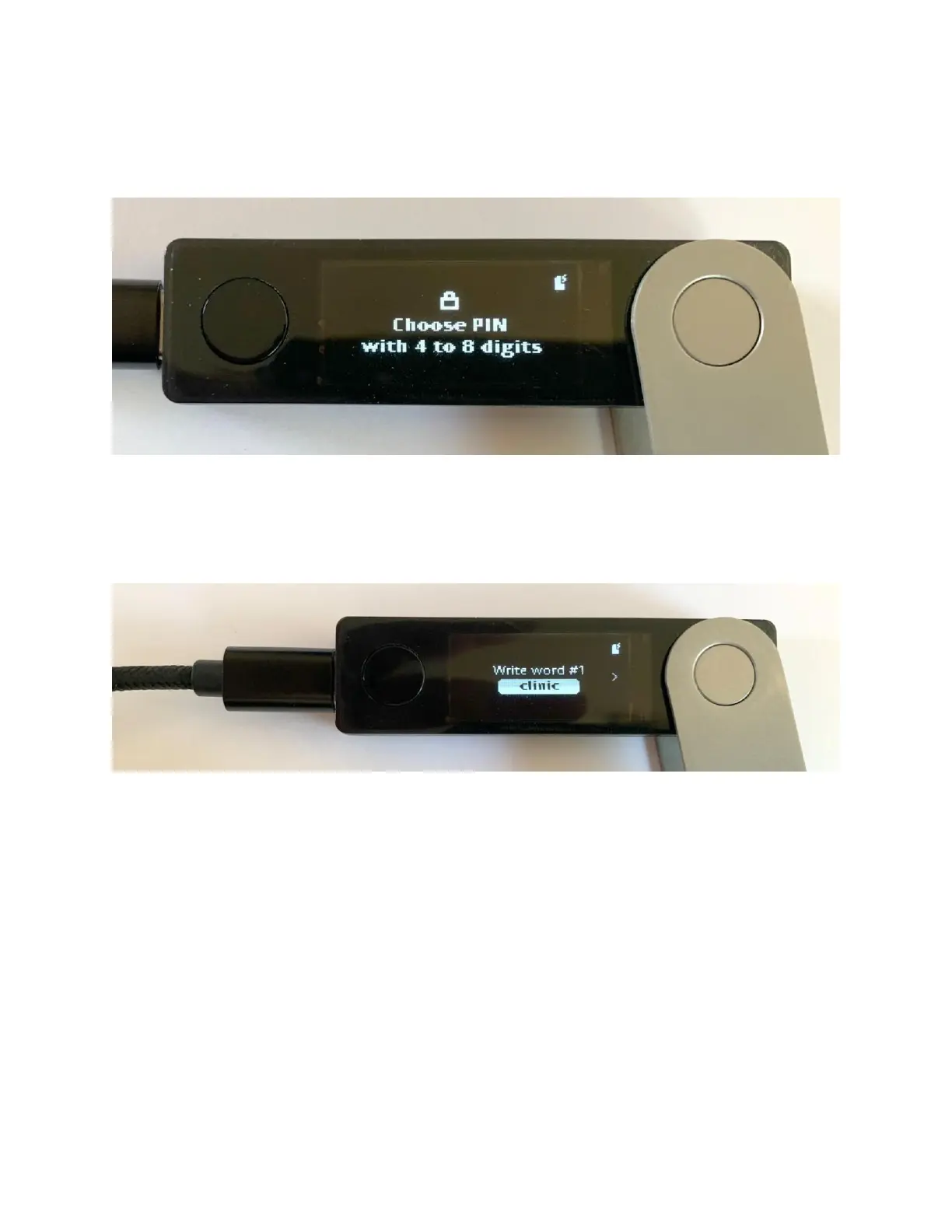
To create your pin code, use the left navigation button to scroll through the numbers,
and then press both the left and right navigation buttons to select the number you’d like
to use. Repeat this process for the remaining 3 numbers of your PIN code.
In the next few steps, we’ll be creating your wallet's seed phrase. The seed phrase is
like a password, but it is comprised of 24 randomly selected unique words. It is
imperative that you write down each word correctly and in the exact order the device
creates.
Use the left button to generate each word of the seed phrase and then write down the
word on a piece of paper. Once you’ve selected all 24 words of your seed phrase, the
Ledger Nano X will ask you to Verify your seed phrase.
To verify your seed phrase, the Nano X will display 3 options for each of the 24 words
that make up your seed phrase. Use the left or right button to select the correct word for
your seed phrase in the same order you wrote the words down.



 To Next Page