Need help?
Do you have a question about the ledlenser P5R Core and is the answer not in the manual?
Details on included items and compatible rechargeable batteries (14500 Li-ion, 3.7V) with charging temperature limits.
Caution regarding heat build-up during operation; maintain 10 cm distance from illuminated surfaces.
Ensures the lamp is locked during transport to prevent accidental activation.
Details on using the magnetic charging cable, indicator lights (red, green, error), and battery charging temperature limits.
Instructions for removing and inserting batteries, emphasizing polarity, approved types, and ensuring watertightness.
How to select functions within 3 seconds of switching on; lamp switches off if no action. Includes battery status display.
Explanation of 'Memory Mode' which recalls the last selected light function or defaults to a specific one when deactivated.
How to activate maximum brightness for ten seconds by double-tapping the switch (except when in transportation lock).
Instructions for focusing the beam by moving the lamp head forward or backward for distance or close-up illumination.
Automatic switch to lowest brightness level when battery is low to prevent sudden shutdown and ensure available light.
Notification system for low battery capacity, indicated by a flashing signal every 15 minutes when active.
How to enter customization mode by holding the switch for five seconds until it flashes, then releasing.
Cycle through functions by tapping; save selected functions by holding the switch for two seconds to confirm.
Save up to ten functions by repeating the process, or press and hold for four seconds to save all and exit.
Access advanced settings by holding the switch for eight seconds until it blinks twice, then release.
Control 'Memory Mode' by tapping the switch once; a green blink confirms ON, red blink confirms OFF.
Toggle 'Low Battery Warning' by tapping the switch twice; green blink for ON, red blink for OFF.
Activate/deactivate 'Emergency Mode' by tapping thrice; it automatically turns the lamp on when power is interrupted.
How to initiate a reset by holding the switch for eight seconds until it blinks twice, then releasing.
Press and hold the switch for five seconds until it flashes four times to confirm the reset.
Access more information, tutorials, and accessories on the website by scanning the QR code or visiting www.ledlenser.com.
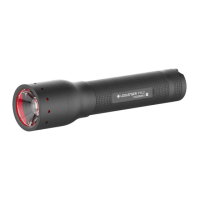
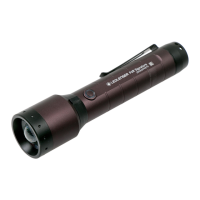
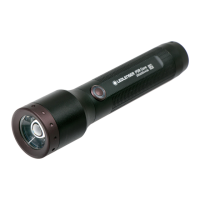
The Ledlenser P5R Core and P5R Work are versatile flashlights designed for general lighting purposes, operating within ambient temperatures of -20°C to +40°C. These flashlights are not intended for use in potentially explosive atmospheres and are not suitable for small children. Users are encouraged to register their product to receive an extended warranty, verify authenticity, and get updates on product improvements.
The primary function of both the P5R Core and P5R Work is to provide illumination through various light functions and brightness levels. They feature a "Boost Function" which allows the lamp to light up with maximum available brightness for a period of ten seconds. This mode can be activated at any time by double-tapping the switch, except when the transportation lock is engaged. After ten seconds, the lamp reverts to the previously selected light function.
Both models incorporate an "Advanced Focus System," enabling users to adjust the beam for different activities. By turning the lamp head forwards or backwards, the light can be focused for maximum beam distance or defocused for even illumination of the close-up area.
A "Backup Mode" is integrated to ensure continuous light availability when the battery capacity is low. After the regular runtime has expired, the lamp switches to its lowest brightness level, preventing a sudden switch-off. This mode can be activated or deactivated in the advanced settings. If deactivated, the lamp operates at full brightness until the battery is depleted and then switches off immediately. Additionally, a "Low Battery Warning" can be activated, causing the lamp to flash every 15 minutes when the battery capacity is low.
The flashlights also offer an "Emergency Mode," which, when active, automatically switches on the lamp if it is disconnected from the power supply while charging. This feature ensures the lamp comes on automatically during a power failure or when removed from its holder.
The flashlights are operated via a single switch. Upon switching the lamp on, the remaining battery capacity is displayed: green for fully charged, orange for half full, and red for almost empty.
To select a desired light function or brightness level, the user must first switch the lamp on and then tap the switch once within three seconds to cycle through the available functions. If the switch is not pressed for more than three seconds, or if the last available light function has been selected, the lamp will switch off the next time the switch is pressed.
A "Memory Mode" allows the lamp to always turn on with the previously selected light function. This mode can be activated or deactivated in the advanced settings. If deactivated, the lamp will always start with the same default light function.
For transport, a "Transportation Lock" can be activated by holding the switch for five seconds. This prevents accidental activation of the lamp during transit. The lamp will blink four times to confirm the lock is engaged.
Users can customize the light modes to suit their preferences. The flashlight comes with preset light functions and brightness levels, but these can be changed via the switch. To enter customization mode, the user holds down the switch for five seconds while the light is on (ensuring the switch is not completely covered to see the indicator light). After five seconds, the switch will flash briefly, and the user can release it. Briefly pressing the switch then cycles through all available light functions and brightness levels. To save a selected function, the switch is held down for two seconds (the switch will flash twice to confirm). Up to ten light functions can be saved. Alternatively, holding the switch for four seconds saves the selected function(s) and ends the process (after three flashes). Once programmed, these custom functions can be activated by tapping the switch several times within three seconds after switching the lamp on.
Advanced settings allow for switching additional functions on or off. To access these, the user switches on the lamp and holds down the switch for about eight seconds. The switch will flash once, then twice, indicating entry into advanced settings mode. Releasing the switch after the second blink allows the user to tap the switch briefly to activate or deactivate functions like Memory Mode, Low Battery Warning, and Emergency Mode. Each function is confirmed by a green blink for "ON" and a red blink for "OFF."
The Ledlenser P5R Core and P5R Work are designed for easy battery replacement. To remove the rechargeable battery, the end cap of the lamp is screwed off. The battery can then be removed. When inserting a new battery, it is crucial to pay attention to the correct polarity (+/-), which is marked on the battery and inside the lamp shaft. Only approved batteries should be used. After inserting the battery, the end cap is screwed back on, ensuring the seals are undamaged to maintain watertightness.
The included USB magnetic charging cable is used for charging. Before connecting, any dirt or dust on the contacts of the lamp or cable should be cleaned with a dry cloth. The cable is then connected to the lamp, ensuring correct orientation, and finally to a standard USB power supply or computer. During charging, the charge level indicator lights up red, turning green when charging is complete. If an error occurs (e.g., a defective or incorrectly inserted battery), the charge indicator will flash. Rechargeable batteries can only be charged at temperatures between 10°C and 40°C. Optionally, batteries can be removed and charged externally with a suitable charger.
The lamp can be reset to factory settings. To do this, the user switches on the lamp and holds down the switch for about eight seconds. The switch will flash once, then twice. Releasing the switch after the second blink, and then pressing it again for five seconds until it flashes four times, will reset the lamp to its original factory settings.
 General
| Weight | 106 g |
|---|---|
| Water Resistance | IP54 |
| Rechargeable | Yes |
| Material | Aluminum alloy |
| Battery Type | Lithium-ion |
| Runtime | 25 h |
| Charging Time | 3 hours |

 To Next Page