*It is recommended to remove the propeller during installation and debugging, pay attention to safety!
➢ RC & Receiver
◐ PPM SBUS IBUS ELRS/CRSF
Just connect the receiver signal to the RC port on FC, and the FC will automatically
recognize it;the default receiver channel sequence is A-E-T-R;The flightmode channel of
PPM/SBUS/IBUS is CH5, and the flightmode channel of ELRS/CRSF is CH6.
◐ PWM
The CH1-4 port on FC is only for PWM input and the corresponding receiver channel
sequence is A-E-T-R, when using PWM, select a 3-pos switch as the flightmode channel
and connect it to the RC port on FC.
◐ Calibrate the RC
Before using the RC to unlock the FC, put the DIP switches 1 and 2 in the aircraft model
setting state.Throttle at the lowest position, the other joystick on neutral position and reset
the channel trim to zero, then quickly dial the flightmode switch several times until servos
swing up and down to indicate that the calibration is complete.
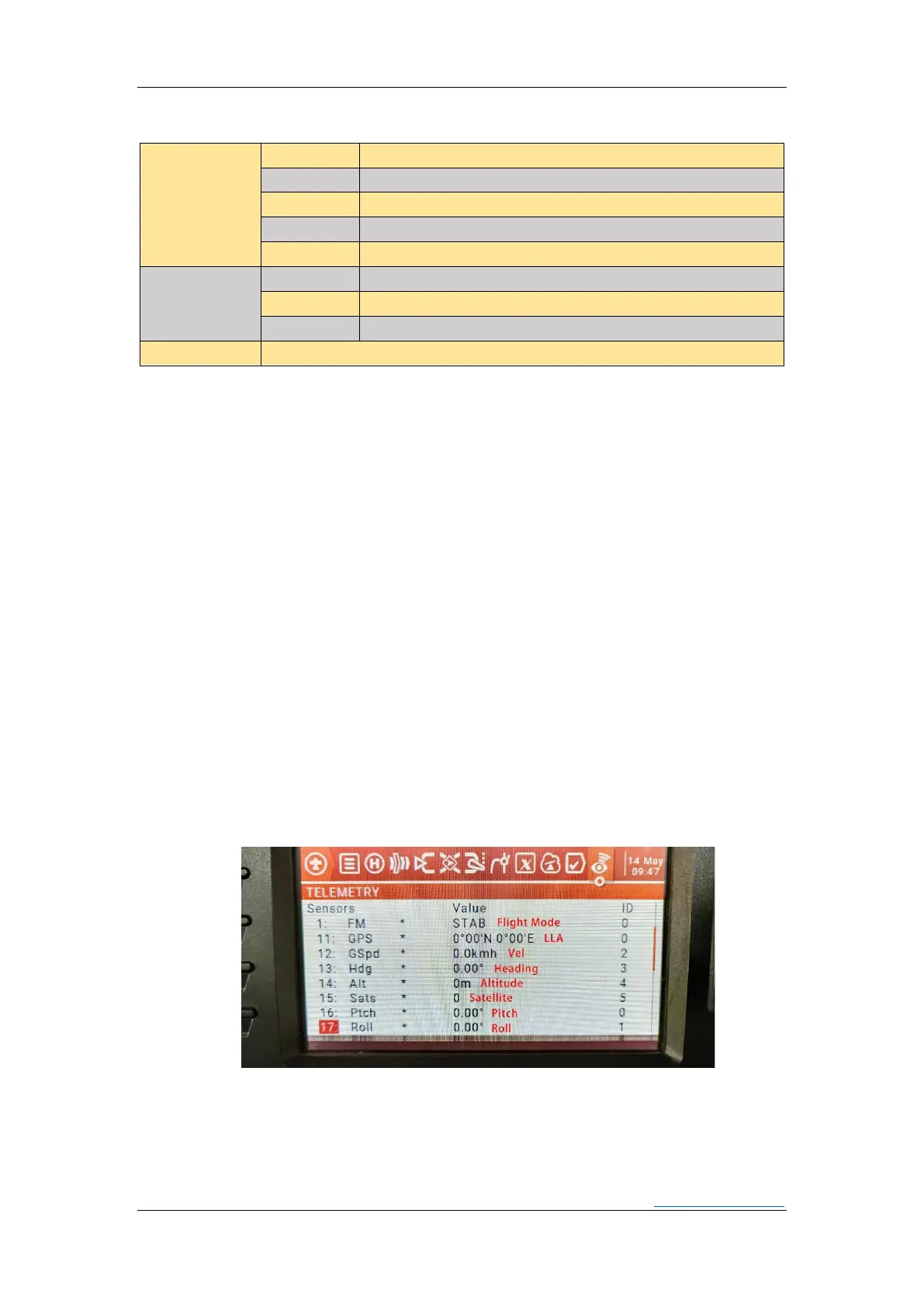
◐ CRSF Telemetry
When the signal type is ELRS, CRSF telemetry is automatically turned on, and the user
only needs to connect the RX of the receiver to the T1 near RC port of the FC; the telemetry
information includes flightmode, latitude and longitude, attitude angle, speed, altitude,
heading, number of satellites and other information.
◐ RSSI
The FC uses the 12th channel of RC as the RSSI channel. Therefore, if you want to
display the RSSI correctly when using O3 or other equipment, you need to set the 12th
channel of the RC as the RSSI channel. When using ELRS,which will display LQI (Link Quality
Indication).


 To Next Page