EasyManua.ls Logo

Legamaster EVOLVE ETX-6530 - Input; Output Connector Information; Remote Control

Legamaster EVOLVE ETX-6530
22 pages
Print Icon
To Next Page IconTo Next Page
To Previous Page IconTo Previous Page
Loading...
Product Content & Operation - Version 1.0 13
OVERVIEW
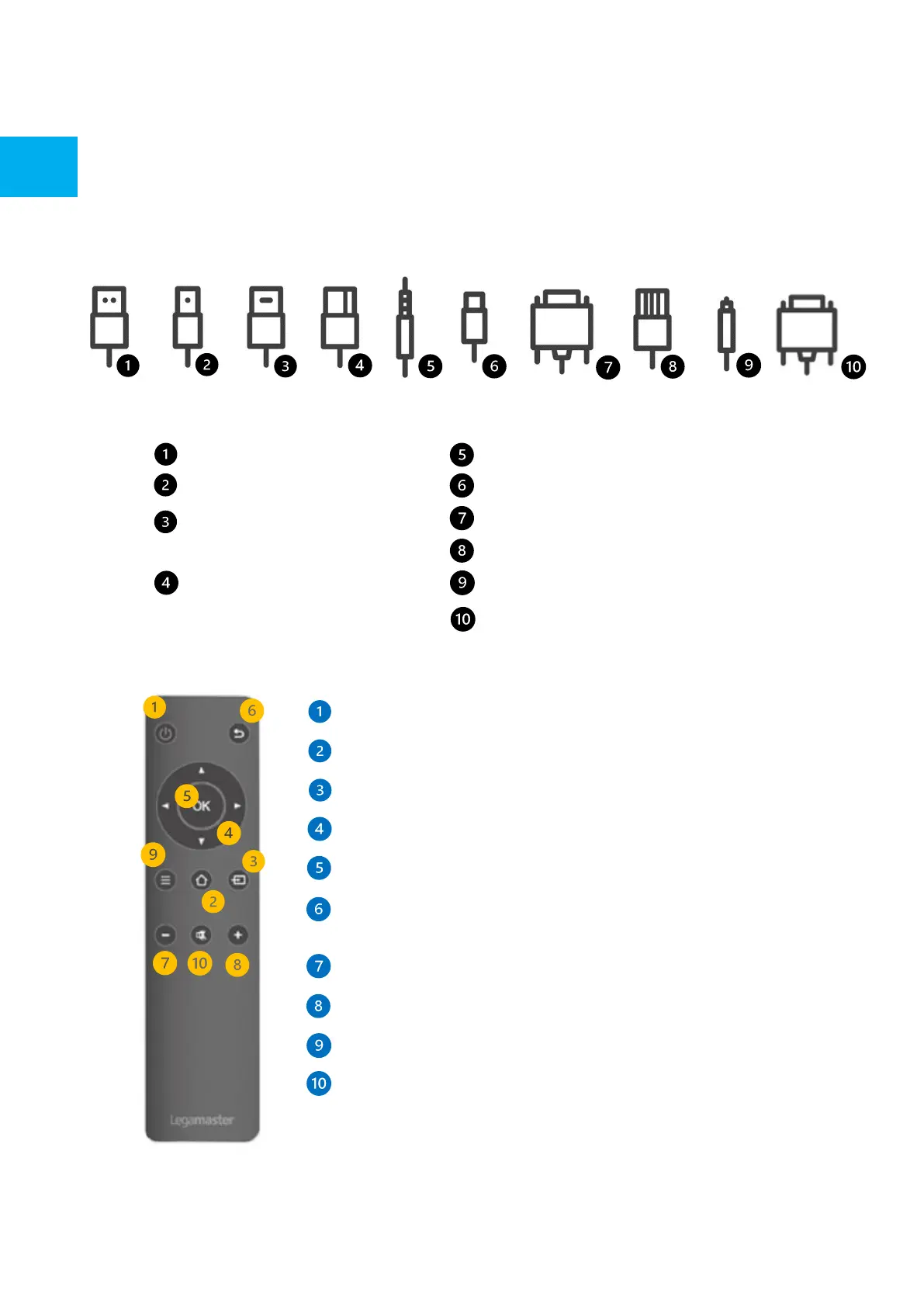
2.4 REMOTE CONTROL
2.3 INPUT / OUTPUT CONNECTOR INFORMATION
Turn the display ON and OFF.
Home: Head directly to the main home page
Source Selection Displays the input selection screen to select from
Navigation Buttons Easy navigation wheel
Select / Confirm: Confirm your on-screen selection
Back / Return to previous MENU Returns to the previously selected on
screen MENU.
Volume Down Lowers the audio volume.
Volume Up Raises the audio volume.
Settings MENU Direct access to the main settings MENU
Mute mutes the scree’s audio

USB-A 2.0 (x1) / USB-A 3.0 (x5)
USB-B 3.0 (x3)
HDMI 2.1 (x1) / HDMI 2.1 Out (x1)
HDMI 2.0 (x2)
DP 1.2 (x1)
Minijack 3,5 Stereo (x1)
USB-C (x2)
RS-232 (Serial)
RJ-45 (x1 IN) / RJ-45 (x1 Out)
SPDIF (Optical Audio)
VGA (x1)

Related product manuals