Product Content & Operation - Version 1.0 20
OPERATING THE SCREEN
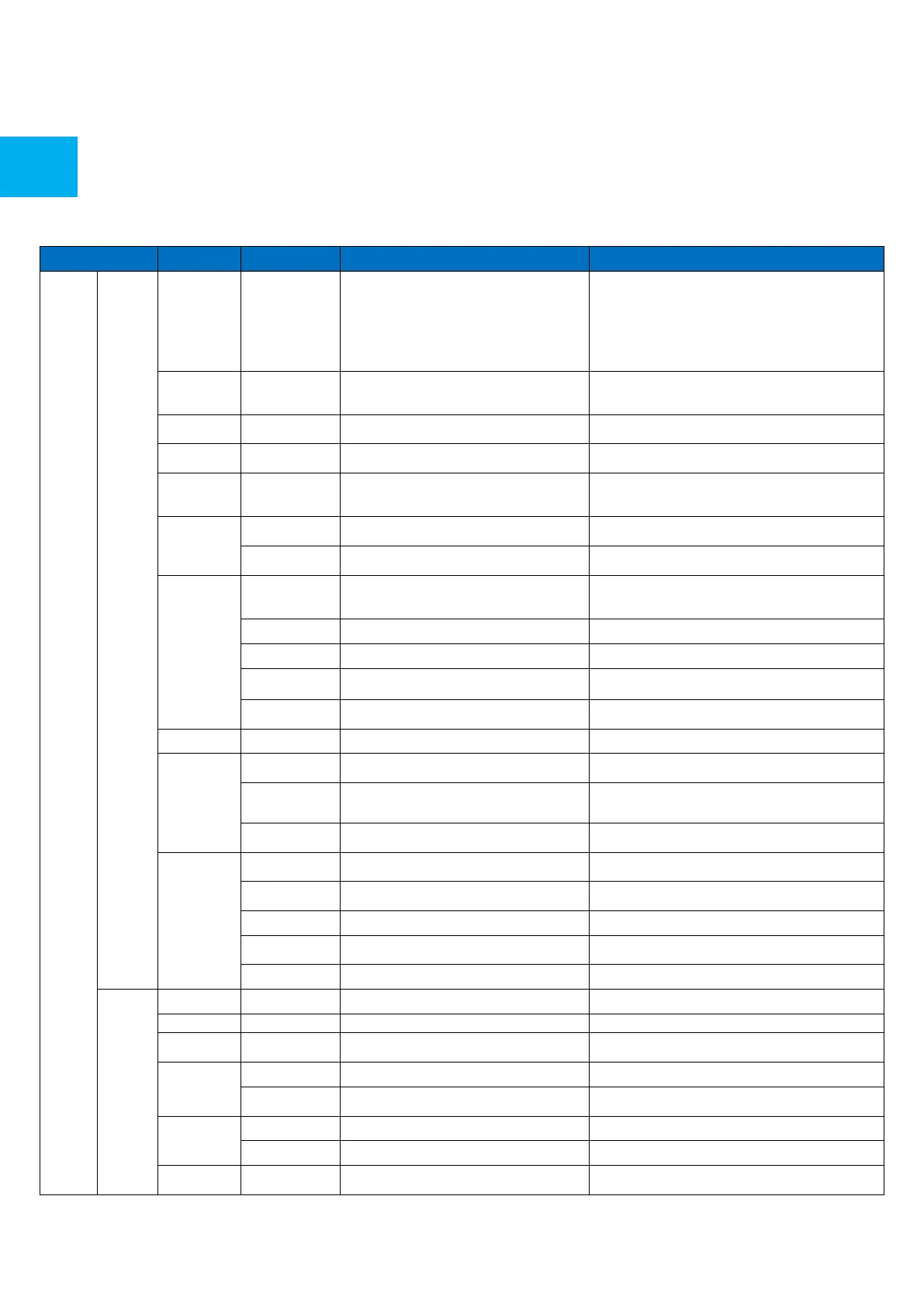
Select the auto sense mode. In auto sense, the screen will
detect new active signals and switch to that source
automatically (direct), or when confirmed (prompt). When
a signal is switched off, autosense will automatically check
for other active sources in the sequence OPS slot, HDMi 1,
HDMi 2, HDMi 3, DisplayPort, USB C, VGA always ending in
the Android launcher (when enabled)
With temperature protection, a user can set an alarm
temperature in which the screen will shutdown
automatically
Enable / Disable Palm Rejection
shows the current temperature of the screen
set the alam temperature value. When reached, the screen
will automatically shutdown to prevent further
temperature increase
1080p 60Hz/2160p 30Hz/2160p 60Hz
set the HDMI EDID version
Automatic date and time requires an active internet
connection. Disabling this setting allows users to maually
set the date & time
Show or set the current date
show or set the current time
Choose between a 12 or a 24 hr time format
Deutsch/English/Francais/Nederlands/Spanish
Shows the current keyboard / allows users to switch
keyboards
Configure the default (AOSP) keyboard
Enable/Disable Fullscreen Gestures
Swtches the menu from the left as a default to the right.
change and set the wallpaper
change and set the no input wallpaper
Label various sources for easier recognition
show or change the device name
shows all system information
Export the screen configuration to a USB drive
Import the screen configuration from a USB drive
Updates the systems firmware using a USB drive
Checks for updates online
Restore factory settings. NOTE! This will erase all custom
settings, data and custom apps from your system



 To Next Page