9
PACKAGE CONTENTS / INSTALLATION
3.2. INCLUDED ACCESSORY
4. INSTALLATION
When operating the XTX series display, ambient room
conditions should not exceed the following:
4.1. ENVIRONMENT STATE
• Operating temperature: -5˚C to 45˚C
(41˚F to 104˚F)
• Humidity: less than 90% RH (Max)
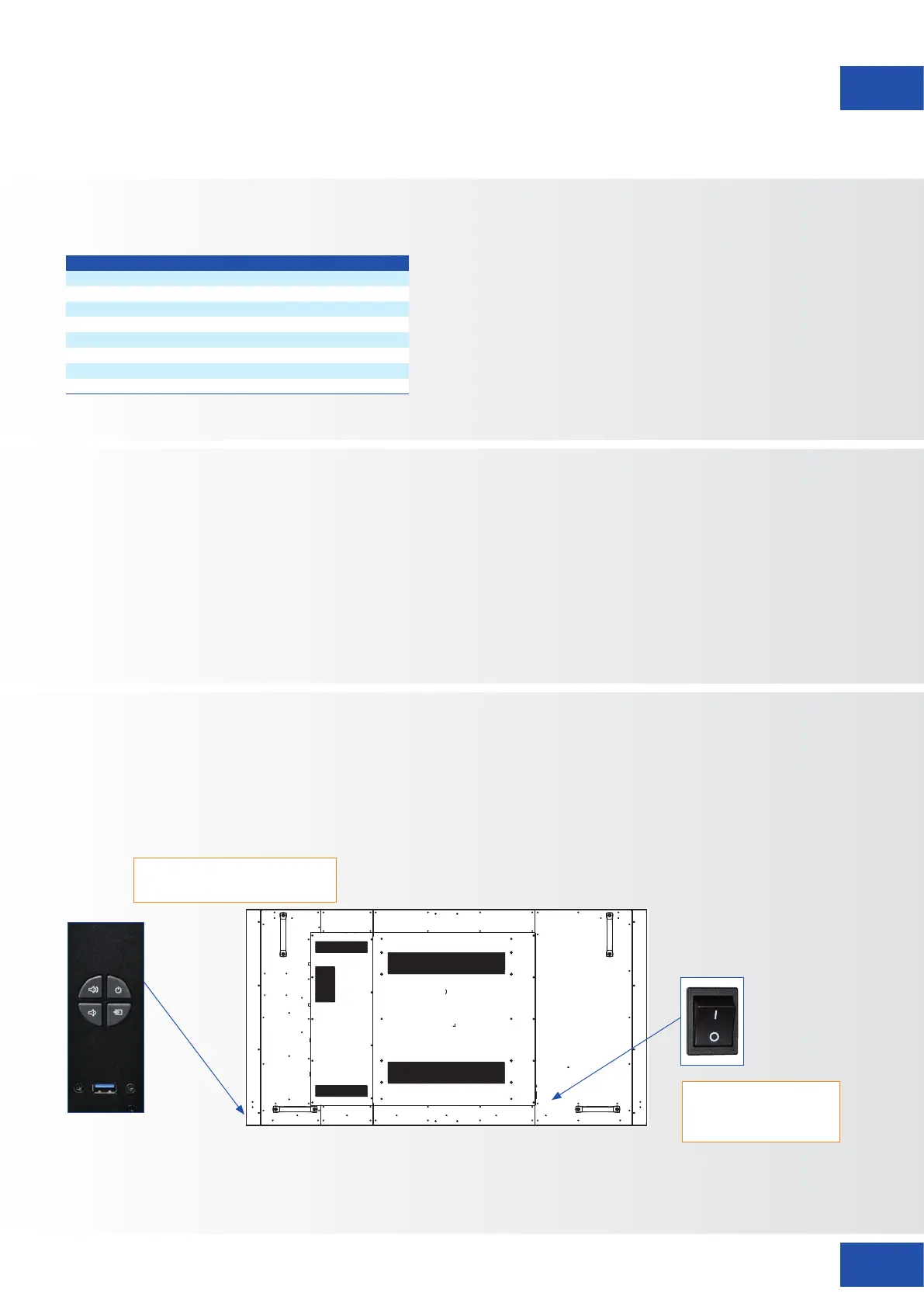
OSD
control
panel
Main power –
Switch
AC In socket
Status LED / Light Sensor /
IR Receiver
“I“ is power on
“O” is power off
The power cord (shipped separately) is used to connect the display to an AC wall outlet. Plug the power cord
into the AC inlet on the side of the display. Locate the Main Power switch directly above the AC inlet and press
“-” to turn power on, and “O” to turn power off.
4.2. POWER INPUT
Item
IR Remote Control (Batteries Included)
IR Extender
HDMI Cable
USB Type B to A
Power Cord
USB Stick (User manual included)
Bag with EasyFix cable clips
Legamaster Ergonomic stylus
XTX-7500 – USER MANUAL – ENGLISH



 To Next Page