5
USING YOUR REMOTE CONTROL
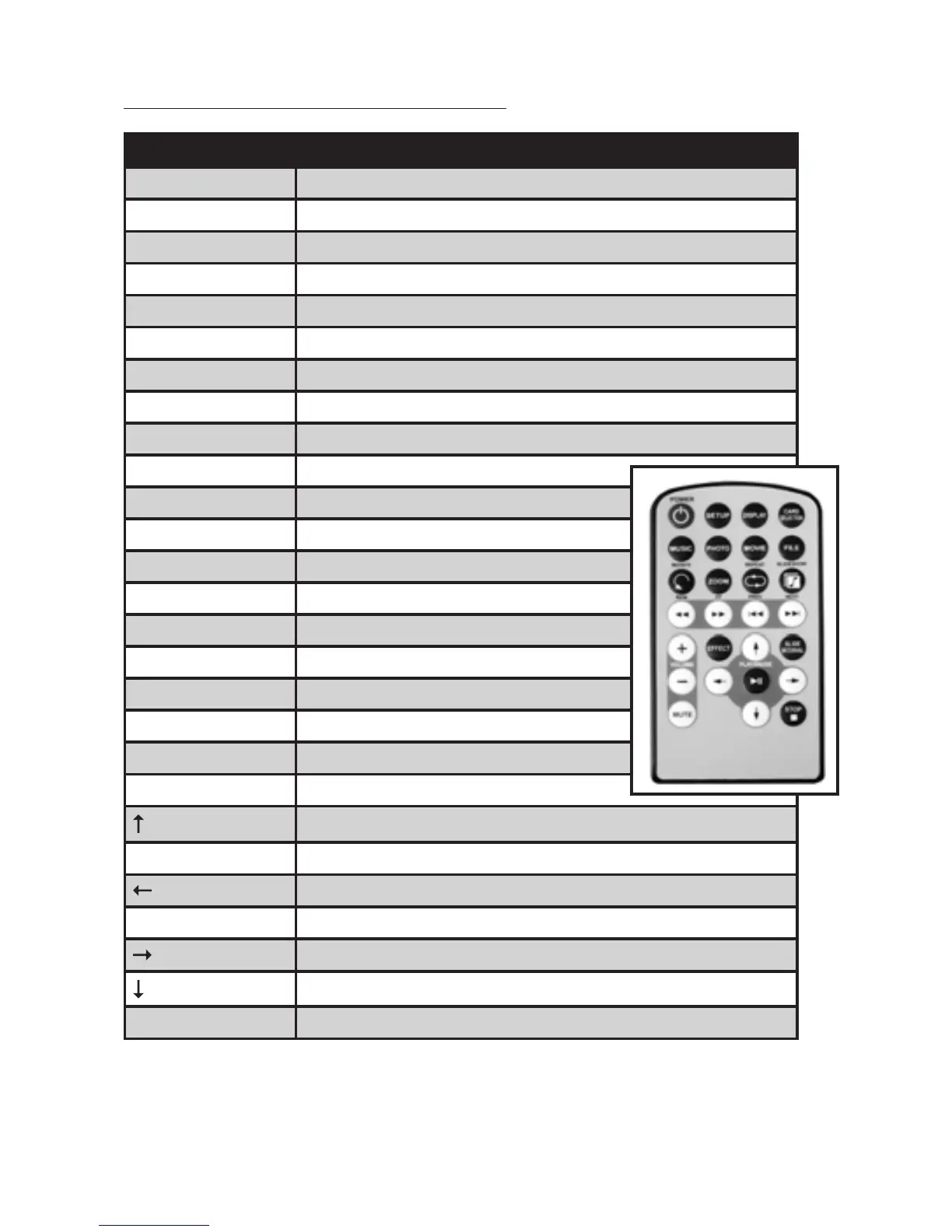
Button Description
POWER TurnDigitalPictureFrameonoro
SETUP Openmenuforchangingsettings
DISPLAY
CARDSELECTION Chooseadierentmemorycard
MUSIC Gotoanddisplaymusicles
PHOTO Gotoanddisplayphotoles
MOVIE Gotoanddisplaymovieles
FILE Gotolelibrary(allles)
ROTATE Rotatephoto90degreesclockwiseonscreen
ZOOM Zoomx4(photoonly)
REPEAT Playlerepeatedlyuntilstopped
SLIDESHOW Start/stopphotoslideshow
REW Rewindmovies
FF Forward movies
PREV
Gotopreviousle
NEXT Gotonextle
+(VOLUME) Raisevolume
–(VOLUME) Lower volume
MUTE Mute volume
EFFECT
Changeslideshoweects
Move up when selecting on your screen
SLIDEINTERVAL Changeslideshowdelay1,3,5,or10seconds
Move left when selecting on your screen
PLAY/PAUSE Play/pause;conrmselectionsonyourscreen
Move right when selecting on your screen
Move down when selecting on your screen
STOP EXIT(ReturntoMainMenu)


 To Next Page