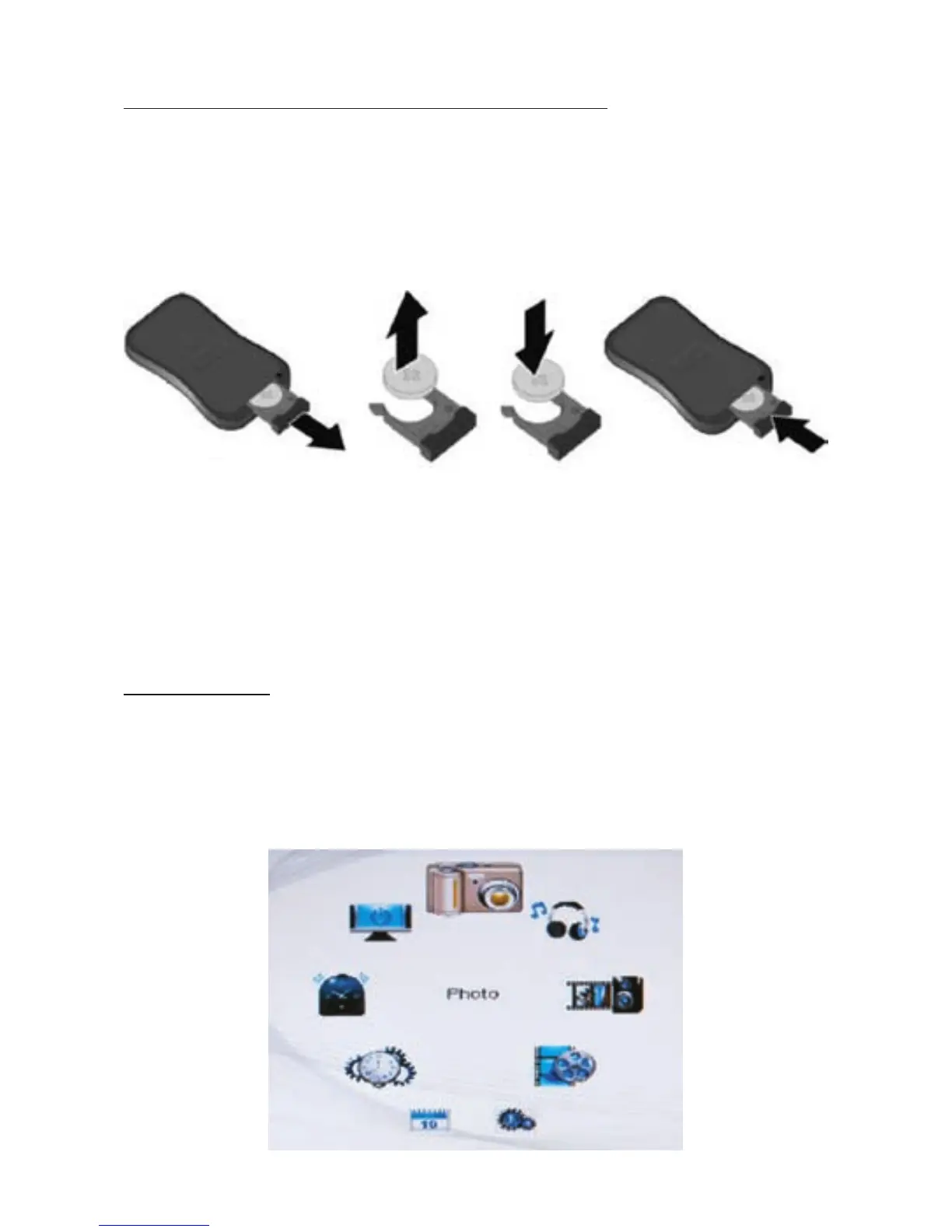
REPLACING REMOTE CONTROL BATTERY
1. Removethebatterycompartmentcoverbypullingthecoverinthe
direction of the arrow.
2. Removethebattery.
3. Insertnewbatterytakingnoteofthecorrectpolarity(+/-).
4. Replacethecover.
Caution:
• Onlyusea3VCR2025battery.
• Disposeofusedbatteriesaccordingtolocalordinance
regulations.
• Removethebatterywhennotusingtheremoteforprolonged
periods.
MAIN MENU
The main menu has the following options (clockwise from top):
Photo, Music, Photo+Music, Movie, Setup, Calendar, Clock, Alarm,
andAuto-Power.
Press STOP to return to the main menu from any screen.
6


 To Next Page