16
IntheMusic mode, the system only supports the playing of music
lesinMP3/WMAformat.IftheuserhasturnedontheMusic
automatic playing function, then music will automatically be played
when the system enters Music mode.
PHOTO+MUSIC
After choosing Photo+Music from the main menu, press the PLAY
key, and the system will automatically detect whether or not a
storagedevicehasbeenconnected(USBdriveormemorycard).Ifno
storage device has been connected, the system will go back to the
main menu.
Afterthestoragedevicehasbeenconnectedandcorrectread/write
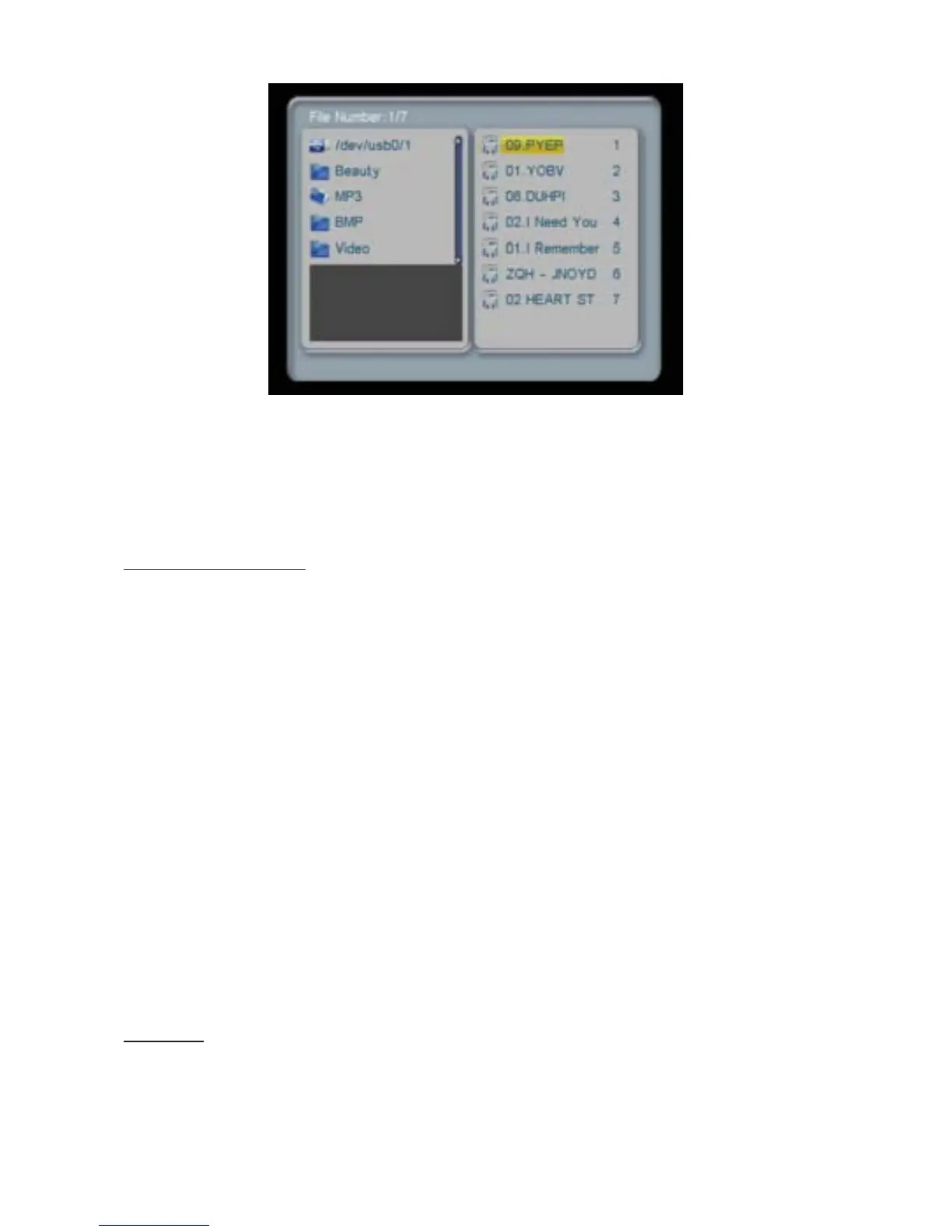
accesshasbeenconrmed,thesystemwillenterFile Manager for
playlist management, as shown in the illustration.
Under Photo+Music mode, the system supports the displaying of
picturesandtheplayingofmusic,andthesupportedletypesare:
JPG,BMP,MP3,andWMA.IftheuserturnsonthePhoto+Music
automatic playing function, then the system will initiate automatic
display and playback after entering Photo+Music mode.
MOVIE
After choosing Movie from the main menu, press the PLAY key, and
the system will automatically detect whether or not a storage device


 To Next Page