STEP 2.
Downloading the updated version of the firmware, downloading the file, and self-
extracting it.
For Windows
1. Make a temporary folder on your PC for downloading the file, e.g. C:/Temp.
2. Download and save the firmware in the folder you made in the above step.
DL3_200.exe
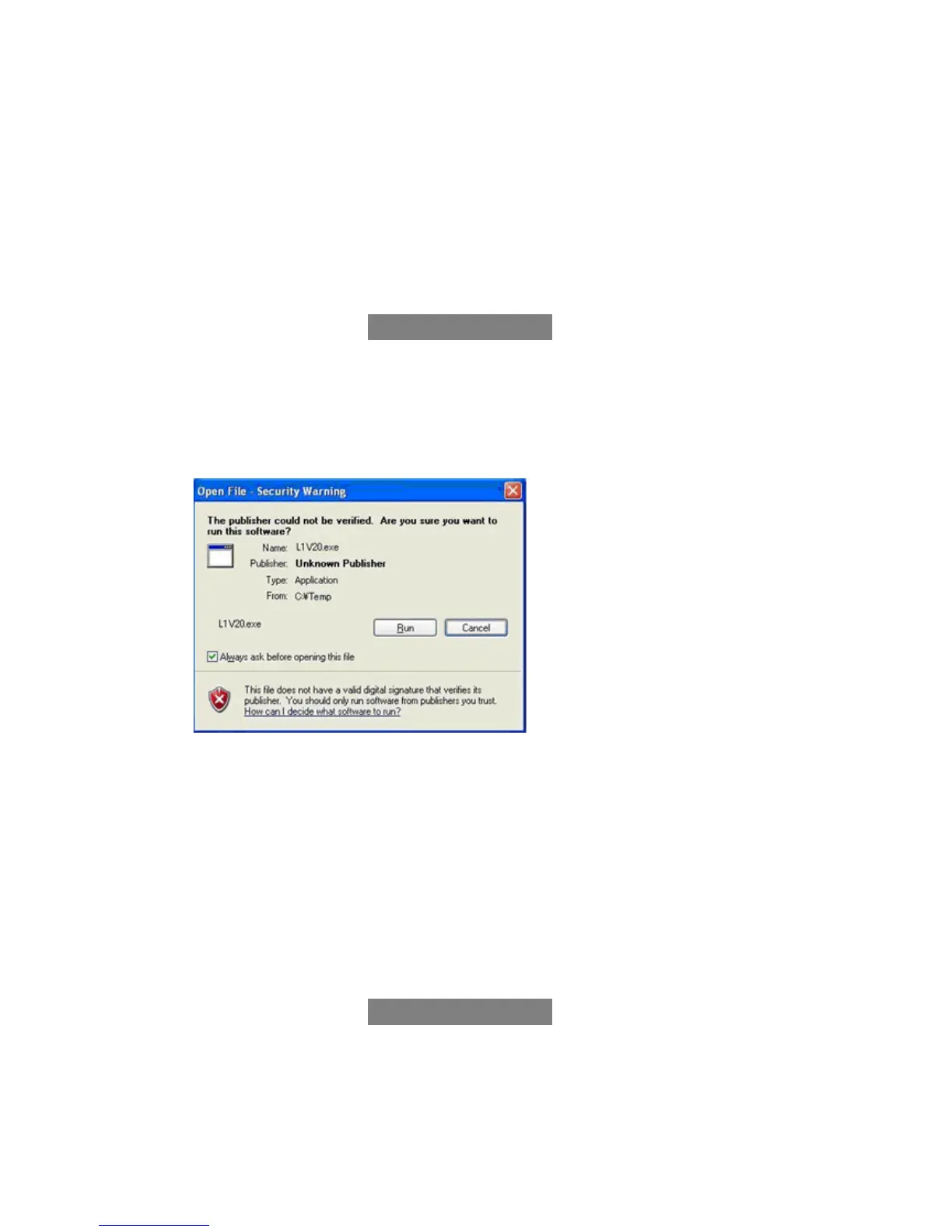
3. Double click the downloaded file
You may see following message after double clicking the downloaded file, please ignore it and just click
Run and move to the next step.
4. The self-extracted file DL3_200.bin will appear.
The file size should be 4.665.412 Bytes (approx. 4.45 MB). If the file size is not the same, please
download and double click the file again. The file size can be checked by right-clicking on the file and
selecting Properties.
For Macintosh
1. Make a temporary folder on your PC for downloading the file.
2. Download and save the firmware in the folder you made in the above step.
DL3_200.zip



 To Next Page
 Loading...