EN
69
Preparations
Charge level display
You can display the current battery capacity in the viewfi nder:
1. Turn on the camera
Only necessary if the viewfi nder display has switched itself off
again even though the camera is switched on:
2. Press the shutter release button to the fi rst pressure point
3. Press the function button 2x.
• When pressed repeatedly, the battery and memory card
capacities are alternately displayed as percentages. To
diff erentiate, when the battery capacity is displayed, a dot
also lights up at the top of the display for the battery capac-
ity.
Notes:
• The capacity display appears irrespective of whether the view-
fi nder display was on before or not.
• Remove the battery if you will not be using the camera for a long
period of time.
• A maximum of 2 months after the capacity of a battery left in
the camera is exhausted (see also the last note under “Charging
the battery”, p. 65), the date and time need to be re-entered.
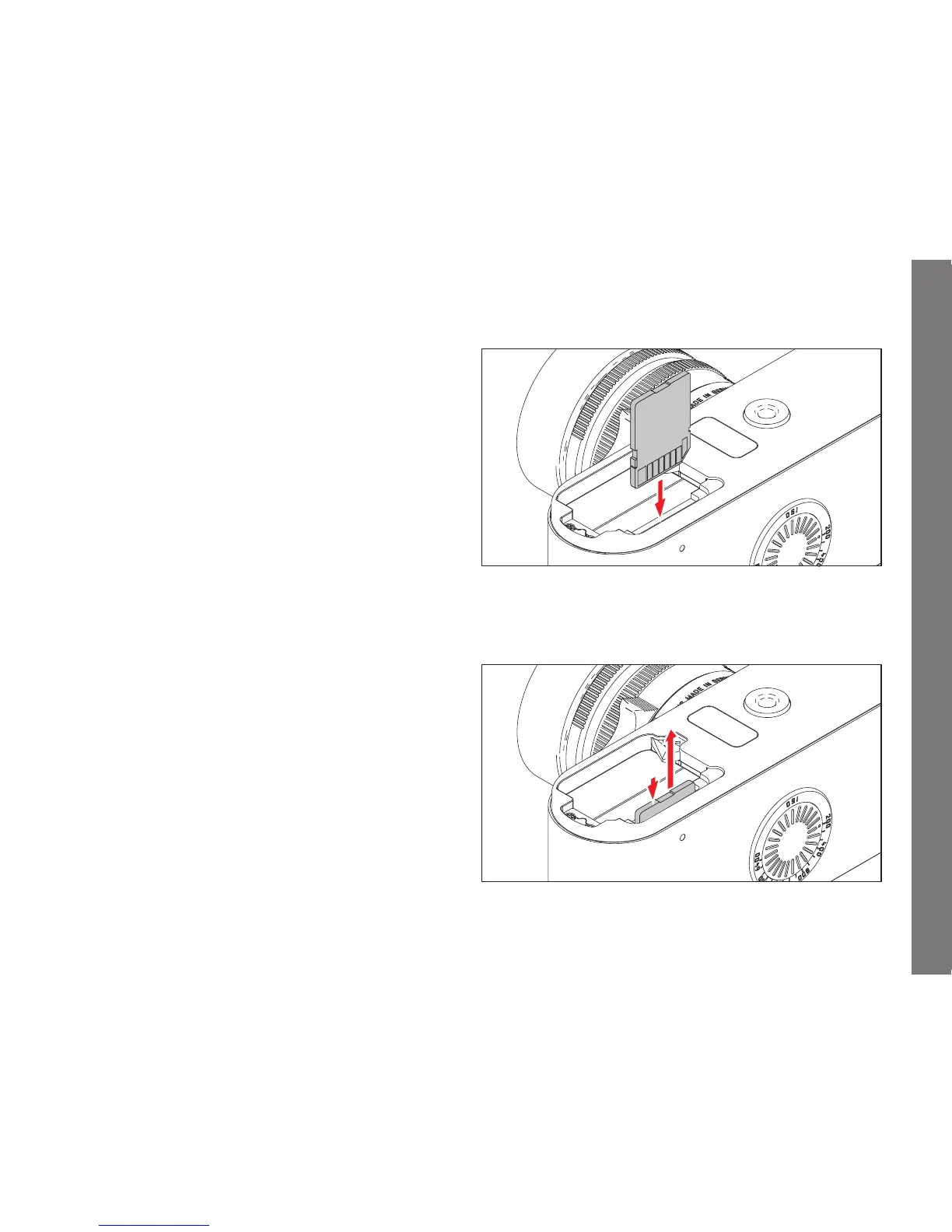
Inserting the memory card
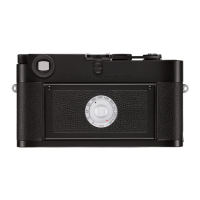
Removing the memory card


 To Next Page