EN
76
Camera operation
BASIC SETTINGS
DATE AND TIME
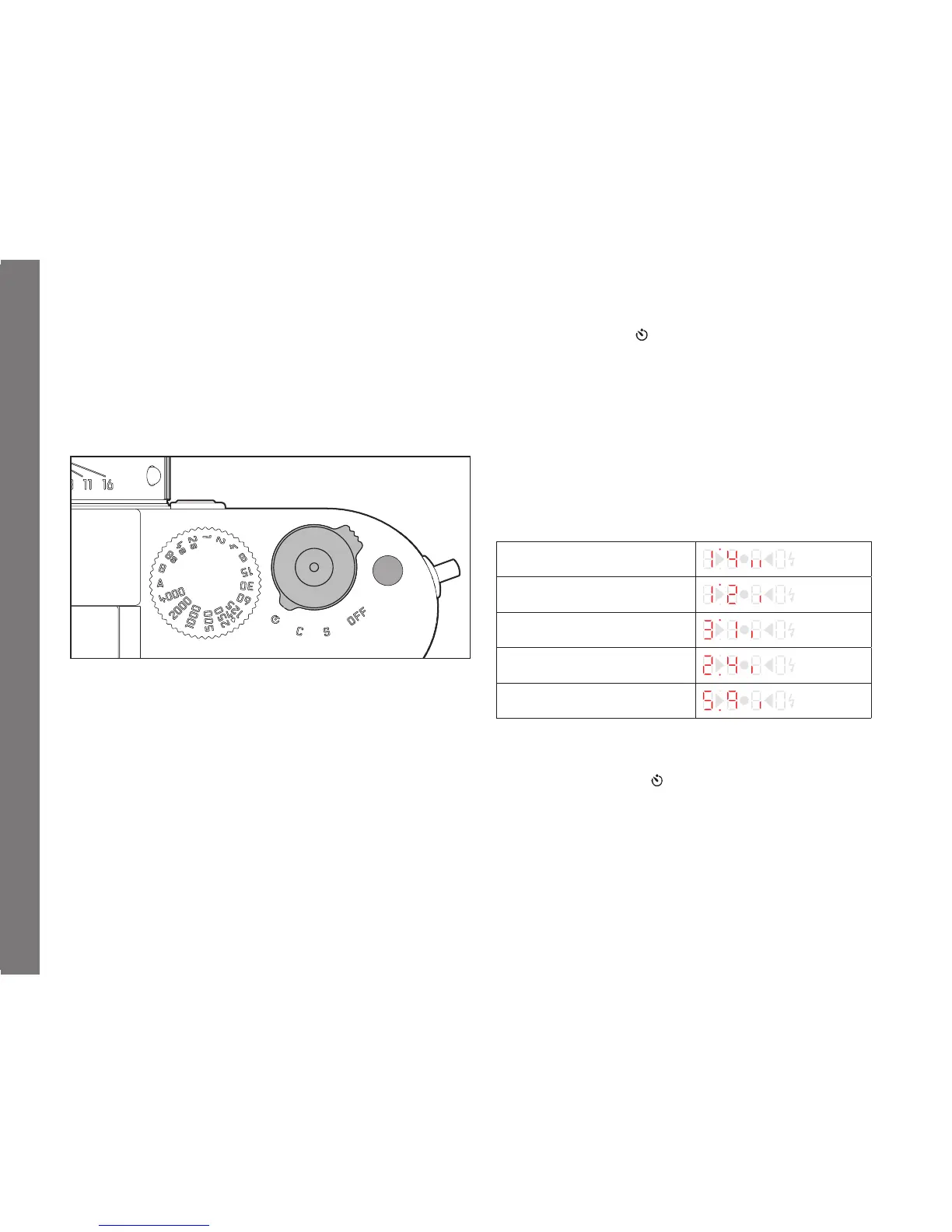
Actual setting is done only with the function button, the thumb-
wheel and the viewfi nder display.
Accessing the setting mode:
1. Set main switch to
2. Press the function button for a long time (≥12s, during this
time, no other operation process may be carried out)
Setting each of the values:
3. With thumbwheel
Switching between the value groups:
4. Briefl y press the function button
Order of the value groups
Adjusting the year:
Adjusting the month:
Adjusting the day:
Adjusting the hour:
Adjusting the minute:
Leaving the setting mode
1. Press the function button for a long time(≥12s), or turn the
main switch from the
position, or briefl y touch the shutter
release button
All settings are accepted/saved.



 To Next Page