EN
68
Preparations
CHANGING THE BATTERY/MEMORY CARD
Turn the camera off (see p. 74).
Important:
Do not open the bottom cover or remove the memory card or
battery while the red LED on the back of the camera is fl ashing,
indicating picture recording and/or data saving to the card. Other-
wise the unsaved (or not completely saved) picture data may be
lost.
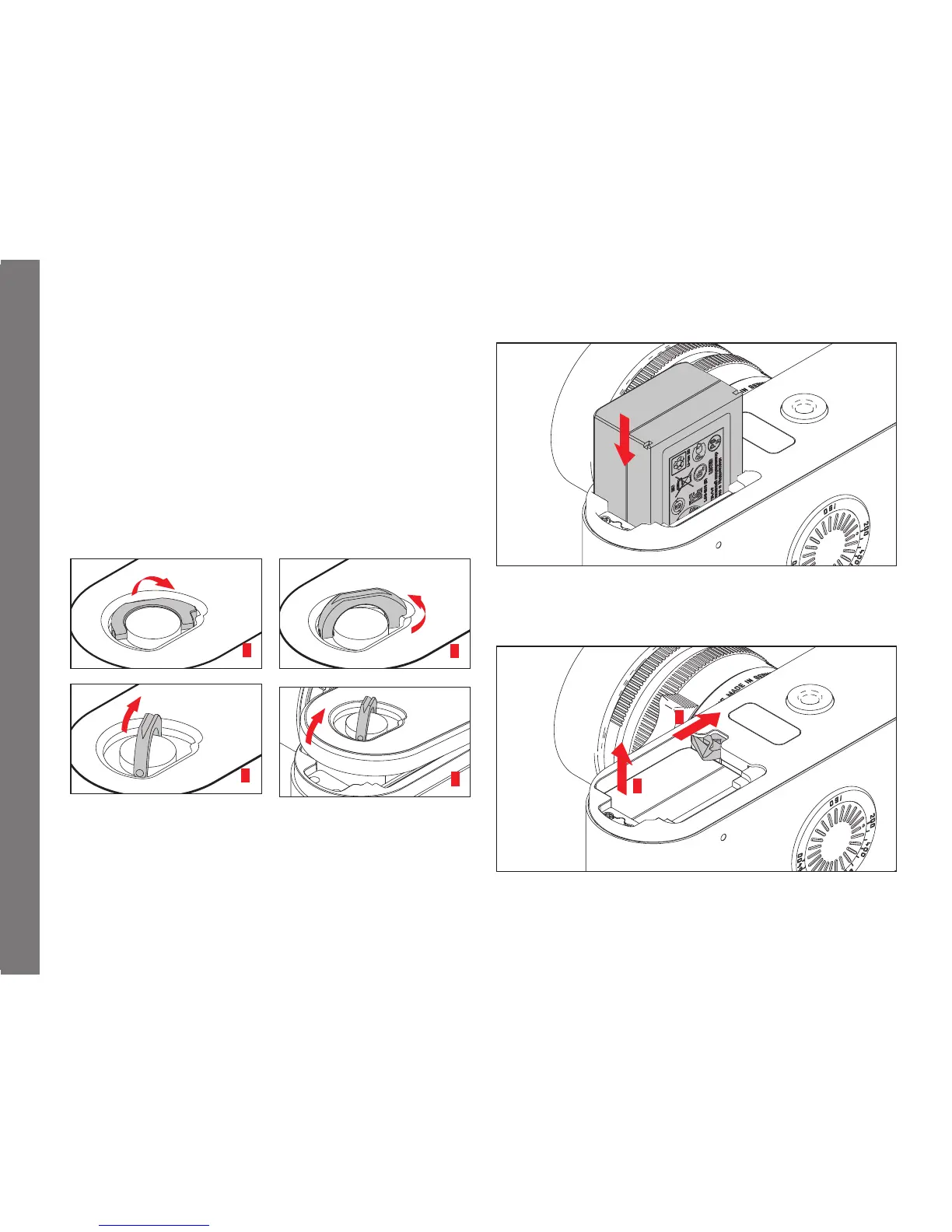
Removing the bottom cover
1
3
2
4
Inserting the battery
Removing the battery
2
1


 To Next Page