EasyManua.ls Logo

Leica Viva - User Manual

Leica Viva
11 pages
Print Icon
To Next Page IconTo Next Page
Loading...
Leica UK Technical Support Group
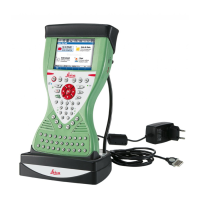
Leica Viva
Bluetooth
Connection
to Ohmex SonarMite Echo Sounder
Leica Viva – Bluetooth Connection to Ohmex
SonarMite Echo Sounder
The Ohmex SonarMite echo sounder is much like its
predecessor, the Ohmex SonarLite, but uses Bluetooth, rather
than a cable, to stream depths to the Leica CS15 Controller.
This guide will take you through configuring SmartWorx Viva
to accept and record depths from the SonarMite via the
Bluetooth connection.
When you measure a GPS position, the most
recently received echo sounder depth will be
recorded as an Annotation to that point.
Contents:
1. Configuring SmartWorx viva to connect to the Ohmex SonarMite
echo sounder via Bluetooth
2. Configuring the Survey Screen to display and record measured depth
3. Configuring AutoPoints to display and record measured depth
4. Using the correct Format File to export a CSV coordinate file with
measured depth in the 5
th
column
Question and Answer IconNeed help?

Do you have a question about the Leica Viva and is the answer not in the manual?

Summary

Bluetooth Connection Setup

Configure ASCII Input Settings

Access ASCII Input settings and select F3 Edit to configure.

Enable ASCII Data Reception

Enable 'Receive ASCII data via a device' and set connection parameters.

Select SonarMite Device

Choose the SonarMite from the found Bluetooth devices.

Finalize Bluetooth Device Configuration

Confirm Bluetooth connection details and device ID.

Configure Depth Annotation

Store ASCII data as 'Depth' annotation.

Survey Screen Configuration

Add Depth and Antenna Height

Add Annotation 1 (Depth) and Antenna height to display lines.

AutoPoints Configuration

Enable AutoPoint Logging

Enable 'Log auto points' for automatic data recording.

CSV Export Configuration

Configure CSV Export Settings

Ensure SonarMite.FRT is selected and configure CSV export.

Set CSV Extension and Export

Set file extension to CSV and perform the export.

Summary

Bluetooth Connection Setup

Configure ASCII Input Settings

Access ASCII Input settings and select F3 Edit to configure.

Enable ASCII Data Reception

Enable 'Receive ASCII data via a device' and set connection parameters.

Select SonarMite Device

Choose the SonarMite from the found Bluetooth devices.

Finalize Bluetooth Device Configuration

Confirm Bluetooth connection details and device ID.

Configure Depth Annotation

Store ASCII data as 'Depth' annotation.

Survey Screen Configuration

Add Depth and Antenna Height

Add Annotation 1 (Depth) and Antenna height to display lines.

AutoPoints Configuration

Enable AutoPoint Logging

Enable 'Log auto points' for automatic data recording.

CSV Export Configuration

Configure CSV Export Settings

Ensure SonarMite.FRT is selected and configure CSV export.

Set CSV Extension and Export

Set file extension to CSV and perform the export.

Overview

The Leica Viva system, when integrated with the Ohmex SonarMite echo sounder, offers a streamlined solution for hydrographic surveying, specifically designed to capture and record depth data wirelessly. This integration leverages Bluetooth technology to connect the SonarMite echo sounder to a Leica CS15 Controller, eliminating the need for physical cables that were common with previous models like the SonarLite. The primary function of this setup is to enable the automatic recording of echo sounder depths as annotations to GPS positions, thereby enhancing the efficiency and accuracy of survey operations.

Function Description

The core functionality revolves around the acquisition and integration of depth data with positional information. The SonarMite echo sounder measures the depth of water, and this depth reading is transmitted via Bluetooth to the Leica CS15 Controller. Within the controller, the SmartWorx Viva software is configured to receive and process this incoming ASCII data. When a GPS position is measured, the most recently received depth from the SonarMite is automatically associated with that point as an annotation. This ensures that each surveyed point not only has precise geographical coordinates but also an accompanying depth measurement, crucial for creating accurate bathymetric maps and profiles. The system is designed to be user-friendly, guiding the operator through the necessary configuration steps to establish the Bluetooth connection, set up data display on the survey screen, and prepare for data export.

Usage Features

The usage of the Leica Viva with the SonarMite echo sounder is structured to provide flexibility and automation for various surveying scenarios.

Bluetooth Connection and Data Reception:

  • Establishing Connection: The process begins by navigating through the SmartWorx Viva menu on the CS15 Controller to "Instrument" then "Connect to instr." and finally "All other connections."
  • ASCII Input Configuration: Within the "Connection Settings," the user selects "ASCII Input" and configures it to "Receive ASCII data via a device." The connection is specified as "CS Bluetooth 2," and the end of message delimiter is set to "CR/LF."
  • Device Selection: The system allows searching for Bluetooth devices, where the SonarMite echo sounder will appear, identifiable by its serial number. Once selected, the connection is established.
  • Data Storage as Annotation: A critical step is to configure the ASCII input to "Store ASCII data to this annotation," with the message description typically set to "Depth." This ensures that the received depth values are saved as a specific annotation field for each surveyed point.

Survey Screen Configuration (for manual point measurement):

  • Accessing User Settings: To display measured depth on the survey screen for manual point measurements, the user accesses "User" settings, then "Work settings," and "My survey screen."
  • Customizing Display Lines: Within the "Configure Page 1" settings, the user can assign "Annotation 1" (which is configured to receive depth data) to one of the display lines on the survey screen. This allows the operator to visually confirm the depth reading while surveying points manually. This step is particularly useful when the operator intends to press the "Measure" button for each point.

AutoPoints Configuration (for automatic point measurement):

  • Enabling AutoPoints: For automated surveying, where points are measured at regular intervals (e.g., every 1 second), the user navigates to "Go to Work!" then "Survey" and accesses the "Configuration" settings via "Fn" and "F2 Config."
  • Logging AutoPoints: The "Log auto points" option is ticked, and settings like "Store points by" and "Log every" can be adjusted, though default settings are often sufficient to avoid excessive data.
  • AutoPoints Display: Similar to the manual survey screen, the "Configure Auto Points Page" allows the user to display "Annotation 1" (depth) along with other relevant information like "Moving antenna ht" and "Msd auto points." This provides real-time feedback during automated data collection.

Data Export:

  • Format File Requirement: After completing the survey, data can be exported to a CSV file. A specific format file, "SonarMite.FRT," is required to ensure the data is exported in the desired format: "Pt ID, Easting, Northing, Orth Ht, Depth." This file needs to be obtained from a Leica contact.
  • Loading the Format File: The "SonarMite.FRT" file is copied to a "Convert" folder on a USB memory stick, which is then inserted into the CS15 Controller.
  • Transferring User Objects: Within the SmartWorx Viva software, the user navigates to "User" then "Tools & utilities" and selects "Transfer user objects." The object to transfer is "Format file," sourced from "USB" to "Internal memory," specifically selecting "SonarMite."
  • Exporting Data: Finally, from "Jobs & Data," the user selects "Export & copy data" and then "Export ASCII data." The "SonarMite.FRT" format file is chosen, and the output file extension is set to "CSV." The data is then exported to the USB memory stick.

Maintenance Features

While the manual primarily focuses on the operational aspects and configuration, implicit maintenance considerations for such a system include:

  • Software Updates: Regularly updating the SmartWorx Viva software on the CS15 Controller is crucial to ensure compatibility with new devices, enhance performance, and address any bugs.
  • Bluetooth Module Integrity: Maintaining the Bluetooth module on both the SonarMite and the CS15 Controller is important for reliable wireless communication. This includes protecting them from physical damage and ensuring clean connections.
  • Battery Management: Both the CS15 Controller and the SonarMite echo sounder rely on battery power. Regular charging and proper battery care are essential for uninterrupted operation during surveys.
  • Data Management: While not a physical maintenance task, proper data management, including regular backups and organized storage of format files and survey data, is a critical aspect of maintaining the system's utility and data integrity.
  • Environmental Protection: Protecting the electronic components from harsh environmental conditions (water, dust, extreme temperatures) is vital for the longevity and reliability of both the controller and the echo sounder. The rugged design of Leica equipment generally accounts for this, but proper handling and storage are still necessary.
  • Format File Management: Keeping track of the correct and updated "SonarMite.FRT" file is a maintenance task to ensure consistent and accurate data export.

In summary, the Leica Viva and Ohmex SonarMite integration provides a robust and efficient system for hydrographic surveying, emphasizing wireless data transfer, flexible configuration for various survey methods, and a clear pathway for data export, all while requiring standard electronic device care for optimal performance.

Leica Viva Specifications

General IconGeneral
TypeTotal Station
Operating temperature-20°C to +50°C
Protection classIP55
IP RatingIP55
Distance accuracy (Prism)1 mm + 1.5 ppm
Distance accuracy (Reflectorless)2 mm + 2 ppm
RangeReflectorless: Up to 1, 000 m
Weight5.2 kg (with battery)
DisplayGraphic color touchscreen

Related product manuals