102
Inserting and removing the memory card
The Leica X2 takes SD, SDHC, or SDXC memory cards. These cards have a
write-protection switch that can be used to prevent unintentional storage and
deletion of pictures. This switch takes the form of a slider on the non-beveled
side of the card; in the lower position, marked LOCK, the data on the card is
protected.
SD, SDHC, and SDXC memory cards are available from different suppliers and
with dierent capacities and read/write speeds.
Note:
Do not touch the memory card contacts.
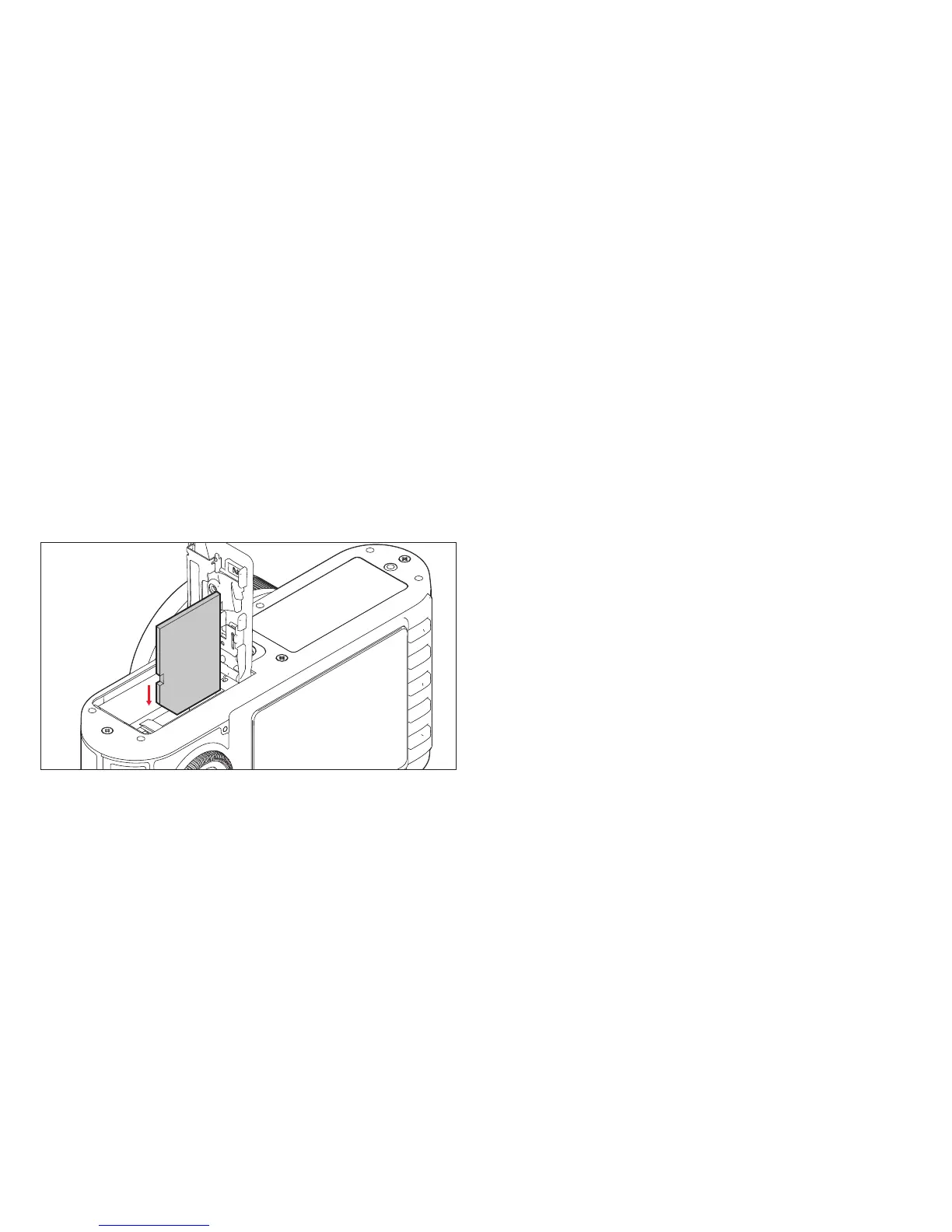
Insert the memory card (B) into the slot (1.37) with the contacts facing the bat-
tery. Push it in against the spring resistance until you hear it click into place.
To remove the memory card, follow these instructions in reverse order. For
unlocking, the card – as specified in the cover – it must first of all be pushed a
little further in.


 To Next Page