SELECTING PICTURES
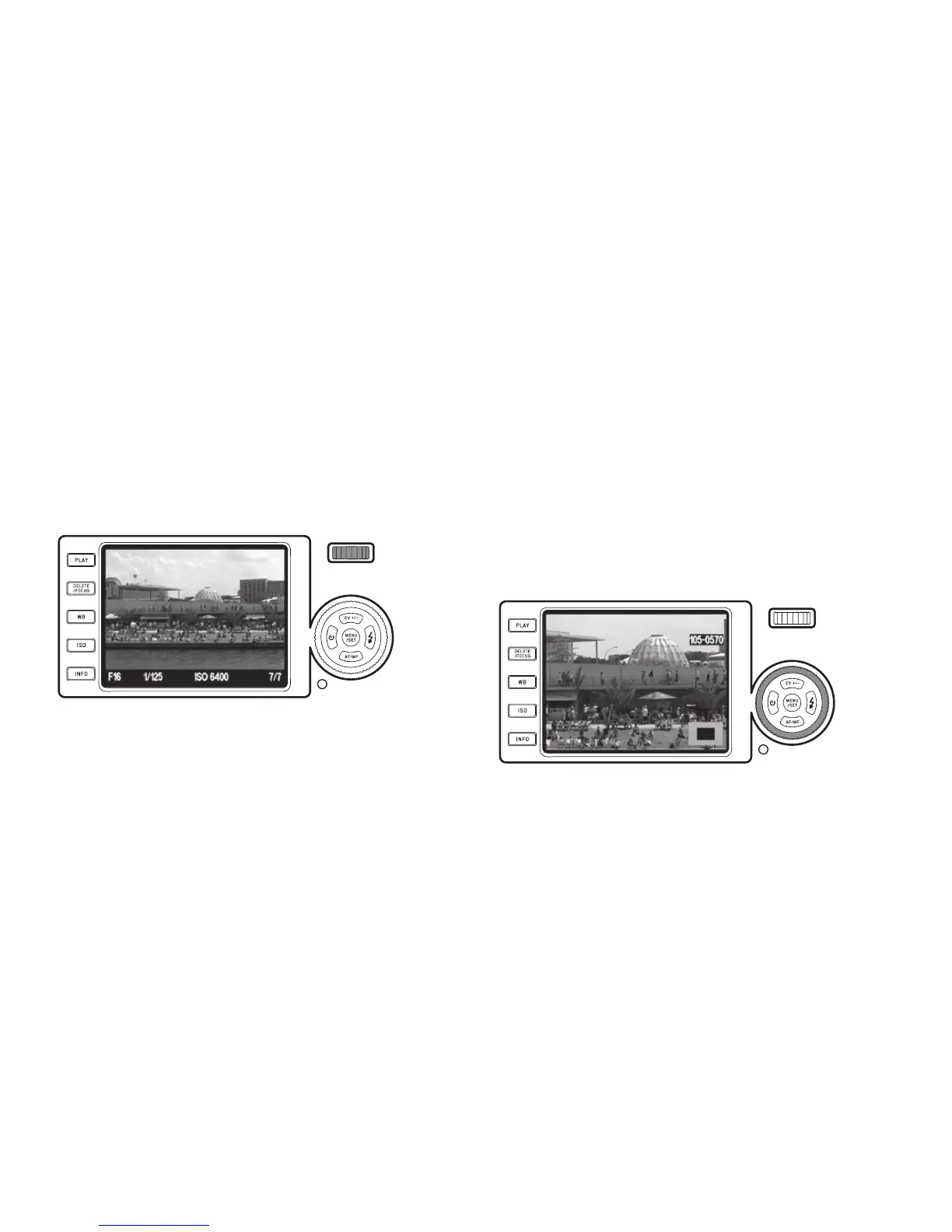
You can select the other saved pictures using either
– the left and right direction buttons (1.24/1.27), or
– the setting wheel (1.20).
Pressing/turning left takes you to the pictures with lower numbers, pressing/turning
right to those with higher numbers. Keeping the buttons pressed results in continu-
ous scrolling at a rate of approx. 2s per picture.
After the highest and lowest numbers, the series of pictures begins again in an end-
less loop, so you can reach all pictures in either direction.
• The picture and le numbers change accordingly.
ENLARGING THE PICTURE/
SIMULTANEOUS REVIEW OF 16 PICTURES
The Leica X2 allows you to enlarge a section of the picture by up to 16x, e.g. in
order to study it more closely. Conversely, it is also possible to simultaneously
view 16 pictures, e.g. to gain an overview or to nd the picture you want more
quickly.
Turn the setting ring (1.22) clockwise to enlarge the picture, counterclockwise
beyond the normal size for the 16 picture display.
• With enlarged pictures, displays appear, indicating the approximate size of
the section (2.2.21) and that the setting wheel is still available for selecting
other pictures (2.2.20).
With the 16 picture display, the one previously viewed at normal size is indi-
cated by a red frame.
143



 To Next Page