X75 Quick Start Guide 17
X75SD/X75HD Multiple Path Converters and Frame Synchronizers Quick Start Guide
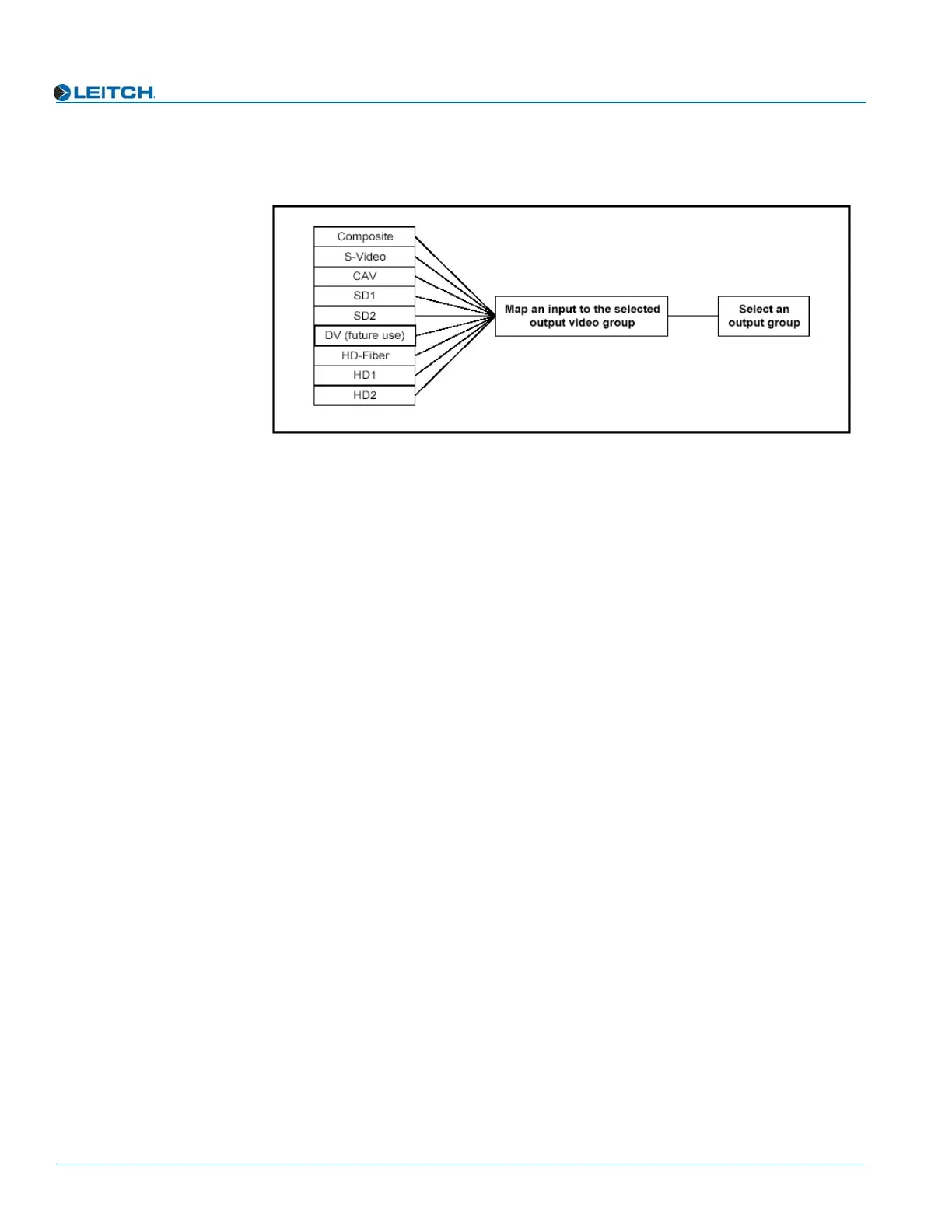
Figure 11 graphically illustrates a single-source signal process, where one selected
video input is fed to all outputs:
Figure 11. Single-Source Processing
Adjusting Video Levels
Various control panel buttons provide shortcuts to the video processing parameters of a
selected video source. Press one of these buttons and use the control knob to change the
selection. For more information on configuring video, see Chapter 11: “Special
Function Buttons”, subsection “Special Function Buttons” in your X75SD/X75HD
Multiple Path Converters and Frame Synchronizers Installation and Operation
Manual.
Configuring Audio
This section describes how to select a single audio source and how to quickly adjust
audio levels. For more detailed and/or advanced information about audio configuration,
see Chapter 11: “Configuring Audio” in your X75SD/X75HD Multiple Path Converters
and Frame Synchronizers Installation and Operation Manual.
Selecting an Audio Source
Directly press the Audio In button to select any one set of audio inputs to be sent out to
all audio multiple output sets. The LEDs to the top, right side of this button indicate
which input is currently selected.
Adjusting Audio Levels
When a single audio source is selected and sent to all outputs, press the Ctrl and
A. Proc buttons to quickly access the audio level controls of the selected audio input.



 To Next Page