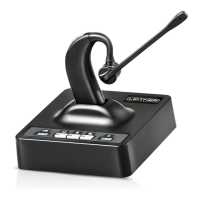
Need help?
Do you have a question about the Leitner LH270 and is the answer not in the manual?
Connect the headset base to your telephone's headset port using the included cord.
Connect the headset base to your telephone's handset port and use the telephone handset cord.
Connect the handset lifter to the AUX port on the headset base.
Connect the EHS cable to your telephone and the headset base's AUX and TEL ports.
Connect the headset base to your computer via the USB cable.
Instructions on how to remove and replace the headset earpad.
Basic steps for initiating and handling calls.
Guide to making calls using the telephone line.
How to answer incoming calls via the telephone.
Instructions for making calls through a computer.
How to conference calls between office phone and softphone.
How to modify the incoming call ring volume.
Procedure to mute and unmute the microphone during a call.
Adjusting the user's speaking volume.
How to adjust the volume heard by the user.
Information on headset disconnection and automatic reconnection.
Explanation of the LEDs indicating headset battery status.
How to connect additional headsets for training or calls.
Description of various audio cues and their meanings.
Procedure for pairing a new headset with the base unit.
How to enable or disable the automatic call answer function.
Covers operating temperatures, child safety, and power connection.
Warnings against disassembly, liquid contact, heat sources, and skin irritation.
Recommendations for safe listening volumes and usage habits.
Safety guidelines for charging and handling headset batteries.
 General
| Connectivity | Bluetooth |
|---|---|
| Type | Wireless |
| Noise Cancellation | Yes |
| Wearing Style | Over-ear |
| Speaker | Yes |
| Connection | Bluetooth |
| Microphone | Noise-canceling |
| Cable Length | Not applicable |

 To Next Page