Need help?
Do you have a question about the Leitner LH670 and is the answer not in the manual?
Explains the function of headset buttons for volume, mute, FocusLight, and power, plus the battery indicator.
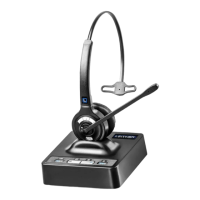
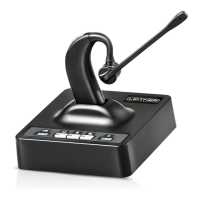
Lists all items included in the headset packaging.
Details all buttons, lights, ports, and adjustment switches on the charging base for operation and connectivity.
Details the percentage of battery charge indicated by the number of solid and flashing lights.
Describes indicator lights that show the selected device mode (Telephone, Bluetooth, Computer) and Bluetooth connection status.
Explains the various audio cues from the headset and their associated events like low battery or connection status.
Explains how the headset manages calls and connections when the user is out of the wireless range.
Recommends charging the headset for at least 4 hours before initial use.
Provides instructions for connecting the headset to telephones with and without dedicated headset jacks.
Explains how to connect an optional handset lifter for answering calls remotely.
Details the setup process for an Electronic Hookswitch (EHS) cable for remote call management.
Instructs on connecting the headset base to a computer using a USB cable for audio communication.
Explains how to pair the headset with Bluetooth devices like mobile phones or computers.
Details the procedure for initiating calls and ending them by placing the headset on the base or using the ON/OFF button.
Guides on how to accept incoming calls from both landline telephones and Bluetooth devices.
Explains the procedures for terminating an ongoing call.
Details the process of using UniBase technology to combine calls from multiple devices into a conference.
Explains how to adjust the volume for both the listener's audio and the microphone's output.
Details the process of muting the microphone and adjusting the volume of incoming call ring alerts.
Details how to enable or disable the automatic headset power-on feature.
Explains how to enable or disable the call control functionality for managing calls directly from the headset.
Details the process of registering a second headset to the charging base for conference or training use.
Explains how to connect the already registered secondary headset to begin a call.
Details the procedure for registering a new primary headset to the charging base.
Resolves issues like battery lights, audio, and lifter problems through Q&A.
Provides the phone number and hours for live product support.
Addresses problems with computer recognition, audio output, and microphone input for the headset.
Provides general safety precautions for product usage and handling.
Specifies the recommended temperature range for operating and storing the headset.
Details warnings related to product overheating, damage, and potential skin irritation.
Outlines critical safety instructions for charging the headset and using the power adapter.
Provides essential safety instructions for headset battery handling, disposal, and recycling.
Offers guidance on setting volume levels to protect hearing and maintain situational awareness.


 To Next Page
 General