13
1
Sounds from your computer will be
shared automatically with the conference
1
3
4
Begin a call on your first device.
After a few seconds, the mode
button lights for the two selected
devices will light up.
To exit UniBase mode, simply
press the mode button of the
device you want to stay on
with.
2
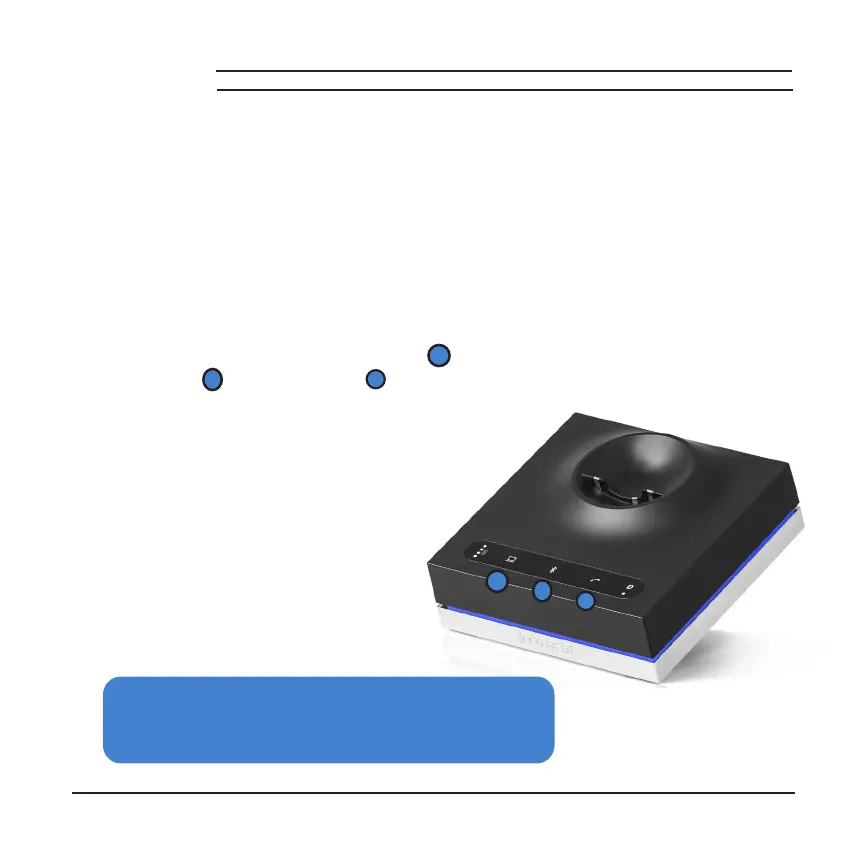
Hold the mode button for the second
device you want to add: Computer (
1
),
Bluetooth (
2
) or Telephone (
3
).
HOW TO
USE UNIBASE
®
UniBase Technology allows you to conference calls between any
two devices. Have a call on your cell phone and one on your
landline? Conference them together with UniBase!
2
1
3



 To Next Page