rd 122 & rd 122 fx
11
7. CHANNEL INSERTS
STEREO JACK connectors: allow to use an external
device (equalizer, compressor, etc.) to process the
signal of the input channels from 1 to 8. The INSERT
connectors are placed on the rear panel of the mixer
and they have the signal SEND on the JACK TIP and
the signal RETURN on the JACK RING (see
CONNECTOR CABLES).
8. +48V
+48V Phantom power supply buttons: activates +48V
power supply on the MIC inputs of the MONO input
channels.
NOTE
When the PHANTOM power supply is needed, make
certain that cables with BALANCED XLR connectors are
ALWAYS used to connect the microphones: this
precaution is extremely important for avoiding damage
in the event of both condenser and normal (dynamic)
microphones being used simultaneously. Switch on the
PHANTOM power supply only after having connected
the condenser microphone to the input and only with
the channel fader closed to avoid output signal peaks.
5. POWER
Mixer on/off switch.
6. Power supply socket / Main fuse holder
In the event of breaking, always replace the fuse with
same type and rating.
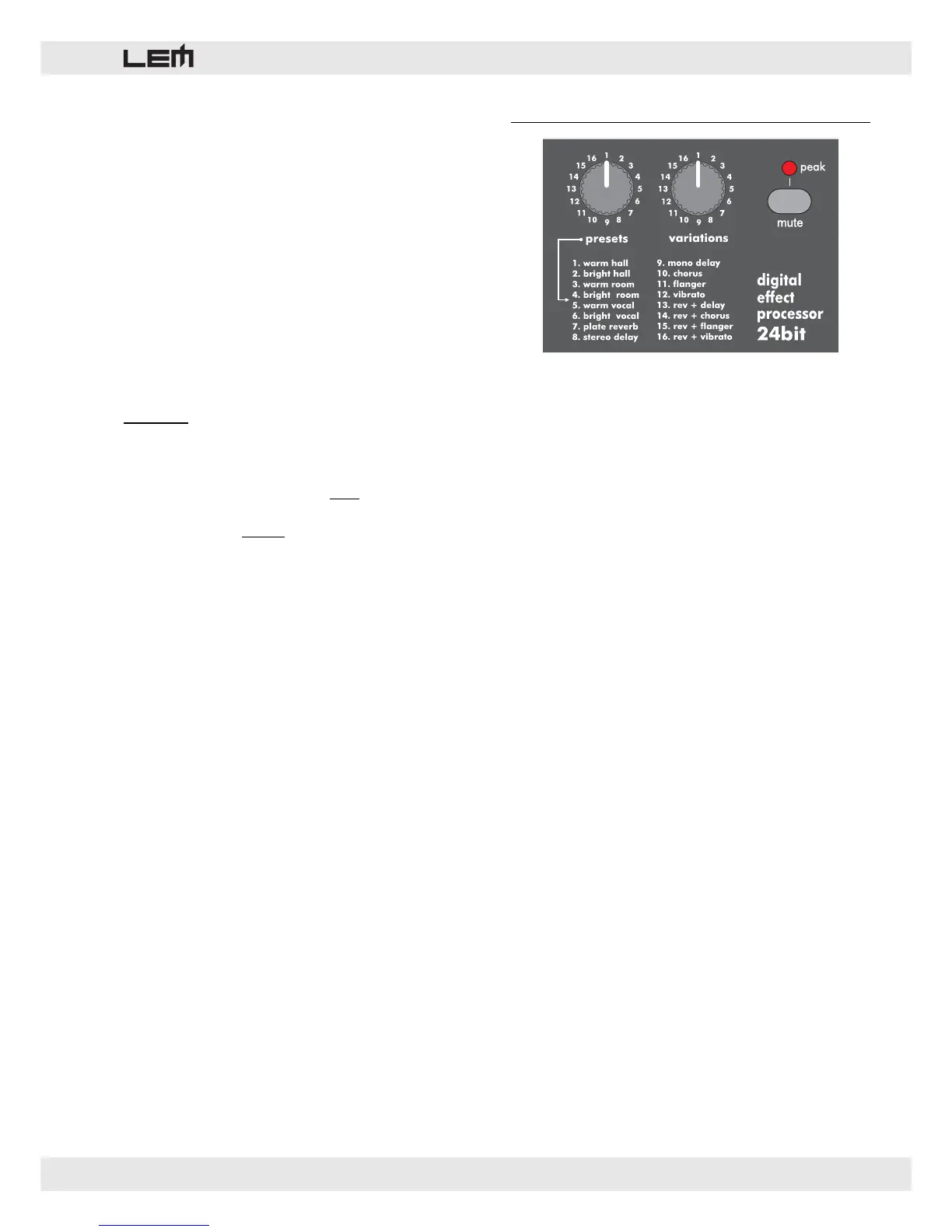
8. 24bit Digital Effect Processor (rd 122 fx)
Built on 24 bit LEM technology, the onboard Digital
Effect Processor receives the signal sent by the AUX
3 / DFX sends of the channels.
Use couldn’t be easier.
1. PRESETS
Allows to select the desired effect among 16 types:
several kinds of reverb, mono or stereo delay, effects
with modulation, 2-effect combinations.
2. VARIATIONS
Allows to choice the desired variation (decay, depth,
harmonic content, etc.) among 16 VARIATIONS of the
selected PRESET. The presence of 16 VARIATIONS
for each PRESETS allows up to 256 different effects
to be available. The main parameters of each effect
are listed in the RD 122 FX PRESET LIST table (pages
18 and 19).
3. MUTE
Effect on/off switch.
NOTE: the effect can be turned on/off also by means
of a footswitch connected to the DSP FOOTSWITCH
socket.
4. PEAK/MUTE LED
This LED shows 2 conditions:
• lighted = shows the effect is MUTED.
• flashing = shows a too high signal level, near to the
overload of the mixer output stage.



 To Next Page