2 of 30
3 of 30
4. Multiple operating languages
1.3 Carton contents
After you unpack the box, you will find the following items:
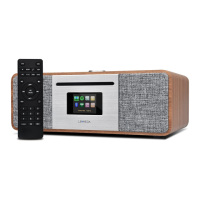
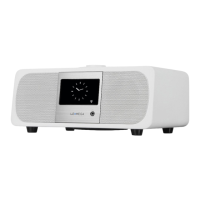
Ÿ 1 M3 unit
Ÿ 1 DC12V 2.5A power adapter
Ÿ 1 User manual
Ÿ 1 Remote Control
1.4 External resources
To operate M3, the following external resources are needed:
Ÿ A power source (100-240 V mains power supply).
These external resources can be used for specific functions.
Ÿ A Bluetooth capable smart device.
Ÿ An external audio source (for Aux In mode).
1.5 Conventions used in this manual
Ÿ Button (press) Physical button on the keypad
Ÿ Option (select) Menu option shown on the display
Ÿ Name Menu, screen or other name
2. Controls, connectors and display
• Do not let objects or liquids enter the product.
• Use proper power sources. Plug the product into a proper
power source, as described in the operating instructions or as
marked on the product.
1.2 Features
This manual describes how to use the M3, with the following
modes:
Ÿ DAB/DAB+ digital radio with a wide choice of channels and
digital quality sound broadcast free-to-air.
Ÿ FM with RDS (Radio Data System)
Ÿ Aux in for external music sources such as MP3 players
Ÿ Bluetooth to act as a Bluetooth wireless speaker for
Bluetooth capable smart devices.
M3 also provides the following features:
1. TFT color display for DAB slideshow images, clear
information display and easy option selection.
2. IR Remote control.
3. Clock with auto-update capability and dual independent
alarms, Sleep/snooze.


 To Next Page