EasyManua.ls Logo

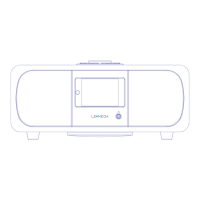
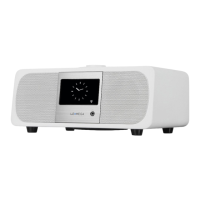
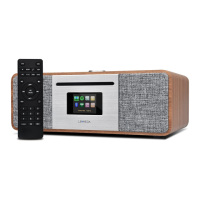
LEMEGA MSY5 - User Manual

LEMEGA MSY5
34 pages
Print Icon
To Next Page IconTo Next Page
Loading...
Owner's manual
LIFE & ALOUD
MSY 5 ALL-IN- O NE MUSIC SYS T E M

Questions and Answers

  • R
    Regina TaylorJul 28, 2025
    What to do if my LEMEGA MSY5 cannot connect to the Internet?
    • K
      Kevin RyanJul 28, 2025
      If your LEMEGA Stereo System cannot connect to the Internet, first ensure that your internet connection is working by testing it with a computer on the same network. If the internet connection is active, check that the following ports are open on your router: UDP and TCP ports 80 and 123, and DNS port 53. Note that some Internet radio stations might need additional ports to be opened.
  • K
    Katherine MartinezAug 7, 2025
    How to fix FM hiss or DAB burbling/intermittent cut-out on LEMEGA MSY5 Stereo System?
    • A
      aprilescobarAug 8, 2025
      If your LEMEGA Stereo System is experiencing hissing on FM or burbling/intermittent cut-out on DAB, it is likely due to low signal strength. To resolve this, check and reposition the antenna, move the radio to a different location, and rescan for local (high-strength) stations only. For DAB issues, you can also check local coverage at www.ukdigitalradio.com/coverage.
  • S
    Shannon JacksonAug 12, 2025
    What to do if my LEMEGA MSY5 Stereo System says ‘No stations available’ on DAB?
    • W
      Walter AlexanderAug 12, 2025
      If your LEMEGA Stereo System displays a ‘No stations available’ message on DAB, this indicates low signal strength. You can resolve this by checking and moving the antenna, repositioning the radio, and then rescanning for stations.
  • A
    Ashley ConwayAug 17, 2025
    Why can't my LEMEGA MSY5 play a particular Internet radio station?
    • S
      Stephanie ChenAug 17, 2025
      If your LEMEGA Stereo System cannot play a particular Internet radio station, it could be due to several reasons: the station might not be broadcasting, it could be overloaded, or there might be insufficient bandwidth. It's also possible that the station is broadcasting using an unknown codec or that the link is out of date. Try listening to other stations, or try listening to the station on a computer via an Internet radio portal website. You can also try again later.
  • N
    Nicholas DaviesAug 22, 2025
    What to do if CD playback does not start on my LEMEGA Stereo System?
    • D
      danielle97Aug 22, 2025
      If CD playback does not start on your LEMEGA Stereo System, consider the following: ensure that the CD format is compatible with the system. If the format is compatible, check if the CD is damaged; if it is, use a different CD. Finally, if the CD is dirty, clean it before attempting playback.
  • E
    Elizabeth GregoryOct 31, 2025
    Why my LEMEGA MSY5 Stereo System cannot connect to the network?
    • A
      Ashley RobinsonOct 31, 2025
      If your LEMEGA Stereo System cannot connect to the network, begin by verifying that the network is functioning correctly between a computer and the router. If the network is working, and your router restricts access to listed MAC addresses, obtain the MSY5 MAC address from Menu > System settings > Network > View settings and add it to the router list. Also, check the distance to the router to ensure that the Wi-Fi signal strength is sufficient, and see if a computer can connect to the network in the same location. For unusual network configurations, set up the network manually through Menu > System settings > Network > Manual settings. Finally, ensure that your firewall isn't preventing access by checking that the following ports are open on the router: UDP and TCP ports 80 and 123; DNS po...

Summary

Introduction

Safety Instructions

Provides essential safety information to reduce the risk of fire, electric shock, and injury.

Product Features

Details the various modes and capabilities of the MSY5 All-in-One Music System.

Carton Contents

Lists all items included in the product packaging for user verification.

External Resources Required

Specifies the external components and network access needed for MSY5 operation.

Manual Conventions

Explains the symbols and terminology used throughout the manual for clarity.

Controls and Operation

Main Unit Controls

Details the physical buttons and controls located on the MSY5 unit for operation.

System Connectors

Identifies and explains the purpose of all input and output ports on the MSY5.

Remote Control Functions

Describes the buttons and functionalities of the included remote control.

Basic Operation and Menu Navigation

Guides users on how to operate the MSY5 and navigate its menus.

Setup and Configuration

Setup Wizard Process

Walks through the initial configuration steps for date, time, and network connection.

Equalizer Settings

Details how to adjust audio sound profiles using preset modes or custom settings.

Network Configuration

Explains how to connect to Wi-Fi networks, manage profiles, and troubleshoot connectivity.

Language Settings

Instructions for changing the display language of the MSY5 unit.

Smartphone Control via UNDOK

Guides on connecting a smartphone using the UNDOK app for remote control.

Listening Modes

Internet Radio

How to access and tune into thousands of internet radio stations and podcasts by category or search.

Spotify Connect

Enables wireless music playback and control via the Spotify app on smart devices.

DAB Radio

Receiving and listening to DAB/DAB+ digital radio, including scanning and settings.

FM Radio

Finding FM stations, storing presets, and adjusting settings for optimal reception.

AUX and Bluetooth Connectivity

Connecting external audio sources via AUX and pairing Bluetooth devices for wireless streaming.

USB and CD Playback

Playing audio files from USB devices and discs, including operational guidelines.

System Features and Maintenance

Alarms and Sleep Timer

Setting wake-up alarms with snooze and configuring the sleep timer for automatic shutdown.

Software Updates and Factory Reset

Instructions for updating system software and restoring the device to factory defaults.

Troubleshooting and Specifications

Error Messages and Troubleshooting

Lists common error messages and provides solutions for troubleshooting device issues.

Technical Specifications

Provides detailed technical data, dimensions, power, and compliance information for the MSY5.

LEMEGA MSY5 Specifications

General IconGeneral
BrandLEMEGA
ModelMSY5
CategoryStereo System
Power Output20W RMS
BluetoothYes
FM RadioYes
Internet RadioYes
CD PlayerYes
USB PortYes
USB PlaybackYes
Frequency Response20Hz - 20kHz
Weight2.5 kg
Wi-FiYes
Input Voltage100-240V
Speaker Impedance4 Ohm

Related product manuals