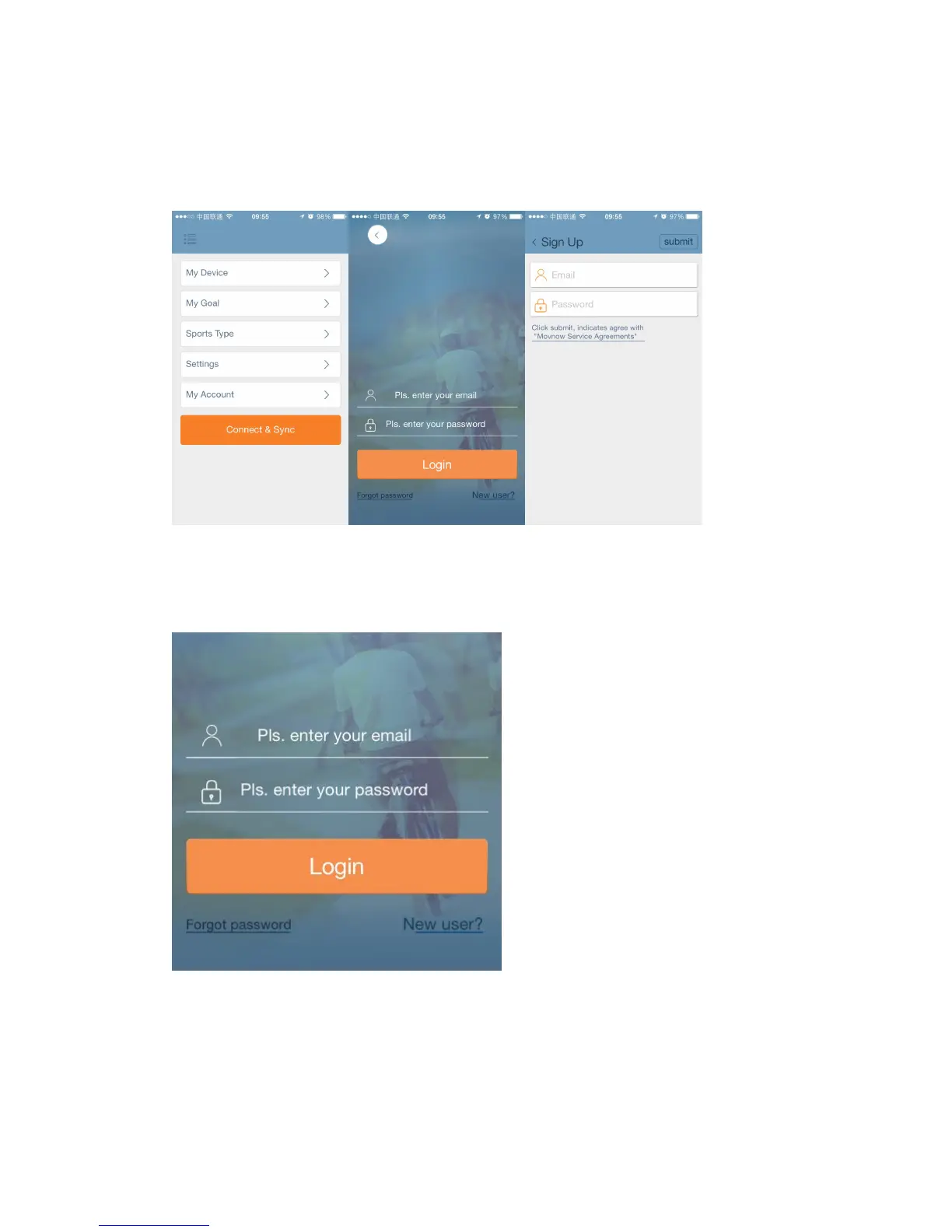
Open the APP and hit “My Account”(From PIC 1),then hit “ New User”(From
PIC2) then Key in E-mail address for registration and then submit.(From PIC3).
PIC 1 PIC2 PIC3
Login Page:
3) Connecting device(Turn on Bluetooth before connecting device)
After login, please hit “Connect and Sync” (From PIC 1);
Searching for paired device (From PIC 2);


 To Next Page