B. About the rechargeable Baery
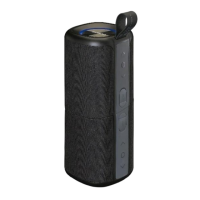
This Bluetooth Speaker has an internal, non–user-replaceable baery. For
the best results, the first me you use this Bluetooth Speaker, let it
charge for about 6 ~7 hours or unl the charging LED indicator light goes
from a red light to ‘off’ which shows you the baery is fully charged.
To maintain the baery life and performance, if the speaker isn’t used for
a while, the baery might need to be recharged. Charge the baery at
least once every month.
To charge the rechargeable baery:
1. Connect the Bluetooth Speaker’s “Micro USB socket (2)” with the USB
power charger which able to provides output at least DC 5V 1A for
charge connecon via the original USB cable (supplied).
2. The “Charge (10)” LED will turn On in red, the baery is in charging.
3. The “Charge (10)” LED will turn Off when the rechargeable baery is
fully charged.
4. Disconnect the USB cable when it is done.
D. Disconnect from paired device
1. Slide “ON/OFF switch (1)” on the device to ON ll to listen “DUDU”,
the Bluetooth searching are open;
2. “Bluetooth (10)” LED is fast blinking in blue.
3. Then, acvate the Bluetooth funcon in your Bluetooth device (such
as Mobile Phone); the device will enter to Bluetooth searching mode
automacally , if not , tap the relate selecon to manually enter to
searching mode. ( refer to your device’s manual when necessary )
4. Your Bluetooth device should show “BT-191” in list, and then select it
for pairing . Waing for some seconds and you will see connected
message as shown on your mobile device. If pairing is successful, a
tone will sound “DU” and the “Bluetooth (10)” LED will keep lighng
blue slowly.
5. Now, you can start to music play from the mobile device by its music
player program.
6. Slide “ON/OFF switch (1)” to OFF when it is not in use.
1. To disconnect with paired device and for beer result, turn Off the
Bluetooth Speaker by Slide the “ON/OFF switch (1)” to OFF directly;
2. Or, you can choose “Disconnect” from Bluetooth paired device list on
your mobile device;
3. In this case; the Bluetooth Speaker will turn back into “Searching/Pairing”
mode in seconds, the “Bluetooth (10)” LED will turn to fast blinking
6


 To Next Page
 Loading...