G. Bluetooth Music Playing Controls (two way funcon)
a. On your Bluetooth Device:
1. Switch to the music player menu and choose music to start the play
from the playlist or by using the “</V-,>/V+” buon. Play/Pause the
playing music by using the “ / ” buon.
2. To adjust the volume level use the device’s volume control
“</V-,>/V+”” buon on your Bluetooth device. (refer to your device’s
user manual when necessary)
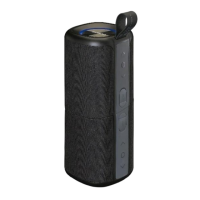
b. On Bluetooth Speaker:
1. While playing music, press the “ / (7)” buon to pause the
playing music. Press it again to resume.
2. Press and hold the “>/V+ (9)” buon to increase the vol
ume level.
3. Press and hold the “</V- (8)” buon to decrease the volume level.
4.
Noce: this unit has no volume recorder funcon in Bluetooth mode,
when you turn on the unit again the volume is the default volume
that is 50% volume level. When maximum volume is reached, a beep
sound will be heard.
5.
Press the “>/V+ (9)” buon to change next music file play.
Press the “</V- (8)” buon to change previous music file play.
1. When there is an incoming call during Bluetooth music playing mode;
2. The ringing sound (an coming call) will up and the playing music will
pause automacally.
3. Press and hold “/ (7)” buon to reject the call if you want. Or,
4. Press “/ (7)” buon to pick up the call.
5. Now you have hand free funcon with the Bluetooth speaker.
6. Press “/ (7)” again to hang up the call when finished. And the paused
music will resume automacally.
Tip: speak to the “MIC (5)” direct with distance in 30~50cm to get the best
speakerphone performance when necessary.
H. Hand Free Funcon
I. Redial For Last Call Funcon
1. To redial for last called number by the Bluetooth Speaker, even it is in
music playing mode.
2. Press twice the “ / (7)” buon to enter into redial funcon, the
playing will pause and switch to hand free funcon for redial.
3. Press the “ / (7)” Buon again to hang up the redial call.
4. Make sure that your mobile phone has have last dial call used, if not,
the redial for last call funcon cannot be acvated.
8


 To Next Page