EasyManua.ls Logo

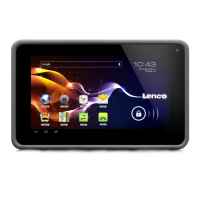
LENCO CARTAB-920 - User Manual

LENCO CARTAB-920
171 pages
Print Icon
To Next Page IconTo Next Page
Loading...
English: User manual
Deutch: Bedienungsanleitung
Nederlands: Gebruikershandleiding
Français: Manuel de l’utilisateur
Español: Manual del usuario
Useful links:
Lenco website
Lenco support

Table of Contents

Questions and Answers

  • A
    Amanda TurnerAug 9, 2025
    What to do if my LENCO Tablet freezes?
    • C
      Carmen MartinezAug 9, 2025
      If your LENCO Tablet freezes, you may need to close applications or reset the tablet. You can also try closing the application with the task manager or pressing and holding the Power key for 8-10 seconds. As a last resort, perform a factory data reset by going to Settings ? Back up and reset ? Factory data reset ? Reset device ? Erase everything.
  • W
    wilcoxrobynAug 13, 2025
    How to fix error messages when opening camera on LENCO CARTAB-920?
    • A
      andersonjefferyAug 13, 2025
      If you receive error messages when launching the camera on your LENCO Tablet, try the following: * Charge the battery. * Clear memory by transferring files to a computer or deleting files from your tablet. * Restart the tablet.
  • J
    jacksonbrentAug 25, 2025
    What to do if my LENCO CARTAB-920 Tablet displays network or service error messages?
    • K
      Kenneth JohnsonAug 25, 2025
      If your LENCO Tablet displays network or service error messages, move to another area and try again. If the problem persists, contact your service provider for more details.
  • S
    Shelley HawkinsAug 29, 2025
    Why do error messages appear when opening music files on my LENCO CARTAB-920 Tablet?
    • M
      Mark YuAug 29, 2025
      Error messages may appear when opening music files on your LENCO Tablet if the music file is Digital Rights Management (DRM)-protected. Ensure that you have the appropriate license or key to play the file. Also, ensure that your tablet supports the file type.
  • A
    Amy WongSep 2, 2025
    Why is my LENCO CARTAB-920 Tablet hot when I touch it?
    • R
      Rose WardSep 2, 2025
      It is normal for your LENCO Tablet to feel hot if touched when you use applications that require more power or use applications for an extended period of time. This should not affect your tablet’s lifespan or performance.
  • C
    Carolyn SullivanSep 10, 2025
    Why is the touchscreen on my LENCO Tablet not responding properly?
    • J
      jpattonSep 12, 2025
      If the touchscreen on your LENCO Tablet responds slowly or improperly, it may be due to a protective cover preventing the tablet from recognizing your inputs. Remove any protective covers from the touch screen. Also, ensure that your hands are clean and dry while tapping the touch screen. Restarting your tablet may also clear any temporary software bugs.

LENCO CARTAB-920 Specifications

General IconGeneral
BrandLENCO
ModelCARTAB-920
CategoryTablet
LanguageEnglish

Related product manuals