10
◆Press “Back’’ button repeatedly to have the cursor position moving to File
– Image - Flash device orderly.
◆Using the directional arrows
highlight ‘’Video’’, press “Enter” button or
wait for 3 seconds, cursor position will move to the list of video.
◆ Using the directional arrows highlight the desired video file, press
“Enter” button to watch video.
◆ Press “Back” button on the remote control, it will display video with small
screen or press to zoom in the full screen display, and press to
zoom back to the smaller screen.
Press “Func” button on the remote control to have the cursor position moving
to video setup.
1.Using the directional arrows selecting and pressing:
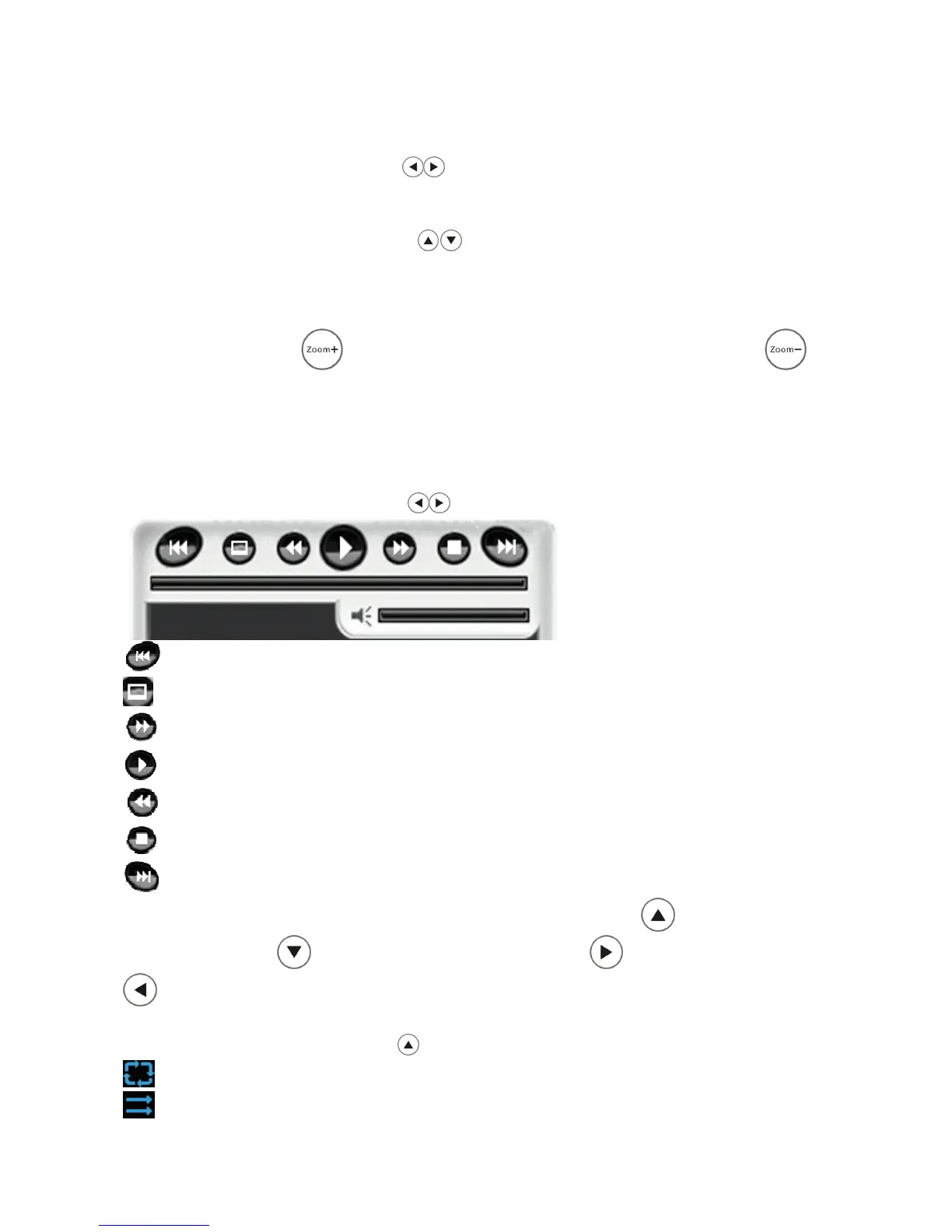
Play previous video file
Full screen playing video
Fast forward
Play / Pause video
Fast backward.
Stop playing video
Play next video file
Please note: Under full screen video play mode, press to play previous
video file, press to play next video file, press to fast forward, press
to fast backward.
2.Using the directional arrow selecting repeat mode:
Repeat all files
No repeat


 To Next Page