4
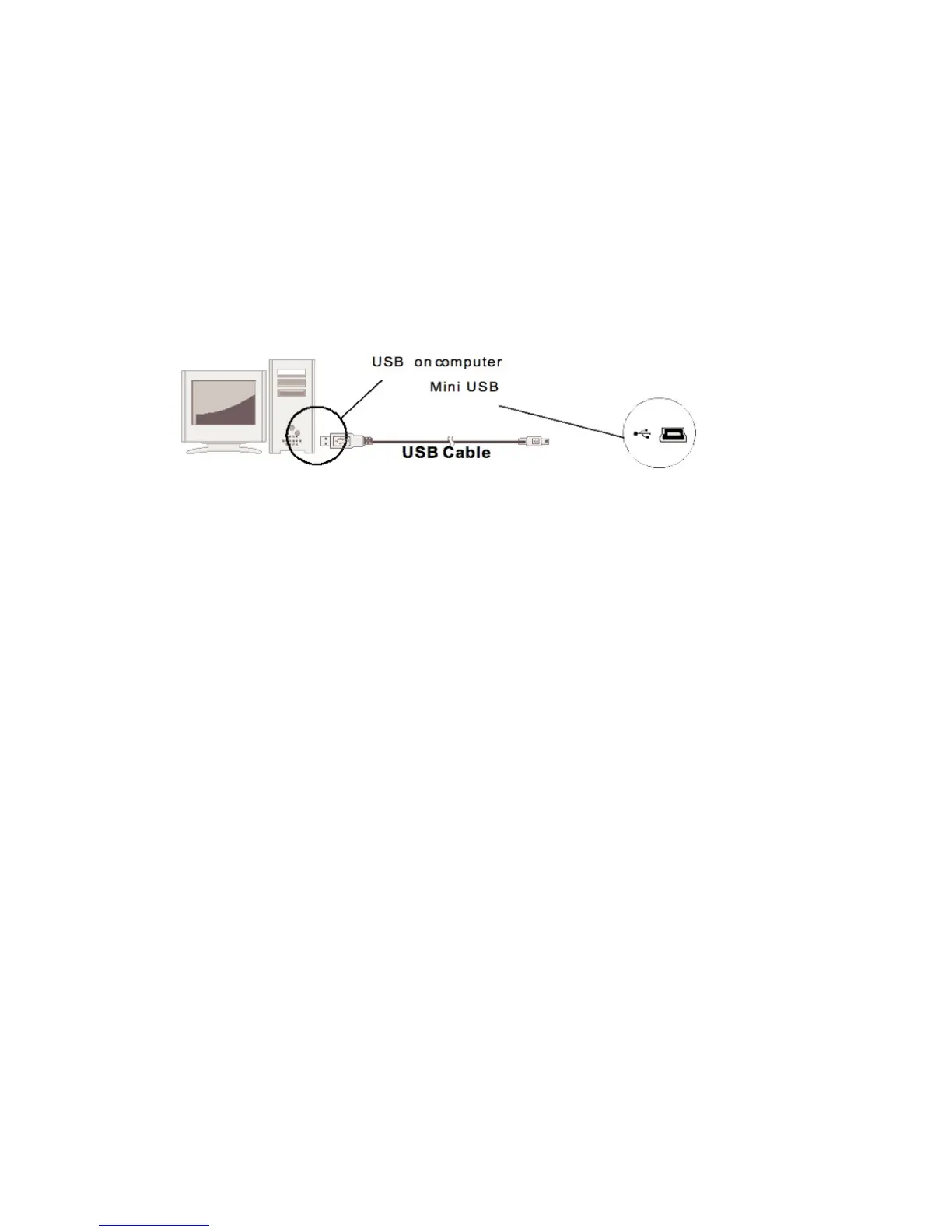
Connecting to a computer
◆Turn on your digital picture frame.
◆Use the USB cable provided, and then plug the mini USB into the
digital picture frame
◆Plug the other end of the cable into your computer
Upon connecting the unit to your computer, the picture frame interface
will show as “the DPF set is connected to PC”.Then please find “My
Computer” in your computer and open the “Removable Device.”, it will
display the devices you inserted to the frame or the internal memory of
the frame. Locate and select the contents in your computer that you
wish to download into the frame. Drag and drop the photos into the
“Removable Device” window
Note
: please do not insert a USB flash drive into the USB host while the
frame is already connected to the computer.


 To Next Page