Memory Card Choice
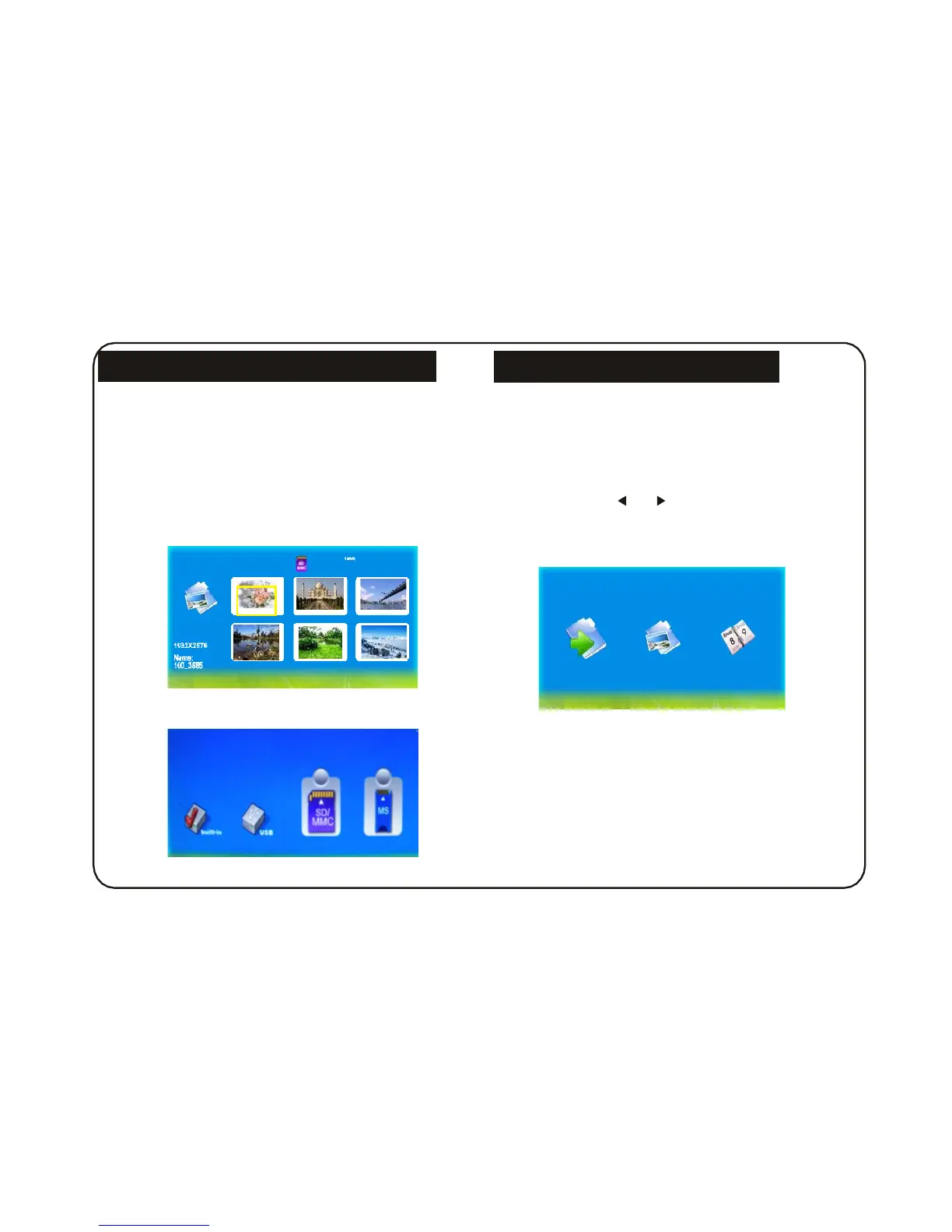
When power on, the digital frame will go into automatic
show mode of SlideShow if it is inserted with memory
Cards or keeps pictures in the built-in flash.
Press EXIT key to return to Photo menu ( Fig 1 ).
If the digital frame is not inserted with memory cards
or there is no pictures in its built-in flash, then it goes
into Photo menu. After memory card inserted,
it goes into Select Cards mode (Fig 2).
Play Photo File
After memory card inserted, the digital frame goes into
Select Cards mode.
Operation:
In Select Cards mode, you can choose different
memory cards by or key. Press ENTER key
after choosing the memory card to go into SlideShow
or Photo mode to play pictures (Fig 3). Press EXIT
you can return from playing status.
SlideShow
Fig 1
Fig 3
Fig 2
7


 To Next Page