16
Advanced Features
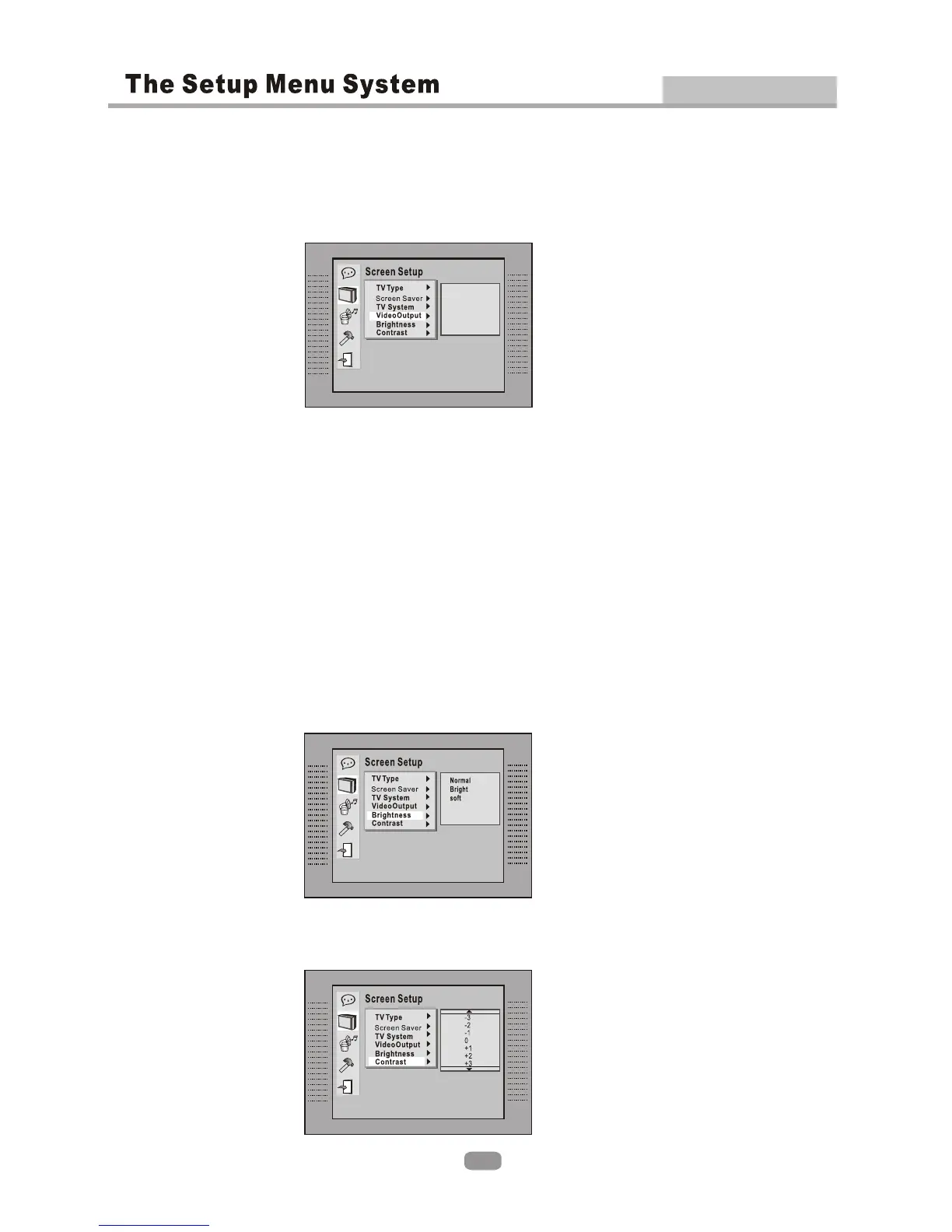
According to the output jack of the TV set, you can choose CVBS+S-VIDEO,
CVBS+YUV , CVBS+RGB or YUV P-SCAN.
According to the output jack of the TV set, you can choose CVBS+S-VIDEO,
CVBS+YUV , CVBS+RGB or YUV P-SCAN.
2.2.4 VIDEO OUTPUT2.2.4 VIDEO OUTPUT
2.2.5 BRIGHTNESS2.2.5 BRIGHTNESS
CVBS+S-VIDEO
CVBS+YUV
CVBS+RGB
YUV P-SCAN
According to the Brightness, you can choose Normal, Bright or Soft .According to the Brightness, you can choose Normal, Bright or Soft .
2.2.6 CONTRAST2.2.6 CONTRAST
Use the Up and Down arrow buttons to scroll and adjust the contrast.Use the Up and Down arrow buttons to scroll and adjust the contrast.
Note:.
After selecting YUV P-Scan via setup-menu a confirmation window will popup.
Please, confirm it with 'Yes' if your TV supports YUV P-Scan and if the player is
connected to the TV via the YUV cable (3x RCA RGB). Otherwise select 'No'.
If you select YUV P-Scan via the Remote Control Button 'Video / Mode' the player
will force you to press the button twice. If your TV supports YUV P-Scan and if the
player is attached to the TV via the YUV cable (3x RCA RGB) press the button a
second time, otherwise do nothing.
If it should happen that your TV does not show any picture, please press the
Video / Mode button on the Remote Control one time or several times until your
TV does.
Note:.
After selecting YUV P-Scan via setup-menu a confirmation window will popup.
Please, confirm it with 'Yes' if your TV supports YUV P-Scan and if the player is
connected to the TV via the YUV cable (3x RCA RGB). Otherwise select 'No'.
If you select YUV P-Scan via the Remote Control Button 'Video / Mode' the player
will force you to press the button twice. If your TV supports YUV P-Scan and if the
player is attached to the TV via the YUV cable (3x RCA RGB) press the button a
second time, otherwise do nothing.
If it should happen that your TV does not show any picture, please press the
Video / Mode button on the Remote Control one time or several times until your
TV does.


 To Next Page