17
Advanced Features
2.3 AUDIO SETUP2.3 AUDIO SETUP
C
A
B
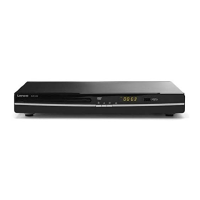
Highlight the DIGITAL OUT option, and press the Arrow buttons to
choose the audio output mode you prefer. Press the Enter button to
confirm. There are 3 optional audio output modes: SPDIF / RAW,
and SPDIF/ PCM,OFF.
Highlight the DIGITAL OUT option, and press the Arrow buttons to
choose the audio output mode you prefer. Press the Enter button to
confirm. There are 3 optional audio output modes: SPDIF / RAW,
and SPDIF/ PCM,OFF.
2.3.1 DIGITAL OUT2.3.1 DIGITAL OUT
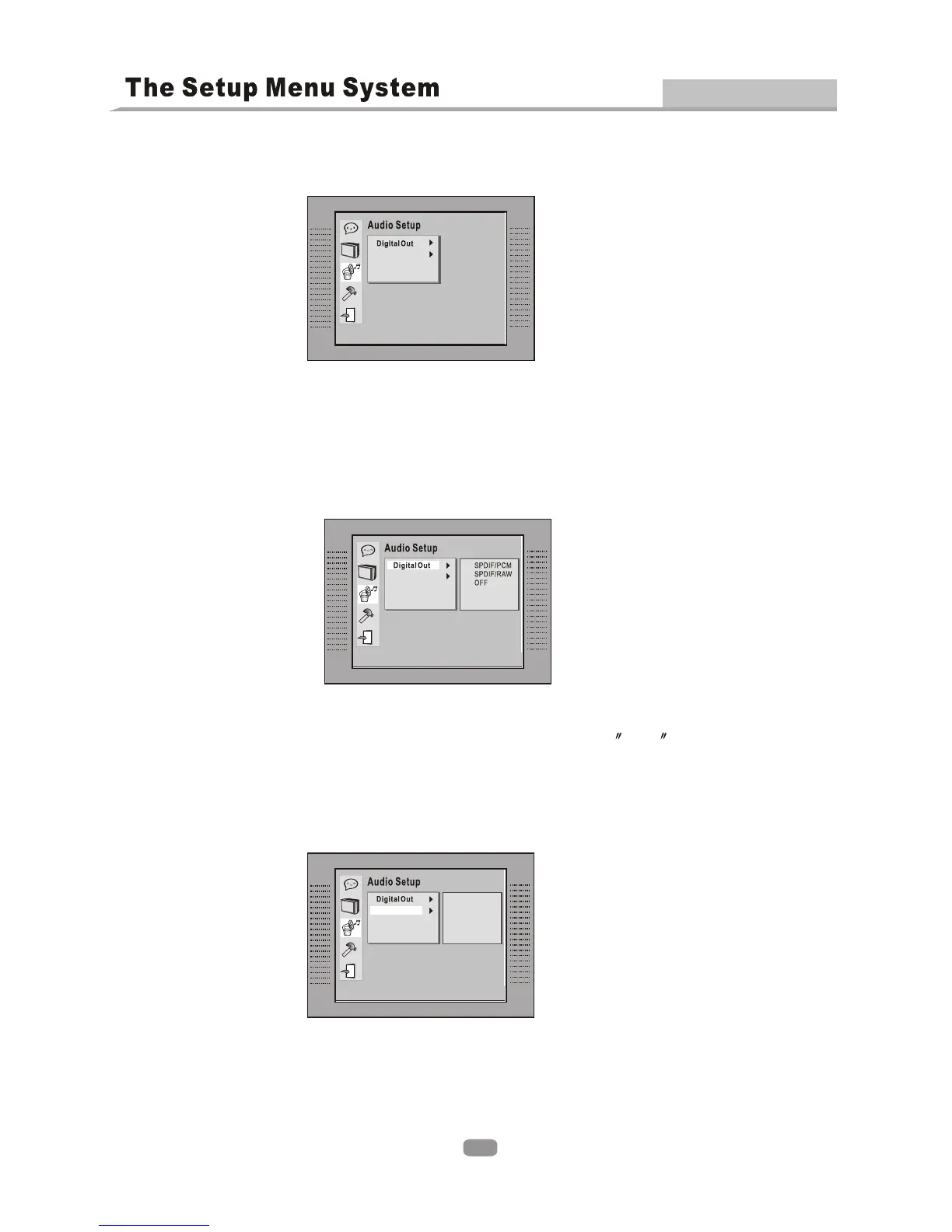
The audio setup options are illustrated below:The audio setup options are illustrated below:
Note:
When digital output is NOT in use, It is recommended to select OFF , to minimize circuit
interference.
Note:
When digital output is NOT in use, It is recommended to select OFF , to minimize circuit
interference.
2.3.2 DOWNMIX2.3.2 DOWNMIX
C
A
B
LO/RO
LT/RT
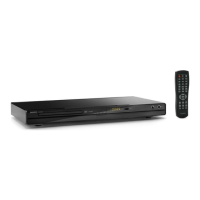
There are two modes, one is LO/RO, the other is LT/RT.There are two modes, one is LO/RO, the other is LT/RT.
Downmix
Downmix
Downmix


 To Next Page